Introduction
Load balancers are traffic management tools that distribute user requests across multiple servers, services, containers, or cloud regions. Instead of sending all traffic to one server, a load balancer checks availability, routes requests intelligently, and helps applications stay fast, stable, and resilient. Load balancers are used for websites, APIs, SaaS platforms, microservices, databases, streaming systems, and enterprise applications.
In and beyond, load balancing matters because applications are more distributed than ever. Businesses now run workloads across cloud, hybrid cloud, Kubernetes, edge locations, and multi-region environments. A strong load balancer improves uptime, supports scaling, reduces latency, strengthens security, and helps teams manage traffic during failures or sudden demand spikes.
Real-World Use Cases
- High-traffic websites: Distribute traffic across multiple backend servers to avoid overload.
- API platforms: Route API calls efficiently across microservices or application clusters.
- Kubernetes and containers: Balance service traffic across dynamic container workloads.
- Disaster recovery: Fail over traffic to healthy regions or backup infrastructure.
- Security and SSL management: Terminate SSL/TLS, integrate with WAFs, and enforce secure traffic policies.
Evaluation Criteria for Buyers
When evaluating load balancers, buyers should consider:
- Layer 4 and Layer 7 traffic support
- Cloud, hybrid, and on-premises deployment options
- Global server load balancing
- Health checks and failover
- SSL/TLS termination and certificate management
- Web application firewall and DDoS protection integration
- Kubernetes and container support
- Monitoring, logging, and analytics
- Automation, API, and infrastructure-as-code support
- Pricing, licensing, and operational complexity
Best for: DevOps teams, platform engineers, network administrators, cloud architects, SRE teams, SaaS companies, e-commerce platforms, financial services, media platforms, and enterprises running mission-critical applications.
Not ideal for: Very small websites with low traffic, static sites already served through a CDN, or teams that only need simple DNS-based routing without advanced failover, security, or traffic control.
How We Selected These Tools
The following load balancers were selected using a practical SaaS, cloud, and enterprise infrastructure evaluation approach:
- Market adoption and recognition: Widely used platforms across enterprises, cloud-native teams, and DevOps environments were prioritized.
- Feature completeness: Tools with Layer 4, Layer 7, SSL/TLS, health checks, failover, monitoring, and routing policies scored higher.
- Reliability and performance: Preference was given to tools known for high availability, low latency, and production-grade traffic handling.
- Security posture signals: SSL/TLS, WAF integration, DDoS mitigation, RBAC, logging, and policy controls were considered where confidently known.
- Deployment flexibility: Cloud, self-hosted, hybrid, appliance, container, and Kubernetes support were reviewed.
- Integration ecosystem: Cloud platforms, Kubernetes, monitoring, automation, and DevOps integrations were considered.
- Customer fit: The list balances enterprise ADCs, cloud-native services, open-source-friendly options, and global edge platforms.
- Support and maturity: Documentation, community strength, enterprise support, and implementation ecosystem were included in the evaluation.
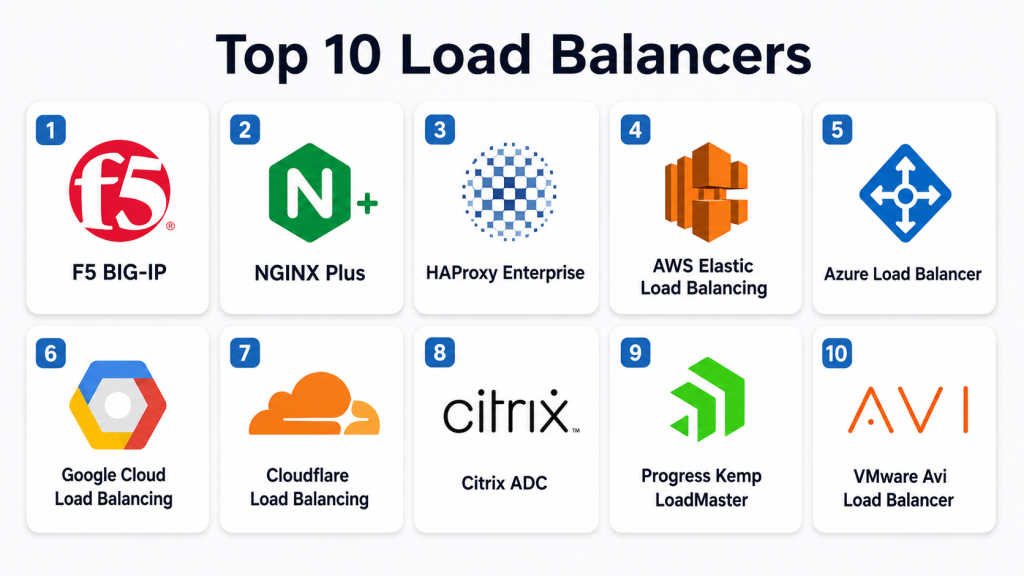
Top 10 Load Balancers
1- F5 BIG-IP
Short description: F5 BIG-IP is an enterprise application delivery controller used for load balancing, traffic management, SSL offloading, application security, and high availability. It is commonly deployed in large enterprises, financial services, telecom, healthcare, government, and mission-critical environments where performance and reliability are important. BIG-IP supports advanced Layer 4 and Layer 7 routing, global server load balancing, traffic inspection, and policy-based control. It can be deployed in hardware, virtual, cloud, and hybrid environments depending on architecture. Teams choose F5 when they need deep customization, mature traffic management, and enterprise-grade application delivery. Its strongest value is advanced traffic control for complex and high-risk environments.
Key Features
- Layer 4 and Layer 7 load balancing
- SSL/TLS offloading and certificate handling
- Global server load balancing
- Advanced traffic routing policies
- Health monitoring and failover
- Web application firewall integration
- API-driven automation and traffic controls
Pros
- Strong enterprise-grade traffic management
- Highly customizable routing and security policies
- Suitable for large, complex, and regulated environments
Cons
- Can be expensive for smaller teams
- Requires experienced network or platform engineers
- Configuration complexity can be high for advanced use cases
Platforms / Deployment
- Cloud
- Self-hosted
- Hybrid
- Appliance and virtual deployment options
Security & Compliance
Supports SSL/TLS termination, encryption, access controls, logging, and security integrations. Specific compliance certifications depend on deployment, product modules, and customer configuration, so buyers should verify details directly.
Integrations & Ecosystem
F5 BIG-IP integrates with enterprise networks, cloud environments, monitoring platforms, and automation tools.
- AWS
- Microsoft Azure
- Google Cloud
- Kubernetes environments
- SIEM and monitoring tools
- Infrastructure automation workflows
Support & Community
F5 provides enterprise support, documentation, training, partner services, and a large professional community for application delivery and network operations.
2- NGINX Plus
Short description: NGINX Plus is a commercial version of NGINX designed for high-performance load balancing, reverse proxy, API gateway, caching, and application delivery. It is widely used by DevOps teams, platform engineers, SaaS companies, and cloud-native teams that need flexible software-based traffic control. NGINX Plus supports HTTP, TCP, UDP, SSL/TLS termination, health checks, and dynamic reconfiguration. It works well in containers, Kubernetes, cloud VMs, and traditional server environments. Teams choose NGINX Plus when they want performance, flexibility, and infrastructure automation without depending on a hardware appliance. Its strongest value is software-defined traffic management for modern applications.
Key Features
- Layer 4 and Layer 7 load balancing
- Reverse proxy and API gateway capabilities
- SSL/TLS termination
- Active health checks
- Dynamic upstream configuration
- Caching and compression
- Monitoring and API-based management
Pros
- Lightweight and high-performance
- Strong fit for cloud-native and container environments
- Flexible configuration and automation support
Cons
- Requires configuration knowledge
- Advanced features need commercial subscription
- Complex enterprise traffic policies may need skilled administrators
Platforms / Deployment
- Linux
- Cloud
- Self-hosted
- Hybrid
- Kubernetes deployment options
Security & Compliance
Supports SSL/TLS termination, access controls, secure proxying, and integration with security tools. Specific certifications are not publicly stated for every deployment scenario and should be verified by buyers.
Integrations & Ecosystem
NGINX Plus fits into modern DevOps, Kubernetes, and API delivery ecosystems.
- Kubernetes ingress
- Docker and container platforms
- Prometheus and Grafana
- CI/CD pipelines
- Cloud platforms
- API gateway workflows
Support & Community
NGINX has a strong global community, extensive documentation, examples, and enterprise support through commercial plans.
3- HAProxy Enterprise
Short description: HAProxy Enterprise is a high-performance load balancer and application delivery platform built around HAProxy technology. It is commonly used for high-traffic websites, SaaS platforms, APIs, fintech systems, and enterprise applications that need low latency and high concurrency. HAProxy Enterprise supports Layer 4 and Layer 7 load balancing, SSL/TLS offloading, health checks, traffic routing, and observability. It is often selected by technical teams that want strong performance with flexible configuration. The platform can run in cloud, self-hosted, and hybrid environments. Its strongest value is reliable, high-throughput traffic management for demanding production workloads.
Key Features
- Layer 4 and Layer 7 load balancing
- SSL/TLS offloading
- Advanced routing rules
- Health checks and failover
- High concurrency support
- Observability and metrics
- Enterprise support and management features
Pros
- Excellent performance and scalability
- Strong fit for high-traffic applications
- Flexible configuration for technical teams
Cons
- Requires networking and configuration expertise
- Enterprise features require commercial licensing
- Less beginner-friendly than fully managed cloud options
Platforms / Deployment
- Linux
- Cloud
- Self-hosted
- Hybrid
Security & Compliance
Supports SSL/TLS, access controls, secure traffic routing, and security-focused configuration options. Specific compliance certifications should be verified during procurement.
Integrations & Ecosystem
HAProxy Enterprise integrates with modern infrastructure and observability environments.
- Kubernetes
- Docker
- Prometheus
- Grafana
- Cloud platforms
- CI/CD automation tools
Support & Community
HAProxy has strong documentation, a large technical community, enterprise support, and professional services for production deployments.
4- AWS Elastic Load Balancing
Short description: AWS Elastic Load Balancing is a managed cloud load balancing service for AWS workloads. It distributes traffic across Amazon EC2 instances, containers, IP addresses, Lambda functions, and other supported AWS resources depending on the load balancer type. AWS offers Application Load Balancer, Network Load Balancer, Gateway Load Balancer, and Classic Load Balancer for different traffic patterns. It is commonly used for web apps, APIs, microservices, cloud-native applications, and high-availability architectures. AWS ELB is especially useful for teams already building on AWS because it integrates with Auto Scaling, CloudWatch, ECS, EKS, and security services. Its strongest value is managed scalability inside the AWS ecosystem.
Key Features
- Application, network, and gateway load balancing options
- Managed scaling and high availability
- Health checks and failover
- SSL/TLS termination
- Integration with Auto Scaling
- Monitoring through AWS services
- Support for containers and serverless workflows
Pros
- Fully managed AWS-native service
- Scales automatically with cloud workloads
- Strong integration with AWS compute and monitoring
Cons
- Best suited for AWS environments
- Advanced routing and cost control require planning
- Less flexible outside the AWS ecosystem
Platforms / Deployment
- Cloud
- AWS ecosystem
Security & Compliance
Supports AWS identity, encryption, SSL/TLS, security groups, logging, and monitoring integrations. Compliance depends on AWS configuration, workload design, and customer requirements.
Integrations & Ecosystem
AWS ELB integrates deeply with AWS services.
- Amazon EC2
- Amazon ECS
- Amazon EKS
- AWS Lambda
- Amazon CloudWatch
- AWS Auto Scaling
Support & Community
AWS provides extensive documentation, enterprise support plans, training, partner services, and a large cloud community.
5- Azure Load Balancer
Short description: Azure Load Balancer is Microsoft Azure’s managed Layer 4 load balancing service for distributing TCP and UDP traffic across Azure resources. It supports public and internal load balancing and is commonly used with virtual machines, virtual machine scale sets, and internal application architectures. Azure Load Balancer is useful for highly available cloud applications, hybrid deployments, and Microsoft-centered infrastructure strategies. Teams use it to improve uptime, distribute backend traffic, and support resilient Azure application design. It works alongside other Azure traffic services such as Application Gateway and Front Door depending on application needs. Its strongest value is native load balancing for Azure infrastructure.
Key Features
- Public and internal load balancing
- Layer 4 TCP and UDP support
- Health probes and failover
- High availability across Azure zones
- Integration with virtual machine scale sets
- Azure-native monitoring
- API and infrastructure automation support
Pros
- Native fit for Azure workloads
- Managed service reduces operational overhead
- Good for scalable infrastructure-level traffic distribution
Cons
- Primarily focused on Azure environments
- Layer 7 use cases may need Azure Application Gateway
- Advanced global routing may require additional Azure services
Platforms / Deployment
- Cloud
- Azure ecosystem
Security & Compliance
Supports Azure security controls, network security groups, monitoring, and encryption-related platform features. Compliance depends on Azure configuration and customer architecture.
Integrations & Ecosystem
Azure Load Balancer integrates with Microsoft cloud infrastructure.
- Azure Virtual Machines
- Virtual Machine Scale Sets
- Azure Monitor
- Azure Application Gateway
- Azure Front Door
- Microsoft Entra ID-related admin workflows
Support & Community
Microsoft provides documentation, enterprise support, training, partner resources, and a large Azure community.
6- Google Cloud Load Balancing
Short description: Google Cloud Load Balancing is a managed load balancing service for Google Cloud workloads and global application delivery. It supports external and internal load balancing, HTTP(S), TCP, UDP, SSL proxy, and network load balancing use cases depending on configuration. Google Cloud Load Balancing is often used by teams building global applications, APIs, Kubernetes services, and cloud-native platforms. It can route traffic across regions and integrates with Google Cloud infrastructure and operations tools. Organizations choose it when they want managed traffic distribution within Google Cloud and strong global routing capabilities. Its strongest value is global cloud-native load balancing for Google Cloud applications.
Key Features
- Global and regional load balancing options
- HTTP(S), TCP, UDP, and SSL proxy use cases
- Internal and external traffic distribution
- Health checks and automatic failover
- Integration with Google Kubernetes Engine
- Cloud monitoring and logging integration
- Support for multi-region application delivery
Pros
- Strong global traffic distribution
- Good fit for Google Cloud workloads
- Managed service reduces infrastructure management
Cons
- Best suited for Google Cloud environments
- Configuration can be complex for new cloud teams
- Hybrid and multi-cloud needs may require additional architecture planning
Platforms / Deployment
- Cloud
- Google Cloud ecosystem
Security & Compliance
Supports Google Cloud security controls, SSL/TLS, IAM-based access, logging, and monitoring. Compliance alignment depends on Google Cloud configuration and customer requirements.
Integrations & Ecosystem
Google Cloud Load Balancing integrates with Google Cloud services and cloud-native workloads.
- Compute Engine
- Google Kubernetes Engine
- Cloud CDN
- Cloud Armor
- Cloud Monitoring
- Cloud Logging
Support & Community
Google Cloud provides documentation, support plans, training, partner services, and cloud architecture resources.
7- Cloudflare Load Balancing
Short description: Cloudflare Load Balancing is a cloud-based traffic management service designed for global applications, websites, APIs, and multi-region infrastructure. It routes traffic based on health checks, geography, latency, and availability rules. Cloudflare is commonly used by SaaS companies, e-commerce platforms, media sites, and businesses that want edge-based traffic management with integrated security and performance services. It works well when teams want to distribute traffic across multiple origins, cloud regions, or data centers without managing hardware. Cloudflare Load Balancing can also work alongside CDN, WAF, DNS, and DDoS protection services. Its strongest value is edge-based global traffic routing with security integration.
Key Features
- Global traffic load balancing
- Health checks and automatic failover
- Geo-routing and latency-based routing
- Multi-origin traffic distribution
- Integration with CDN and DDoS protection
- API-driven configuration
- Traffic steering policies
Pros
- Strong fit for global websites and SaaS platforms
- Fully managed edge-based deployment
- Good integration with security and performance services
Cons
- Best value inside the Cloudflare ecosystem
- Advanced rules may require higher-tier plans
- Less suitable for deep internal data center load balancing
Platforms / Deployment
- Cloud
- Web
Security & Compliance
Supports SSL/TLS, DDoS mitigation, access controls, WAF integration, and security monitoring. Specific certifications and compliance details should be verified during procurement.
Integrations & Ecosystem
Cloudflare Load Balancing integrates with Cloudflare’s broader performance and security platform.
- Cloudflare DNS
- Cloudflare CDN
- Cloudflare WAF
- DDoS protection
- API automation
- Origin infrastructure across cloud providers
Support & Community
Cloudflare provides documentation, customer support options, community forums, and enterprise assistance for global traffic management.
8- Citrix ADC
Short description: Citrix ADC is an enterprise application delivery controller used for load balancing, SSL offload, application acceleration, security integration, and global traffic management. It is commonly used in enterprise environments, especially where Citrix Virtual Apps, virtual desktop infrastructure, SaaS delivery, and secure application access are important. Citrix ADC supports Layer 4 and Layer 7 traffic management, high availability, and application optimization. Organizations choose it when they need mature ADC functionality with strong enterprise networking capabilities. It can be deployed as hardware, virtual, cloud, or hybrid depending on architecture. Its strongest value is application delivery for enterprise and VDI-heavy environments.
Key Features
- Layer 4 and Layer 7 load balancing
- SSL/TLS offloading
- Global server load balancing
- Application acceleration
- High availability and failover
- Security and WAF integration
- Analytics and traffic visibility
Pros
- Strong enterprise ADC capabilities
- Good fit for Citrix and VDI environments
- Supports hybrid and complex application delivery
Cons
- Can be complex to configure
- Licensing may be expensive for smaller teams
- Requires experienced administrators for advanced deployments
Platforms / Deployment
- Cloud
- Self-hosted
- Hybrid
- Appliance and virtual options
Security & Compliance
Supports SSL/TLS, access control, logging, secure application delivery, and WAF integration. Specific compliance certifications should be verified based on deployment and licensing.
Integrations & Ecosystem
Citrix ADC fits enterprise application and virtualization environments.
- Citrix Virtual Apps
- Citrix Virtual Desktops
- VMware environments
- AWS
- Azure
- Enterprise monitoring tools
Support & Community
Citrix provides enterprise support, documentation, partner resources, and a mature administrator community.
9- Progress Kemp LoadMaster
Short description: Progress Kemp LoadMaster is an application delivery controller and load balancer used for web applications, Microsoft workloads, hybrid environments, and business-critical services. It supports Layer 4 and Layer 7 load balancing, SSL offloading, health checks, global server load balancing, and application availability features. Kemp is often considered by SMBs, mid-market organizations, education, healthcare, and enterprises that want strong load balancing without the complexity of some larger ADC platforms. It can be deployed across hardware, virtual, cloud, and hybrid environments. Teams choose Kemp when they need practical traffic management and easier administration. Its strongest value is balancing enterprise functionality with usability.
Key Features
- Layer 4 and Layer 7 load balancing
- SSL/TLS offloading
- Health checks and failover
- Global server load balancing
- Application templates
- Monitoring and reporting
- Cloud, virtual, and hardware deployment options
Pros
- Easier administration than many enterprise ADCs
- Good fit for Microsoft and business application workloads
- Flexible deployment options
Cons
- May not match the deepest customization of larger ADC platforms
- Advanced enterprise use cases may require careful sizing
- Feature packaging should be reviewed before purchase
Platforms / Deployment
- Cloud
- Self-hosted
- Hybrid
- Virtual and appliance options
Security & Compliance
Supports SSL/TLS, access controls, and secure traffic management features. Specific compliance certifications should be verified during procurement.
Integrations & Ecosystem
Kemp LoadMaster integrates with business applications, cloud environments, and monitoring tools.
- Microsoft Exchange
- Microsoft Remote Desktop Services
- VMware
- AWS
- Azure
- Monitoring platforms
Support & Community
Progress Kemp provides documentation, technical support, deployment guides, and partner assistance for implementation and operations.
10- VMware Avi Load Balancer
Short description: VMware Avi Load Balancer, also known as NSX Advanced Load Balancer, is a software-defined load balancing and application delivery platform. It is designed for cloud-native, Kubernetes, multi-cloud, and enterprise application environments. Avi provides Layer 4 and Layer 7 load balancing, automation, analytics, global server load balancing, and application security integrations. It is often used by platform teams that want modern traffic management across VMware, Kubernetes, and public cloud environments. The platform is especially relevant for organizations modernizing from appliance-based ADCs to software-defined application delivery. Its strongest value is automation, analytics, and cloud-native load balancing.
Key Features
- Software-defined Layer 4 and Layer 7 load balancing
- Kubernetes and container support
- Global server load balancing
- Application analytics and telemetry
- SSL/TLS offloading
- API-driven automation
- Multi-cloud and hybrid deployment support
Pros
- Strong fit for cloud-native and Kubernetes environments
- Good analytics and automation capabilities
- Supports modern software-defined application delivery
Cons
- Can be complex for smaller teams
- Best value often depends on VMware ecosystem alignment
- Enterprise licensing should be reviewed carefully
Platforms / Deployment
- Cloud
- Self-hosted
- Hybrid
- Kubernetes and VMware environments
Security & Compliance
Supports SSL/TLS, access controls, logging, and application security integrations. Specific compliance certifications should be verified directly during evaluation.
Integrations & Ecosystem
VMware Avi Load Balancer integrates with virtualization, Kubernetes, and cloud platforms.
- VMware vSphere
- VMware NSX
- Kubernetes
- AWS
- Azure
- Google Cloud
Support & Community
VMware provides enterprise documentation, customer support, technical resources, training, and partner implementation services.
Comparison Table
| Tool Name | Best For | Platform(s) Supported | Deployment | Standout Feature | Public Rating |
|---|---|---|---|---|---|
| F5 BIG-IP | Complex enterprise application delivery | Cloud, self-hosted, hybrid, appliance | Cloud / Self-hosted / Hybrid | Advanced traffic policies | N/A |
| NGINX Plus | Software-defined load balancing and APIs | Linux, containers, Kubernetes | Cloud / Self-hosted / Hybrid | Flexible reverse proxy and routing | N/A |
| HAProxy Enterprise | High-traffic apps and APIs | Linux, cloud, hybrid | Cloud / Self-hosted / Hybrid | High-performance traffic handling | N/A |
| AWS Elastic Load Balancing | AWS cloud workloads | AWS services | Cloud | Managed AWS-native scaling | N/A |
| Azure Load Balancer | Azure infrastructure traffic | Azure services | Cloud | Native Azure Layer 4 balancing | N/A |
| Google Cloud Load Balancing | Global Google Cloud apps | Google Cloud services | Cloud | Global managed traffic distribution | N/A |
| Cloudflare Load Balancing | Global web and SaaS traffic | Web and cloud origins | Cloud | Edge-based global routing | N/A |
| Citrix ADC | Enterprise and VDI application delivery | Cloud, virtual, appliance | Cloud / Self-hosted / Hybrid | Application delivery controller depth | N/A |
| Progress Kemp LoadMaster | SMB and mid-market ADC needs | Cloud, virtual, appliance | Cloud / Self-hosted / Hybrid | Practical enterprise load balancing | N/A |
| VMware Avi Load Balancer | Kubernetes and software-defined ADC | VMware, Kubernetes, cloud | Cloud / Self-hosted / Hybrid | Automation and analytics | N/A |
Evaluation & Scoring of Load Balancers
| Tool Name | Core 25% | Ease 15% | Integrations 15% | Security 10% | Performance 10% | Support 10% | Value 15% | Weighted Total |
| F5 BIG-IP | 10 | 7 | 9 | 9 | 10 | 9 | 7 | 8.8 |
| NGINX Plus | 9 | 8 | 9 | 8 | 9 | 8 | 8 | 8.5 |
| HAProxy Enterprise | 9 | 7 | 8 | 8 | 10 | 8 | 8 | 8.4 |
| AWS Elastic Load Balancing | 8 | 9 | 9 | 8 | 9 | 9 | 8 | 8.6 |
| Azure Load Balancer | 8 | 8 | 8 | 8 | 8 | 9 | 8 | 8.1 |
| Google Cloud Load Balancing | 9 | 8 | 9 | 8 | 9 | 8 | 8 | 8.5 |
| Cloudflare Load Balancing | 8 | 9 | 8 | 9 | 9 | 8 | 8 | 8.4 |
| Citrix ADC | 9 | 7 | 8 | 9 | 9 | 8 | 7 | 8.1 |
| Progress Kemp LoadMaster | 8 | 8 | 8 | 8 | 8 | 8 | 8 | 8.0 |
| VMware Avi Load Balancer | 9 | 7 | 9 | 8 | 9 | 8 | 7 | 8.2 |
These scores are comparative and should not be treated as universal rankings. A higher score means the tool performs strongly across core traffic management, integrations, security, performance, and support. The right choice depends on your infrastructure, cloud provider, traffic volume, application architecture, security needs, and team skills. Always validate routing rules, failover behavior, latency, and operational visibility before production rollout.
Which Load Balancer Tool Is Right for You?
Solo / Freelancer
Solo developers and freelancers usually do not need complex enterprise ADC platforms. NGINX Plus, HAProxy, cloud-native load balancers, or Cloudflare Load Balancing may be practical depending on the application. If the app runs on AWS, Azure, or Google Cloud, using the native cloud load balancer is usually easier. For simple web projects, CDN-based routing may be enough.
SMB
SMBs need reliable traffic distribution without excessive administrative complexity. Cloudflare Load Balancing, AWS Elastic Load Balancing, Azure Load Balancer, Google Cloud Load Balancing, NGINX Plus, and Progress Kemp LoadMaster are practical options. SMBs should prioritize ease of setup, SSL/TLS handling, health checks, basic failover, monitoring, and predictable pricing.
Mid-Market
Mid-market organizations usually need stronger application availability, hybrid deployment options, and more detailed control. NGINX Plus, HAProxy Enterprise, Progress Kemp LoadMaster, Cloudflare Load Balancing, AWS ELB, and VMware Avi Load Balancer can fit well depending on architecture. These teams should evaluate automation, Kubernetes support, visibility, and integration with existing monitoring tools.
Enterprise
Enterprises should prioritize scalability, advanced routing, governance, high availability, global traffic management, and security integration. F5 BIG-IP, Citrix ADC, VMware Avi Load Balancer, HAProxy Enterprise, NGINX Plus, and major cloud-native load balancers are strong candidates. Large organizations should also test failover, multi-region routing, WAF integration, logging, and change control workflows.
Budget vs Premium
Budget-conscious teams may prefer cloud-native load balancers, NGINX-based deployments, HAProxy-based deployments, or Cloudflare depending on traffic and use case. Premium buyers may choose F5 BIG-IP, Citrix ADC, VMware Avi, or enterprise-grade HAProxy and NGINX subscriptions for advanced support, governance, and traffic control. Pricing should include licensing, bandwidth, data transfer, support, admin time, and downtime risk.
Feature Depth vs Ease of Use
Managed cloud services are generally easier to operate, while enterprise ADCs provide deeper routing, security, and policy controls. F5 BIG-IP and Citrix ADC offer advanced application delivery but require expertise. NGINX Plus and HAProxy Enterprise provide strong flexibility for technical teams. Cloudflare simplifies global traffic management at the edge.
Integrations & Scalability
For AWS workloads, AWS Elastic Load Balancing is usually the most direct choice. For Azure workloads, Azure Load Balancer and related Azure traffic services are practical. For Google Cloud, Google Cloud Load Balancing is the natural fit. For Kubernetes and hybrid platforms, NGINX Plus, HAProxy Enterprise, VMware Avi, and cloud-native ingress options should be evaluated.
Security & Compliance Needs
Security-focused buyers should evaluate SSL/TLS handling, WAF integration, DDoS protection, access control, logging, auditability, and certificate management. F5 BIG-IP, Citrix ADC, Cloudflare, VMware Avi, NGINX Plus, and cloud-native load balancers can support strong security architectures when configured properly. Compliance depends on deployment, logging, encryption, access policies, and vendor documentation.
Frequently Asked Questions
1- What is a load balancer?
A load balancer distributes incoming traffic across multiple servers, services, or regions. It helps improve performance, availability, scalability, and reliability by preventing one backend from becoming overloaded.
2- What is the difference between Layer 4 and Layer 7 load balancing?
Layer 4 load balancing routes traffic based on network details such as IP address and port. Layer 7 load balancing understands application-level details such as HTTP headers, paths, cookies, and hostnames.
3- Why do businesses need load balancers?
Businesses use load balancers to improve uptime, handle traffic spikes, support scaling, reduce latency, and route users to healthy application instances. They are essential for modern web, API, and SaaS platforms.
4- Are cloud load balancers better than self-hosted load balancers?
Cloud load balancers are easier to manage and scale inside a specific cloud. Self-hosted or enterprise ADCs provide deeper control, hybrid support, and advanced customization, but they require more operational expertise.
5- Can load balancers improve security?
Yes, many load balancers support SSL/TLS termination, WAF integration, DDoS protection, request filtering, and access control. However, security depends on proper configuration and integration with broader security tools.
6- What are common load balancer implementation mistakes?
Common mistakes include weak health checks, poor SSL configuration, no failover testing, incorrect timeout settings, missing monitoring, and underestimating traffic growth. Teams should test failure scenarios before production rollout.
7- Do load balancers work with Kubernetes?
Yes, many load balancers integrate with Kubernetes through ingress controllers, service load balancers, or platform-specific integrations. NGINX, HAProxy, VMware Avi, and cloud-native services are commonly used in Kubernetes environments.
8- How much do load balancers cost?
Pricing varies by vendor, deployment model, traffic volume, features, bandwidth, support level, and licensing model. Cloud load balancers often use usage-based pricing, while enterprise ADCs may involve subscriptions or appliance costs.
9- Can a load balancer help with disaster recovery?
Yes, load balancers can route traffic away from failed servers, zones, or regions. Global server load balancing and health checks are especially useful for disaster recovery and multi-region application availability.
10- How should teams choose a load balancer?
Start by identifying traffic volume, application type, cloud provider, security needs, failover goals, Kubernetes requirements, and admin skills. Then shortlist tools, test routing and failover, validate monitoring, and compare long-term cost.
Conclusion
Load balancers are a core part of modern application delivery because they keep websites, APIs, SaaS platforms, and enterprise systems available, scalable, and resilient. F5 BIG-IP and Citrix ADC are strong choices for complex enterprise application delivery, while NGINX Plus and HAProxy Enterprise are excellent for software-defined, high-performance environments. AWS Elastic Load Balancing, Azure Load Balancer, and Google Cloud Load Balancing are practical fits for teams committed to specific cloud providers. Cloudflare Load Balancing is valuable for global edge traffic routing, while Progress Kemp LoadMaster provides practical ADC capabilities for SMB and mid-market teams. VMware Avi Load Balancer is well suited for cloud-native, Kubernetes, and software-defined environments. The best option depends on your traffic patterns, architecture, security needs, cloud strategy, budget, and operational maturity. Start by shortlisting two or three tools, run a pilot with real traffic patterns, test failover and SSL handling, validate monitoring and security controls, and then scale the load balancer that best supports your long-term application delivery strategy.
