Introduction
Serverless platforms are cloud execution environments that automatically manage the infrastructure required to run applications, functions, or services without requiring developers to provision or manage servers. Instead of worrying about virtual machines, clusters, or scaling infrastructure, developers write code in small units (functions or services) that the platform runs on demand. The cloud provider handles provisioning, scaling, load balancing, and availability.
In and beyond, serverless has become a cornerstone of modern application architecture, particularly for microservices, event‑driven systems, APIs, and high‑scalability workloads. Teams increasingly prefer serverless because it reduces operational overhead, accelerates deployments, and allows costs to align with actual usage. Serverless platforms are used for web backends, IoT ingestion, real‑time data processing, scheduled events, and short‑lived functions that respond to triggers from databases, messaging systems, or HTTP requests.
Real‑World Use Cases
- Web API backends: Build scalable REST or GraphQL APIs that scale to millions of requests without managing servers.
- Event‑driven processing: Trigger functions on database updates, messaging queues, webhook events, or object storage changes.
- Real‑time data pipelines: Process streams or logs as they arrive for analytics, transformation, or enrichment.
- Scheduled jobs: Run periodic tasks like cleanup jobs, billing reports, or data exports without dedicated VM instances.
- Mobile and IoT backends: Support lightweight mobile and IoT applications with on‑demand compute and auto‑scaling capability.
What Buyers Should Evaluate
- Supported languages and runtimes
- Scalability, concurrency limits, and cold‑start behavior
- Pricing model (per invocation, memory, execution time)
- Integration with cloud services and event sources
- Deployment workflows and CI/CD support
- Observability, logging, and monitoring
- Security features like identity, access control, and VPC integration
- Data locality, latency, and regional availability
- Hybrid and multi‑cloud support
- Long‑running jobs and execution limits
Best for: Developers, platform engineers, DevOps teams, startups, SaaS companies, mobile backend teams, IoT developers, and enterprises focused on rapid development, efficient scaling, and operational simplicity.
Not ideal for: Workloads with strict long‑running tasks that exceed execution limits, high‑performance legacy apps that require fixed infrastructure, or teams that cannot align with serverless cost models and execution constraints.
Key Trends in Serverless Platforms
- Multi‑cloud serverless adoption: Tools that span AWS, Azure, and Google Cloud to avoid vendor lock‑in are gaining traction.
- Hybrid and edge serverless: Functions running closer to end users in edge environments are improving latency and compliance.
- Event mesh and distributed events: Broader adoption of event routing fabrics and standardized event formats for cross‑platform workflows.
- AI and serverless fusion: Functions triggered by AI inference requests, anomaly detection, and ML model scoring.
- Extended runtimes and execution limits: Providers increasing timeouts and custom runtime support for stateful and longer‑lived tasks.
- Observability and debugging: AI‑assisted debugging, distributed tracing, and cost optimization dashboards are becoming standard.
- Security as code: Zero‑trust policies, least privilege identity, secrets management, and secure event pipelines are key differentiators.
- Cost intelligence: Better tools for tracking execution costs, function inefficiencies, and usage patterns.
- Serverless databases and storage: Tighter integration between FaaS, serverless storage, and high‑throughput databases.
- Compliance‑ready serverless: Platforms that deliver audit logs, encryption at rest and in transit, and regulatory compliance support.
How We Selected These Tools
The following serverless platforms were selected using a product‑centric and enterprise‑prepared lens:
- Market adoption and ecosystems: Platforms widely adopted across modern development organizations.
- Feature completeness: Rich integrations with data, events, monitoring, and networking capabilities.
- Reliability and uptime: Proven service levels and resiliency across multi‑tenant and cloud environments.
- Security posture: Support for identity, encryption, least‑privilege policies, and access controls.
- Integration footprint: Compatibility with CI/CD workflows, event sources, and observability tools.
- Performance and scale: Efficient cold‑start mitigation, concurrency controls, and latency metrics.
- Developer experience: Ease of deployment, tooling, documentation, and ecosystem support.
- Future‑readiness: Trends like edge execution, hybrid deployments, and AI integration.
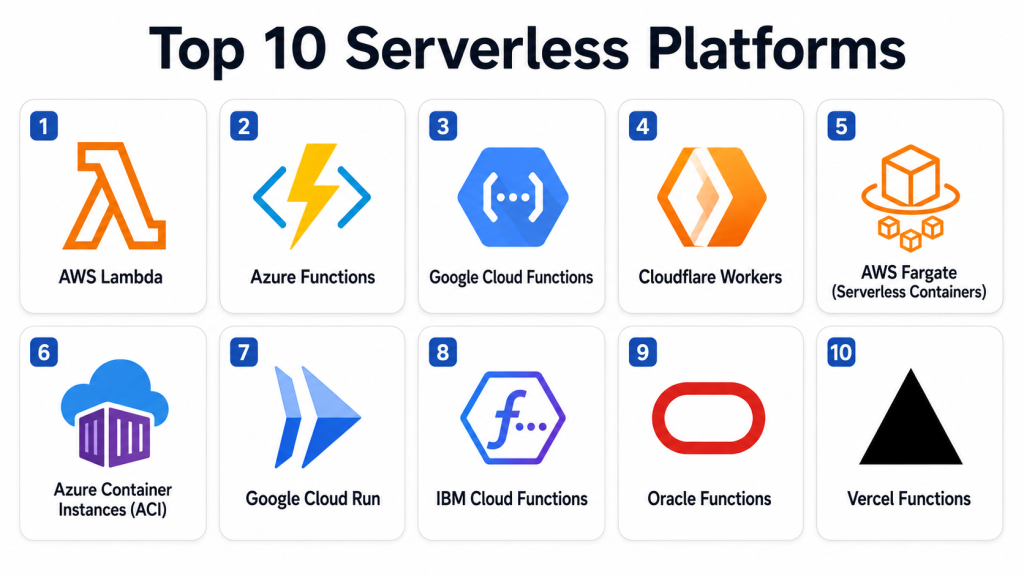
Top 10 Serverless Platforms
#1 — AWS Lambda
Short description: AWS Lambda is the flagship serverless function platform from Amazon Web Services. It executes code in response to events from other AWS services, HTTP endpoints, or scheduled triggers. Lambda scales automatically to handle varying workloads and abstracts away the underlying servers. It supports multiple programming languages, tight integration with AWS ecosystem services, and strong event source mapping for real‑time reactions. Lambda is widely used for API backends, data pipelines, automation tasks, and event‑driven workflows.
Key Features
- Auto‑scaling and concurrency controls
- Support for Node.js, Python, Go, Java, .NET, Ruby, custom runtimes
- Deep integration with AWS event sources (S3, DynamoDB, API Gateway)
- Built‑in observability via CloudWatch
- Versioning and traffic shaping
- Scheduled triggers and event patterns
- Compute resource controls (memory, timeouts)
Pros
- Unmatched AWS integration footprint
- Enterprise‑grade reliability and global scale
- Mature tooling, security, and identity options
Cons
- Cold starts with certain runtimes can impact latency
- Pricing can be complex with high invocation volume
- Functions tied strongly to AWS ecosystem
Platforms / Deployment
- AWS
- Cloud
Security & Compliance
Not publicly stated specific certifications; supports IAM, encryption, VPC isolation, RBAC, and audit logs.
Integrations & Ecosystem
AWS Lambda’s ecosystem is extensive.
- Amazon API Gateway
- AWS Step Functions
- AWS S3 and DynamoDB
- Amazon EventBridge
- CloudWatch and X‑Ray
- AWS IAM and Secrets Manager
Support & Community
Broad AWS documentation, examples, enterprise support plans, and large community forums.
#2 — Azure Functions
Short description: Azure Functions is Microsoft’s serverless compute service designed for event‑driven workloads across Microsoft’s cloud ecosystem. Developers can write functions triggered by HTTP requests, queues, timers, and event grids. It integrates with Azure DevOps, Visual Studio tooling, and enterprise identity systems. Azure Functions supports .NET, JavaScript, Python, Java, PowerShell, and custom handlers. It is often chosen by organizations invested in Microsoft’s cloud and hybrid strategies.
Key Features
- Multiple language support
- Timer and event grid triggers
- Durable Functions for stateful workflows
- Integration with Azure DevOps and pipelines
- Deployment slots and staging
- Auto‑scale and consumption plans
Pros
- Strong for Microsoft‑centric enterprises
- Durable Functions help manage stateful workflows
- Good tooling and Visual Studio integration
Cons
- Performance differs by plan and configuration
- Requires careful planning for enterprise deployments
- Some limits on execution duration
Platforms / Deployment
- Microsoft Azure
- Cloud
Security & Compliance
Not publicly stated specific certifications; supports Azure RBAC, managed identities, encryption, network isolation.
Integrations & Ecosystem
Common Azure integrations include:
- Azure Event Grid
- Azure Blob Storage
- Azure Service Bus
- Azure DevOps
- Log Analytics and Monitor
Support & Community
Microsoft support plans, documentation, community user groups, and professional services available.
#3 — Google Cloud Functions
Short description: Google Cloud Functions is a serverless compute environment for building and connecting cloud services using event‑driven functions. It supports writing functions triggered by HTTP, cloud events, Pub/Sub messages, and cloud storage changes. Google Cloud Functions is attractive for real‑time data workflows, lightweight services, and integration with Google’s analytics and AI tooling. It supports Node.js, Python, Go, Java, and Ruby runtimes.
Key Features
- Event‑driven triggers across cloud services
- Support for common languages
- Integration with Google services
- Auto‑scaling and pay‑per‑usage pricing
- Logging and observability via Cloud Logging
Pros
- Seamless Google Cloud integration
- Ideal for lightweight backend services
- Scales automatically with demand
Cons
- Cold start behavior depending on runtime
- Best fit primarily within Google Cloud ecosystem
- Less scope for hybrid execution compared with others
Platforms / Deployment
- Google Cloud
- Cloud
Security & Compliance
Not publicly stated specific certifications; supports IAM roles, encryption, and audit logs.
Integrations & Ecosystem
Typical integrations include:
- Google Pub/Sub
- Cloud Storage
- Cloud Scheduler
- Cloud Run (composable workflows)
- Stackdriver Monitoring
Support & Community
Google Cloud documentation, support plans, training, and community resources.
#4 — Cloudflare Workers
Short description: Cloudflare Workers is a serverless platform that runs code at the edge of Cloudflare’s global network, bringing compute closer to end users to reduce latency. Workers are ideal for APIs, edge routing, web personalization, content modifications, and lightweight microservices. Its execution model is optimized for short tasks and low latency. Cloudflare Workers support JavaScript and WebAssembly, with strong integrations into Cloudflare’s CDN, DNS, and security ecosystem.
Key Features
- Edge execution for low‑latency responses
- JavaScript and WebAssembly support
- KV and durable object data storage at the edge
- Global scaling
- Tight CDN integration
- Routing and caching controls
Pros
- Ultra‑low latency through edge locations
- Excellent for content personalization and API edge layers
- Very fast cold start behavior
Cons
- Execution time limits for longer tasks
- Less suited for heavy compute workloads
- Learning curve for edge logic patterns
Platforms / Deployment
- Cloudflare
- Edge
Security & Compliance
Not publicly stated; supports secure authentication patterns, access control, and network security features.
Integrations & Ecosystem
Edge ecosystem examples:
- Cloudflare CDN
- DNS and edge routing
- KV and object storage
- Workers KV and durable objects
- Edge logic and routing
Support & Community
Cloudflare docs, community forums, edge computing user groups.
#5 — AWS Fargate (Serverless Containers)
Short description: AWS Fargate is a serverless container execution environment for Amazon ECS and EKS. It lets teams run containers without managing EC2 servers, auto‑scaling based on workload demands. Fargate is popular for running microservices, batch jobs, and long‑running container workflows that exceed function execution limits. It simplifies container operations while preserving AWS container ecosystem interoperability.
Key Features
- Serverless container scheduling
- Auto‑scaling and pay‑per‑usage
- Integration with AWS ECS and EKS
- Networking and load balancing controls
- Task placement strategies
- VPC and IAM support
Pros
- No server provisioning needed
- Ideal for container‑based workloads that need serverless scaling
- Integrates well with AWS services
Cons
- Can be more expensive than reserved infrastructure
- Monitoring requires additional tool configuration
- Not a FaaS environment (container focus)
Platforms / Deployment
- AWS
- Cloud
Security & Compliance
Not publicly stated specific certifications; inherits AWS networking and identity controls.
Integrations & Ecosystem
Common integrations:
- Amazon ECS/EKS
- AWS IAM
- Application Load Balancer
- CloudWatch
- VPC networking
Support & Community
Broad AWS enterprise support, documentation, training, and partner ecosystem.
#6 — Azure Container Instances (ACI)
Short description: Azure Container Instances is Microsoft’s serverless container execution service that runs containers without infrastructure management. ACI supports short‑lived tasks, container bursts, and microservices without managing nodes. It scales with demand and integrates into Azure DevOps pipelines, container registries, and orchestration platforms like Azure Logic Apps.
Key Features
- Serverless container execution
- Fast startup and scale
- Integration with Azure DevOps
- Networking and identity support
- Hybrid container workflows via Logic Apps
Pros
- Simplifies container task execution
- Ideal for bursty workloads
- Easy deployment from container registry
Cons
- Less suited for complex orchestration
- Pricing scales with CPU and memory
- Limited advanced features compared with managed orchestrators
Platforms / Deployment
- Azure
- Cloud
Security & Compliance
Not publicly stated specific certifications; supports Azure identity, network controls, and managed security features.
Integrations & Ecosystem
Examples include:
- Azure Container Registry
- Azure DevOps
- Logic Apps
- Virtual Network integration
Support & Community
Microsoft documentation, support plans, and community Azure groups.
#7 — Google Cloud Run
Short description: Google Cloud Run is a serverless container runtime that automatically scales containers in response to demand. It supports HTTP‑driven workloads, microservices, and APIs with quick scale‑to‑zero behavior when idle. Cloud Run integrates with many Google Cloud services and supports environments that require stateless container tasks without managing servers. It is widely used for modern app backends, event‑driven microservices, and simplified deployments from containers.
Key Features
- Serverless container execution
- Scale‑to‑zero idle behavior
- HTTP triggers and events
- Support for any container image
- Traffic splitting and revisions
- Cloud Identity integration
Pros
- Supports any container image
- Simple deployment and autoscaling
- Strong Google Cloud integration
Cons
- Stateless limitations
- Pricing tied to vCPU and memory time
- Container startup impacts latency
Platforms / Deployment
- Google Cloud
- Cloud
Security & Compliance
Not publicly stated specific certifications; supports IAM, encryption, and audit logs.
Integrations & Ecosystem
Cloud Run integrates with:
- Cloud Pub/Sub
- Cloud Build
- Firestore and Databases
- Load balancing
- Monitoring and logs
Support & Community
Google Cloud support options, documentation, and community forums.
#8 — IBM Cloud Functions
Short description: IBM Cloud Functions is a serverless compute platform based on Apache OpenWhisk technology. It executes functions in response to HTTP events, database changes, message queues, and scheduling triggers. It supports multiple languages and integrates with IBM Cloud services, security tooling, and data solutions. IBM Cloud Functions is useful for hybrid workloads, event processing, and functional microservices that link with enterprise data systems.
Key Features
- Event‑driven function execution
- Support for common programming languages
- Event sources like queues and HTTP routes
- Integrates with IBM Cloud native services
- Auto‑scaling and pay‑per‑use billing
Pros
- Event‑driven model with many triggers
- Useful for hybrid or enterprise workflows
- Based on open‑source OpenWhisk
Cons
- Smaller ecosystem than hyperscale clouds
- Cold starts may impact latency
- Best fit for existing IBM Cloud adopters
Platforms / Deployment
- IBM Cloud
- Cloud
Security & Compliance
Not publicly stated specific certifications; supports authentication, identity controls, and encryption features typical of enterprise cloud services.
Integrations & Ecosystem
Common integrations include:
- Message queues
- Cloud data services
- Logging and monitoring
- Event triggers
Support & Community
IBM documentation, enterprise support plans, and professional services.
#9 — Oracle Functions
Short description: Oracle Functions is Oracle’s serverless compute service that runs functions in response to cloud events, HTTP requests, and messaging triggers. Built on Fn Project runtime, it supports several languages and integrates with Oracle Cloud services. Oracle Functions is useful for teams already invested in Oracle Cloud who want modern serverless execution with enterprise governance and integration. It scales automatically and eliminates infrastructure management.
Key Features
- Event and HTTP triggers
- Support for multiple languages
- OCI integration with databases and messaging
- Auto‑scaling and usage billing
- Serverless API endpoints
Pros
- Integrates with Oracle Cloud ecosystem
- Scalable and managed execution
- Supports multiple event sources
Cons
- Best fit for Oracle Cloud users
- Smaller community than major cloud providers
- Ecosystem integrations may be limited
Platforms / Deployment
- Oracle Cloud
- Cloud
Security & Compliance
Not publicly stated specific certifications; supports IAM, encryption, and identity options.
Integrations & Ecosystem
Examples include:
- Oracle messaging
- Event grids
- Autonomous databases
- Monitoring tools
Support & Community
Oracle documentation, support plans, and enterprise service resources.
#10 — Vercel Functions
Short description: Vercel Functions is a serverless execution environment for frontend‑driven workloads and APIs, often tied to web applications built on frameworks like Next.js. Developers deploy functions alongside web code, and Vercel handles scaling, routing, CDN integration, and caching. It is popular with frontend teams building static and dynamic web applications that require backend logic without managing servers. Its strongest value is seamless integration with modern frontend frameworks and edge‑optimized execution.
Key Features
- Serverless endpoints alongside frontend code
- Edge and global routing
- Auto‑scaling and CDN integration
- Supports JavaScript and TypeScript
- Zero configuration deployment
Pros
- Excellent developer experience
- Perfect for frontend APIs and microservices
- Built‑in CDN and routing
Cons
- Not designed for heavy backend compute
- Execution limits can constrain larger workflows
- Best for web‑centric patterns
Platforms / Deployment
- Vercel Cloud
- Edge
Security & Compliance
Not publicly stated specific certifications; supports secure routing, authentication patterns, and access controls.
Integrations & Ecosystem
Typical integrations include:
- Frontend frameworks
- Edge routing
- CDN caching layers
- Monitoring workflows
Support & Community
Vercel documentation, community forums, examples, and framework‑focused resources.
Comparison Table (Top 10)
| Tool Name | Best For | Platform(s) Supported | Deployment | Standout Feature | Public Rating |
|---|---|---|---|---|---|
| AWS Lambda | Enterprise & cloud workloads | AWS cloud services | Cloud | Broad AWS ecosystem | N/A |
| Azure Functions | Microsoft‑centric enterprises | Azure cloud | Cloud | Durable workflows | N/A |
| Google Cloud Functions | Lightweight event functions | Google Cloud | Cloud | Google service integration | N/A |
| Cloudflare Workers | Edge‑first serverless compute | Cloudflare edge | Edge | Extremely low latency | N/A |
| AWS Fargate | Serverless containers | AWS ECS/EKS | Cloud | Serverless container scaling | N/A |
| Azure Container Instances | Serverless containers | Azure cloud | Cloud | Easy container bursts | N/A |
| Google Cloud Run | Serverless containers | Google Cloud | Cloud | Scale‑to‑zero containers | N/A |
| IBM Cloud Functions | Hybrid event workflows | IBM Cloud | Cloud | OpenWhisk based serverless | N/A |
| Oracle Functions | Oracle ecosystem | Oracle Cloud | Cloud | Event and HTTP triggers | N/A |
| Vercel Functions | Frontend APIs | Vercel edge/cloud | Edge/Cloud | Frontend integration | N/A |
Evaluation & Scoring of Serverless Platforms
| Tool Name | Core 25% | Ease 15% | Integrations 15% | Security 10% | Performance 10% | Support 10% | Value 15% | Weighted Total |
|---|---|---|---|---|---|---|---|---|
| AWS Lambda | 10 | 8 | 10 | 9 | 8 | 9 | 7 | 8.9 |
| Azure Functions | 9 | 9 | 9 | 8 | 8 | 8 | 8 | 8.5 |
| Google Cloud Functions | 9 | 9 | 8 | 8 | 8 | 8 | 8 | 8.4 |
| Cloudflare Workers | 8 | 9 | 8 | 8 | 9 | 8 | 9 | 8.5 |
| AWS Fargate | 9 | 8 | 9 | 8 | 8 | 9 | 7 | 8.3 |
| Azure Container Instances | 8 | 9 | 8 | 8 | 8 | 8 | 8 | 8.0 |
| Google Cloud Run | 9 | 9 | 8 | 8 | 8 | 9 | 8 | 8.4 |
| IBM Cloud Functions | 7 | 8 | 7 | 7 | 7 | 7 | 8 | 7.4 |
| Oracle Functions | 7 | 8 | 7 | 7 | 7 | 7 | 8 | 7.4 |
| Vercel Functions | 8 | 9 | 8 | 8 | 8 | 8 | 9 | 8.4 |
These scores are comparative and help illustrate how serverless platforms stack up in terms of features, ease of use, integrations, security, performance, support, and overall value. Higher scores indicate platforms that deliver broad enterprise readiness and strong developer experience, while lower scores highlight narrower specialization or smaller ecosystems.
Which Serverless Platform Is Right for You?
Solo / Freelancer
Solo developers should prioritize ease of use, fast deployment, and low operational cost. Platforms like Vercel Functions and Google Cloud Functions offer simple workflows and seamless frontend integration. Cloudflare Workers provide excellent edge performance for latency‑sensitive applications. For broader backend workloads, AWS Lambda or Azure Functions can be viable if usage remains modest.
SMB
Small to medium businesses need flexibility, predictable costs, and manageable complexity. AWS Lambda, Google Cloud Functions, or Azure Functions are strong mainstream choices. Cloudflare Workers can provide cost‑efficient performance for web‑centric use cases. If container workflows are part of the design, Google Cloud Run or Azure Container Instances offer serverless container options.
Mid‑Market
Mid‑market organizations often need deeper cloud integration, observability, and secure governance. AWS Lambda and Azure Functions provide extensive ecosystem features and identity controls. Cloudflare Workers’ edge network is attractive for distributed user bases. Container‑focused serverless with Cloud Run or AWS Fargate supports microservices beyond function limits.
Enterprise
Enterprises should prioritize scale, security, identity support, compliance workflows, and governance. AWS Lambda and Azure Functions deliver robust enterprise support, governance models, identity integration, and broad platform compatibility. Cloudflare Workers’ edge capabilities extend performance globally, while Cloud Run and Fargate enable container‑based serverless at scale.
Budget vs Premium
Budget‑conscious teams may find Vercel Functions, Cloudflare Workers, or Google Cloud Functions most accessible due to ready‑to‑use tooling and community resources. Premium enterprise deployments that require advanced networking, compliance, audit trails, and SSO integration often lean toward AWS Lambda, Azure Functions, or cloud provider container serverless options backed by enterprise support plans.
Feature Depth vs Ease of Use
Cloudflare Workers and Vercel Functions prioritize simplicity and performance for edge and web‑centric tasks. AWS Lambda and Azure Functions provide deep feature sets, integration breadth, and enterprise governance but usually require more configuration and planning.
Integrations & Scalability
Deep cloud provider integrations matter where complex systems and many event sources exist. AWS and Azure provide the richest set of services, while Google Cloud delivers strong analytics and data signals. Cloudflare Workers excels at global execution and edge workloads.
Security & Compliance Needs
Buyers requiring strict security, identity management, encryption controls, least‑privilege access, and governance should evaluate AWS Lambda, Azure Functions, or cloud provider serverless with enterprise compliance support. Edge platforms like Cloudflare Workers must be evaluated based on deployment model and compliance obligations.
Frequently Asked Questions
1. What is serverless computing?
Serverless computing lets developers write and deploy code without managing servers. The cloud provider automatically handles provisioning, scaling, and availability, and teams pay only for compute used.
2. How is serverless different from containers?
Serverless (functions) focuses on event‑driven, short‑lived tasks with automatic scaling. Containers (like Fargate or Cloud Run) run container images continuously but without infrastructure management. Both abstract servers, but containers give more control over runtime environment.
3. What are cold starts?
A cold start happens when a serverless platform initializes a function container before execution, which can add latency. Some platforms and runtimes reduce cold start impact, and keeping functions warm can help.
4. Are serverless platforms secure?
Yes, when configured properly. Security requires identity and access management, encryption, network isolation, rate limits, and governance policies. Compliance certifications should be validated based on your requirements.
5. Do serverless platforms scale automatically?
Yes. Serverless platforms automatically scale to handle concurrent invocations. However, concurrency limits or quotas may apply depending on service and configuration.
6. Can serverless be used for long‑running tasks?
Most serverless platforms impose execution limits. For long‑running workloads, serverless containers (Cloud Run, Fargate) or other managed services are better suited.
7. How do I choose a serverless platform?
Start by mapping your language needs, cloud strategy, event sources, scale expectations, and security requirements. Pilot two or three platforms before committing to one.
8. Is serverless cheaper than traditional hosting?
Serverless can be cost‑effective because you pay only for execution time rather than reserved capacity. However, high invocation volume or long execution patterns can increase cost relative to other models.
9. How do serverless platforms handle state?
Serverless functions are typically stateless. State is stored in databases, object storage, caches, or durable state services (for example Durable Functions, Cloudflare Durable Objects).
10. Can serverless work in hybrid environments?
Hybrid serverless (edge, on‑prem connectors, multi‑cloud execution) is emerging but depends on provider support. Frameworks that abstract vendor differences can help with hybrid designs.
Conclusion
Serverless platforms have matured into a reliable, scalable, and developer‑friendly way to run code without managing infrastructure. AWS Lambda, Azure Functions, Google Cloud Functions, and Cloudflare Workers represent the most widely adopted serverless compute environments. Function execution models are complemented by serverless containers like AWS Fargate, Azure Container Instances, and Google Cloud Run, which support larger workloads. IBM Cloud Functions, Oracle Functions, and Vercel Functions broaden choices for enterprise or application‑centric use cases. The “best” serverless platform depends on language support, cloud strategy, event triggers, security needs, and operational visibility. Start by shortlisting 2–3 options, run real use cases in pilot projects, understand cost implications, and validate integrations and compliance before standardizing on a platform that supports your long‑term development goals.
