Introduction
Library Management Systems (LMS) are software platforms that help libraries manage books, journals, digital resources, and multimedia content.
They streamline cataloging, circulation, acquisitions, and reporting for librarians and administrators.
Modern LMS platforms also improve user experience by providing patrons with easy search, borrowing, and access to resources.
Selecting the right LMS ensures efficient library operations, better resource discovery, and smooth administrative workflows.
Real-world use cases:
- University libraries managing multi-campus collections.
- Public libraries offering digital lending and e-books.
- Corporate knowledge centers tracking documents and training materials.
- Community libraries organizing memberships and events.
- Research centers providing access to specialized journals and archives.
Key buyer evaluation criteria:
- Catalog management and search
- Digital resource support
- User and access management
- Integration with other systems
- Mobile and remote access
- Analytics and reporting
- Workflow automation
- Security and compliance
- Scalability and cost
Best for: All libraries, educational institutions, corporate knowledge centers, and librarians seeking streamlined operations.
Not ideal for: Organizations with minimal resources or manually managed collections.
Key Trends in Library Management Systems
- AI-driven recommendations for books and resources
- Cloud-based access for multiple locations
- Digital lending and e-book support
- Integration with learning management and academic systems
- Automated check-in/check-out using RFID and self-service kiosks
- Mobile-friendly interfaces for patrons and staff
- Privacy compliance and data encryption
- Advanced reporting and analytics dashboards
- Flexible subscription and licensing models
- Interoperability with external catalogs and discovery tools
How We Selected These Tools (Methodology)
- Market adoption and user base presence
- Feature completeness including cataloging, circulation, and digital resources
- Reliability and performance signals from deployment case studies
- Security posture and compliance assessment
- Integration capabilities with external systems and APIs
- Fit across public, academic, and corporate libraries
- Cloud and mobile accessibility
- Innovation, automation, and workflow efficiency
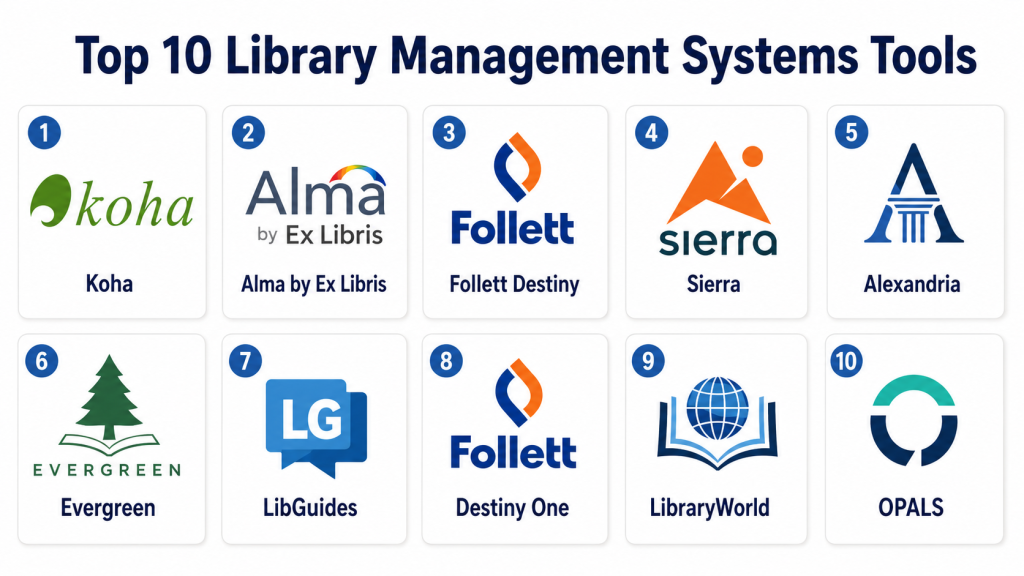
Top 10 Library Management Systems Tools
#1 — Koha
Short description:
Koha is an open-source LMS for public, academic, and corporate libraries.
It handles cataloging, circulation, and acquisitions efficiently.
Koha supports multi-branch and digital collections.
It is ideal for libraries needing a flexible and cost-effective system.
Key Features
- Full cataloging and search
- Circulation and RFID support
- Acquisitions and serials management
- Multi-branch support
- Reporting and analytics dashboards
- Customizable workflows
Pros
- Open-source and cost-effective
- Highly customizable
- Strong global community
Cons
- Technical setup required
- Dated interface
- Limited vendor support
Platforms / Deployment
- Web
- Cloud / Self-hosted
Security & Compliance
- Not publicly stated
Integrations & Ecosystem
Supports APIs and plugins:
- MARC21 and Dublin Core formats
- OpenURL linking
- Custom integrations
Support & Community
- Strong online community
- Documentation available
- Paid third-party support
#2 — Alma by Ex Libris
Short description:
Alma is a cloud-based LMS for academic and research libraries.
It manages print and digital resources on a single platform.
The system automates workflows for acquisitions and cataloging.
Alma is suitable for universities with complex library needs.
Key Features
- Unified resource management
- Cloud-native with real-time updates
- Digital and electronic resource support
- Workflow automation
- Analytics dashboards
- Reporting tools
Pros
- Scalable for large institutions
- Enterprise-grade features
- Extensive integrations
Cons
- High subscription cost
- Steep learning curve
Platforms / Deployment
- Web
- Cloud
Security & Compliance
- SSO/SAML, encryption: Yes
- SOC 2, GDPR: Yes
Integrations & Ecosystem
- APIs for institutional integration
- Discovery layer support
- LMS and e-resource connectors
Support & Community
- Vendor support and training
- Knowledge base available
- Active user network
#3 — Follett Destiny
Short description:
Follett Destiny is a K-12 LMS for managing books and digital content.
It handles circulation, cataloging, and student accounts.
The platform integrates with school systems and reporting tools.
It is ideal for primary and secondary schools.
Key Features
- Catalog and circulation management
- Digital content integration
- Student and teacher portals
- Reporting and assessment tools
- Barcode and RFID support
Pros
- Tailored for K-12
- Integrated with school systems
- Supports digital and print
Cons
- Limited for research libraries
- Higher cost for small schools
Platforms / Deployment
- Web / iOS / Android
- Cloud
Security & Compliance
- SSO/SAML, MFA: Yes
- GDPR: Not publicly stated
Integrations & Ecosystem
- LMS connectors
- Digital resource providers
- Barcode/RFID systems
Support & Community
- Vendor support and training
- Documentation resources
- Educator community forums
#4 — Sierra
Short description:
Sierra is a robust LMS for medium and large libraries.
It supports multi-format collections and complex workflows.
Sierra provides advanced analytics and reporting dashboards.
It is ideal for institutions with large collections and multi-branch setups.
Key Features
- Advanced cataloging and circulation
- Electronic resource management
- Acquisitions and serials management
- Reporting and analytics
- Workflow automation
Pros
- Scalable for large libraries
- Enterprise-grade features
- Comprehensive reporting
Cons
- Requires dedicated IT staff
- Higher cost than simple LMS
Platforms / Deployment
- Web
- Cloud / Hybrid
Security & Compliance
- Not publicly stated
Integrations & Ecosystem
- API integration
- Discovery layer connectivity
- ERM and e-resource connectors
Support & Community
- Vendor support and training
- Documentation available
- Active user network
#5 — Alexandria
Short description:
Alexandria is an easy-to-use LMS for small and medium libraries.
It handles cataloging, circulation, and student engagement.
Supports both digital and print collections.
Ideal for K-12 schools and small colleges.
Key Features
- Cataloging and search
- Circulation tracking
- Patron accounts
- Reporting dashboards
- Barcode/RFID integration
Pros
- Simple and easy to use
- Affordable for small libraries
- K-12 focused
Cons
- Limited advanced analytics
- Not suited for research libraries
Platforms / Deployment
- Web / Windows / Mac
- Cloud / Hybrid
Security & Compliance
- Not publicly stated
Integrations & Ecosystem
- API access for integrations
- Barcode/RFID systems
Support & Community
- Vendor tutorials
- Documentation available
- Small user community
#6 — Evergreen
Short description:
Evergreen is an open-source LMS for public and academic libraries.
It supports multi-branch management and circulation workflows.
Evergreen manages acquisitions, serials, and reporting.
Ideal for library networks and consortia.
Key Features
- Multi-branch and consortial management
- Cataloging and circulation
- Acquisitions and serials
- Reporting and analytics
- Customizable workflows
Pros
- Open-source and flexible
- Scalable for large networks
- Active developer community
Cons
- Requires technical setup
- UI can feel outdated
Platforms / Deployment
- Web
- Cloud / Self-hosted
Security & Compliance
- Not publicly stated
Integrations & Ecosystem
- API integration
- MARC21 and Dublin Core support
- Community modules
Support & Community
- Strong online community
- Documentation available
- Third-party professional support
#7 — LibGuides
Short description:
LibGuides helps academic libraries create research guides and manage content.
It supports collaboration, curation, and analytics dashboards.
Integrates with library catalogs and discovery tools.
Ideal for research support and academic resource organization.
Key Features
- Research guide creation
- Content curation
- Collaboration tools
- Analytics dashboards
- Catalog integration
Pros
- Supports research and study
- Easy-to-use interface
- Integrates with library systems
Cons
- Not a full LMS for circulation
- Higher cost for small libraries
Platforms / Deployment
- Web / iOS / Android
- Cloud
Security & Compliance
- SSO/SAML: Yes
- GDPR: Not publicly stated
Integrations & Ecosystem
- Catalog and discovery integration
- Authentication systems
- External databases
Support & Community
- Vendor training
- Documentation and tutorials
- User forums
#8 — Destiny One
Short description:
Destiny One manages higher education libraries with print and digital collections.
It handles cataloging, circulation, and student engagement.
Includes reporting dashboards and workflow automation.
Ideal for colleges and universities.
Key Features
- Cataloging and circulation
- Digital content support
- Reporting dashboards
- Student portal access
- Workflow automation
Pros
- Supports blended collections
- Scalable for higher education
- Engages students
Cons
- High cost for small institutions
- Complex setup
Platforms / Deployment
- Web / iOS / Android
- Cloud
Security & Compliance
- SSO/SAML, MFA: Yes
- GDPR: Not publicly stated
Integrations & Ecosystem
- LMS integration
- Authentication systems
- API support
Support & Community
- Vendor training
- Documentation resources
- Community engagement
#9 — LibraryWorld
Short description:
LibraryWorld is a cloud LMS for small libraries and schools.
It manages cataloging, circulation, and patron accounts.
Simple, fast deployment with minimal IT support needed.
Ideal for small teams or community libraries.
Key Features
- Cataloging and circulation
- Patron management
- Reporting dashboards
- Online catalog access
- Barcode/RFID support
Pros
- Easy to use
- Affordable
- Quick setup
Cons
- Limited advanced features
- Not suitable for large libraries
Platforms / Deployment
- Web
- Cloud
Security & Compliance
- Not publicly stated
Integrations & Ecosystem
- Basic API access
- Integrates with e-resources
Support & Community
- Email support and tutorials
- Documentation online
- Small user community
#10 — OPALS
Short description:
OPALS is an open-source LMS for K-12, public, and special libraries.
Supports circulation, acquisitions, and multi-language catalogs.
Flexible deployment and customizable workflows.
Ideal for libraries needing open-source solutions.
Key Features
- Multi-format catalog management
- Circulation and patron tracking
- Acquisitions and serials
- Reporting and analytics
- Multi-language support
Pros
- Open-source and flexible
- Customizable workflows
- Supports diverse libraries
Cons
- Technical setup required
- Less modern UI
Platforms / Deployment
- Web
- Cloud / Self-hosted
Security & Compliance
- Not publicly stated
Integrations & Ecosystem
- API integration
- MARC21 support
- Community modules
Support & Community
- Community support
- Documentation available
- Third-party support options
Comparison Table (Top 10)
| Tool Name | Best For | Platform(s) Supported | Deployment | Standout Feature | Public Rating |
|---|---|---|---|---|---|
| Koha | All libraries | Web | Cloud / Self-hosted | Open-source flexibility | N/A |
| Alma | Academic libraries | Web | Cloud | Unified resource management | N/A |
| Follett Destiny | K-12 schools | Web / iOS / Android | Cloud | Digital content integration | N/A |
| Sierra | Medium/Large libraries | Web | Cloud / Hybrid | Advanced analytics | N/A |
| Alexandria | Small/Medium libraries | Web / Windows / Mac | Cloud / Hybrid | Ease of use | N/A |
| Evergreen | Consortia & public libraries | Web | Cloud / Self-hosted | Multi-branch management | N/A |
| LibGuides | Academic research | Web / iOS / Android | Cloud | Research guide management | N/A |
| Destiny One | Higher education | Web / iOS / Android | Cloud | Blended print/digital collections | N/A |
| LibraryWorld | Small libraries | Web | Cloud | Simple, affordable | N/A |
| OPALS | K-12, special libraries | Web | Cloud / Self-hosted | Multi-language support | N/A |
Evaluation & Scoring
| Tool Name | Core (25%) | Ease (15%) | Integrations (15%) | Security (10%) | Performance (10%) | Support (10%) | Value (15%) | Weighted Total |
|---|---|---|---|---|---|---|---|---|
| Koha | 9 | 7 | 8 | 6 | 8 | 7 | 9 | 8.0 |
| Alma | 10 | 8 | 9 | 8 | 9 | 8 | 6 | 8.6 |
| Follett Destiny | 8 | 9 | 7 | 7 | 8 | 8 | 7 | 8.0 |
| Sierra | 9 | 7 | 8 | 7 | 9 | 7 | 6 | 7.9 |
| Alexandria | 7 | 9 | 6 | 6 | 7 | 7 | 8 | 7.4 |
| Evergreen | 9 | 7 | 8 | 6 | 8 | 7 | 9 | 8.0 |
| LibGuides | 7 | 9 | 7 | 7 | 7 | 8 | 7 | 7.5 |
| Destiny One | 8 | 8 | 7 | 7 | 8 | 7 | 6 | 7.5 |
| LibraryWorld | 6 | 9 | 6 | 6 | 6 | 7 | 8 | 7.0 |
| OPALS | 8 | 7 | 7 | 6 | 7 | 7 | 8 | 7.5 |
Interpretation: Weighted totals provide a comparative view across usability, features, integrations, security, and value.
Decision Guide
Solo / Freelancer
LibraryWorld or Alexandria – simple, affordable, minimal IT needed.
SMB
Koha or OPALS – cost-effective with scalable features.
Mid-Market
Follett Destiny or Evergreen – multi-branch support, workflow automation.
Enterprise
Alma, Sierra, Destiny One – advanced analytics, digital resource integration.
Budget vs Premium
Open-source LMS (Koha, Evergreen, OPALS) – lower cost, flexible.
Premium LMS (Alma, Sierra, Follett) – advanced features, subscription cost.
Feature Depth vs Ease of Use
Koha and Evergreen – rich features, requires technical knowledge.
Alexandria and LibraryWorld – simple, quick deployment.
Integrations & Scalability
Alma, Sierra, LibGuides – strong integrations, scalable for large institutions.
Security & Compliance
Enterprise tools provide SSO, MFA, encryption.
Open-source relies on IT setup.
Frequently Asked Questions (FAQs)
1. What is the pricing model for library management systems?
Most LMS platforms use subscription pricing. Open-source LMS are free but may require paid support or hosting. Costs vary by user and collection size.
2. How difficult is the onboarding process?
Onboarding depends on platform complexity. Enterprise LMS may take weeks; smaller systems can be operational in days. Staff training ensures smooth adoption.
3. Can I switch LMS platforms easily?
Switching requires exporting catalog and patron data. Open standards like MARC21 simplify migration, but proprietary formats may need data conversion.
4. Are digital resources supported?
Yes, most LMS support e-books, digital journals, and multimedia. DRM support and integration with digital providers should be verified.
5. How is security handled in LMS?
Enterprise systems include SSO, MFA, encryption, and audit logs. Open-source LMS need IT configuration to meet security requirements.
6. Do LMS tools support mobile access?
Many LMS offer mobile apps or responsive portals so patrons and staff can search, borrow, and manage resources remotely.
7. What common mistakes should libraries avoid?
Avoid choosing overly complex tools for small libraries, ignoring integration needs, and overlooking backup or security protocols.
8. How do LMS platforms integrate with other systems?
APIs and connectors allow integration with student management, discovery, and e-resource platforms. Check compatibility before deployment.
9. Can LMS track analytics and usage?
Yes. Platforms provide dashboards for circulation, acquisition trends, and user engagement to inform collection planning.
10. Are there alternatives to traditional LMS software?
Some libraries rely on spreadsheets or basic catalog tools, but these lack automation, reporting, and multi-format management.
Conclusion
Selecting the right LMS depends on library size, resources, and operational goals. Small libraries benefit from simple, affordable systems, while large academic or corporate libraries need enterprise-grade platforms with automation and analytics. Shortlist , run pilots, and validate features, integrations, and security before full deployment. The right LMS streamlines operations, enhances patron experience, and ensures efficient management of physical and digital collections.
