Introduction
Remote Backup for SaaS Tools help organizations protect data stored inside cloud-based applications such as Microsoft 365, Google Workspace, Salesforce, Slack, Jira, QuickBooks Online, HubSpot, and other business-critical SaaS platforms. Many companies assume SaaS vendors automatically provide complete backup and recovery, but most SaaS platforms mainly protect service availability, not every accidental deletion, ransomware impact, permission mistake, sync issue, or long-term retention need. In and beyond, SaaS backup has become more important because businesses depend heavily on cloud apps for email, collaboration, sales, finance, HR, customer service, and operations. A reliable SaaS backup tool helps teams restore lost data, meet compliance requirements, reduce downtime, and improve business continuity.
Real-World Use Cases
- Recovering deleted emails and files: Restore Microsoft 365 mailboxes, Google Drive files, SharePoint sites, OneDrive data, or Gmail records after accidental deletion.
- Protecting SaaS data from ransomware: Maintain clean backup copies that can be restored if cloud data is encrypted, corrupted, or maliciously modified.
- Meeting compliance and retention needs: Keep long-term backup copies for legal, regulatory, audit, or internal governance requirements.
- Backing up CRM and sales data: Protect Salesforce objects, metadata, records, dashboards, and related business information.
- Supporting employee offboarding: Preserve data from former employees’ accounts without relying only on native SaaS retention policies.
Evaluation Criteria for Buyers
When evaluating Remote Backup for SaaS Tools, buyers should consider:
- Supported SaaS applications
- Backup frequency and recovery point objectives
- Granular restore capabilities
- Retention policies and archiving options
- Security, encryption, and access controls
- Compliance and audit reporting
- Ransomware recovery features
- Admin usability and automation
- Scalability across users and departments
- Pricing model and storage limits
Best for: IT administrators, security teams, compliance managers, MSPs, SaaS-heavy SMBs, mid-market businesses, enterprises, education institutions, healthcare organizations, finance teams, and any company that depends on cloud applications for daily operations.
Not ideal for: Very small teams with minimal SaaS usage, companies that only need occasional manual exports, or organizations already using a broader enterprise backup platform that fully covers their SaaS data protection requirements.
Key Trends in Remote Backup for SaaS Tools
- SaaS backup is becoming a board-level risk topic: Businesses now understand that cloud application uptime does not automatically equal complete data protection.
- Ransomware recovery is expanding into SaaS: Backup platforms increasingly focus on restoring clean cloud data after malicious deletion, encryption, or mass modification.
- AI-assisted anomaly detection is growing: Some platforms are adding smarter alerts for unusual data changes, suspicious deletion patterns, and risky user activity.
- More support for business apps beyond email: Microsoft 365 and Google Workspace remain major use cases, but demand is growing for Salesforce, Slack, Jira, HubSpot, QuickBooks Online, and other SaaS platforms.
- Granular restore is now essential: Buyers want to restore a single email, file, folder, record, site, user account, or object without rolling back an entire environment.
- Compliance-focused retention is increasing: Organizations need configurable retention, legal hold, audit logs, export options, and role-based access.
- MSP-friendly SaaS backup is expanding: Managed service providers need multi-tenant dashboards, customer-level reporting, automated alerts, and simple onboarding.
- Data residency and storage control matter more: Buyers increasingly ask where backup data is stored, how it is encrypted, and whether customer-controlled storage options are available.
- Backup and security are converging: SaaS backup tools are adding ransomware detection, threat alerts, eDiscovery, and compliance workflows.
- Usage-based pricing needs careful review: Many vendors price by user, protected workload, storage, retention, or application module, so cost forecasting is important.
How We Selected These Tools
The following tools were selected using a practical SaaS backup evaluation approach:
- Market adoption and recognition: Widely used SaaS backup platforms with strong visibility among IT, MSP, and security teams were prioritized.
- Feature completeness: Tools with automated backup, granular restore, retention controls, monitoring, and multi-app support scored higher.
- SaaS coverage: Platforms supporting Microsoft 365, Google Workspace, Salesforce, and other business SaaS applications were considered stronger.
- Recovery reliability: Emphasis was placed on tools designed for fast restore, clear search, and practical recovery workflows.
- Security posture signals: Encryption, role-based access, audit logs, ransomware recovery, and admin controls were evaluated where confidently known.
- Ease of administration: Tools with clean dashboards, automated policies, alerting, and simple onboarding were favored.
- Scalability: Platforms suitable for SMBs, MSPs, mid-market companies, and enterprises were included.
- Support ecosystem: Documentation, onboarding, enterprise support, MSP programs, and partner availability were considered.
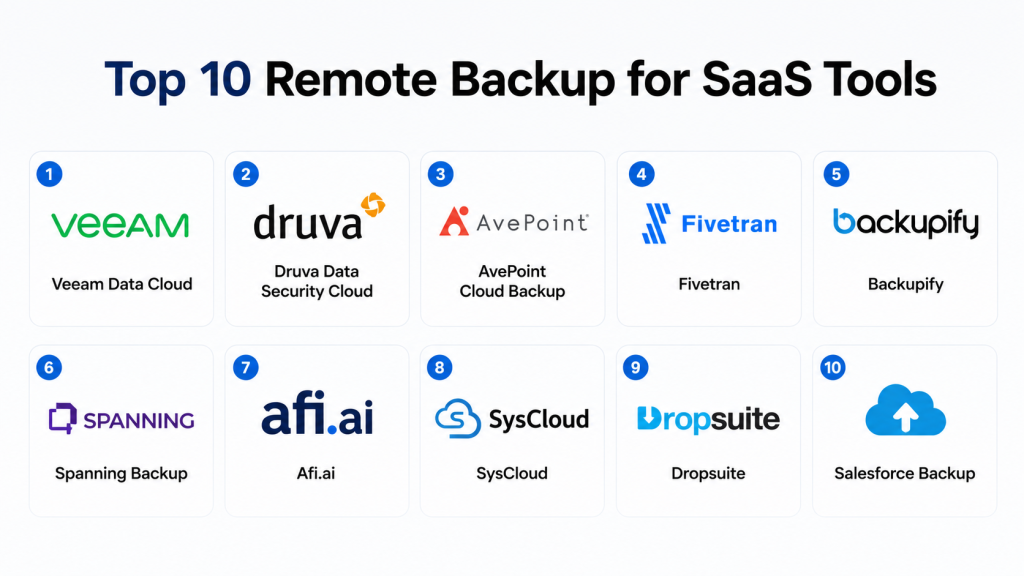
Top 10 Remote Backup for SaaS Tools
1- Veeam Data Cloud
Short description: Veeam Data Cloud is a SaaS data protection platform designed to help organizations back up and recover cloud application data. It is commonly considered by businesses using Microsoft 365, Salesforce, Microsoft Azure, and other cloud workloads. Veeam is widely recognized in the backup and recovery market, making it a strong choice for companies that want SaaS backup from a broader data protection provider. The platform is useful for IT teams that need automated backup policies, granular recovery, and business continuity support. It can fit SMB, mid-market, and enterprise environments depending on workload size and protection needs. Its strongest value is combining SaaS backup with Veeam’s broader backup and recovery ecosystem.
Key Features
- Backup and recovery for supported SaaS workloads
- Granular restore for selected applications and objects
- Automated backup policies
- Ransomware recovery support
- Cloud-based backup management
- Data retention and recovery workflows
- Integration with broader Veeam data protection ecosystem
Pros
- Strong brand recognition in backup and recovery
- Useful for organizations standardizing backup under one vendor
- Good fit for Microsoft 365 and Salesforce-focused protection strategies
Cons
- Feature availability can vary by protected SaaS workload
- May be more than very small teams need
- Buyers should validate storage, retention, and licensing details carefully
Platforms / Deployment
- Cloud
- Hybrid backup ecosystem
Security & Compliance
Veeam Data Cloud supports security-focused backup workflows such as encryption, access controls, and recovery governance depending on configuration. Specific certifications, data residency options, and compliance requirements should be verified during procurement.
Integrations & Ecosystem
Veeam Data Cloud fits best into organizations already using cloud, Microsoft, Salesforce, and broader backup environments.
- Microsoft 365
- Salesforce
- Microsoft Azure
- Veeam backup ecosystem
- Cloud storage environments
- Enterprise identity and admin workflows
Support & Community
Veeam has a large customer base, strong documentation, training resources, partner support, and enterprise-grade assistance for backup and recovery programs.
2- Druva Data Security Cloud
Short description: Druva Data Security Cloud provides cloud-native backup, recovery, and data protection capabilities for SaaS applications and enterprise workloads. It is commonly used by organizations that want a managed backup platform without maintaining separate backup infrastructure. Druva supports protection for productivity suites, CRM environments, and other business data depending on configuration. Its cloud-native approach helps reduce hardware management and administrative overhead. Enterprises and mid-market companies often evaluate Druva when they need centralized backup, compliance support, and recoverability across multiple SaaS and cloud environments. Its biggest strength is operational simplicity combined with enterprise data protection depth.
Key Features
- Cloud-native SaaS backup and recovery
- Backup support for Microsoft 365, Google Workspace, Salesforce, and selected SaaS applications
- Granular search and restore workflows
- Centralized data protection management
- Retention and governance controls
- Ransomware recovery support
- Reporting and administrative dashboards
Pros
- Cloud-native architecture reduces infrastructure burden
- Strong fit for multi-SaaS data protection
- Useful for enterprises seeking centralized governance
Cons
- Pricing and packaging may vary by workload
- Smaller teams may not need the full platform depth
- Advanced configuration should be planned carefully
Platforms / Deployment
- Cloud
Security & Compliance
Druva supports enterprise security features such as encryption, access controls, and administrative governance. Specific compliance certifications and audit requirements should be verified directly during vendor evaluation.
Integrations & Ecosystem
Druva integrates with major SaaS and cloud productivity platforms used by business teams.
- Microsoft 365
- Google Workspace
- Salesforce
- Microsoft Entra ID
- Cloud identity systems
- Enterprise reporting workflows
Support & Community
Druva offers documentation, onboarding guidance, enterprise support, and partner resources for cloud data protection deployments.
3- AvePoint Cloud Backup
Short description: AvePoint Cloud Backup is a SaaS backup and recovery platform especially known for Microsoft 365 protection, with additional support for other cloud collaboration and business applications depending on product scope. It is widely used by organizations that rely heavily on Microsoft Teams, SharePoint, Exchange Online, OneDrive, and related Microsoft cloud services. AvePoint is also relevant for organizations with governance, compliance, and collaboration management needs. The platform provides granular backup and restore workflows that help IT administrators recover files, messages, mailboxes, permissions, and collaboration content. It is a strong option for Microsoft-centric organizations needing detailed recovery control. Its main value is deep Microsoft 365 alignment with enterprise administration features.
Key Features
- Microsoft 365 backup and recovery
- Granular restore for mail, files, sites, and collaboration data
- Backup automation and scheduling
- Retention policy controls
- Admin dashboards and reporting
- Support for selected SaaS workloads
- Governance-focused recovery workflows
Pros
- Strong Microsoft 365 backup capabilities
- Useful for SharePoint, Teams, OneDrive, and Exchange environments
- Good fit for organizations with compliance and governance needs
Cons
- Best value is usually in Microsoft-heavy environments
- Buyers should validate support for non-Microsoft SaaS apps
- Advanced configuration may require experienced administrators
Platforms / Deployment
- Cloud
- Hybrid options may vary by product configuration
Security & Compliance
AvePoint provides enterprise security capabilities such as access controls, encryption, audit-related workflows, and role-based administration depending on deployment. Specific certifications should be verified during procurement.
Integrations & Ecosystem
AvePoint fits strongly into Microsoft collaboration and governance ecosystems.
- Microsoft 365
- Microsoft Teams
- SharePoint Online
- Exchange Online
- OneDrive for Business
- Power Platform governance workflows
Support & Community
AvePoint provides enterprise documentation, onboarding resources, partner support, and customer assistance for Microsoft cloud protection.
4- Backupify
Short description: Backupify, from Kaseya, is a SaaS backup platform focused on protecting cloud application data such as Microsoft 365 and Google Workspace. It is often used by SMBs, MSPs, and IT teams that want automated cloud-to-cloud backup without heavy infrastructure management. Backupify helps organizations recover accidentally deleted emails, files, folders, calendars, contacts, and related collaboration data. The platform is useful for companies that want straightforward backup and restore workflows for everyday SaaS data loss scenarios. It can also support retention and ransomware recovery needs depending on configuration. Its strongest appeal is simple SaaS backup administration for business productivity platforms.
Key Features
- Microsoft 365 backup
- Google Workspace backup
- Automated backup scheduling
- Granular restore workflows
- Data retention controls
- Admin dashboard and reporting
- Cloud-to-cloud backup architecture
Pros
- Easy to understand for common SaaS backup needs
- Good fit for SMBs and MSP-managed customers
- Useful for restoring deleted collaboration data
Cons
- May not offer the same breadth as large enterprise platforms
- Advanced enterprise governance features may vary
- Buyers should confirm exact app and object coverage
Platforms / Deployment
- Cloud
Security & Compliance
Backupify includes security controls such as encryption and administrative access management depending on configuration. Specific compliance claims should be verified during vendor review.
Integrations & Ecosystem
Backupify is focused on common business SaaS productivity environments.
- Microsoft 365
- Google Workspace
- Exchange Online
- OneDrive
- SharePoint
- Gmail and Google Drive
Support & Community
Backupify provides documentation, onboarding resources, and support through the Kaseya ecosystem, including MSP-focused support models.
5- Spanning Backup
Short description: Spanning Backup is a cloud-to-cloud backup platform designed to protect SaaS application data across major business platforms. It is commonly associated with Microsoft 365, Google Workspace, and Salesforce backup use cases. Spanning helps organizations recover from accidental deletion, user mistakes, data corruption, and retention gaps. The platform is built for IT administrators who need an easy-to-use interface and practical restore workflows. It is suitable for SMBs, mid-market companies, and MSPs that need reliable SaaS data protection without managing backup infrastructure. Its main strength is straightforward backup and recovery for widely used cloud productivity and CRM platforms.
Key Features
- Microsoft 365 backup
- Google Workspace backup
- Salesforce backup
- Automated cloud-to-cloud backup
- Granular search and restore
- Retention management
- Admin reporting and alerts
Pros
- Strong coverage for popular SaaS platforms
- Simple cloud-to-cloud backup approach
- Practical restore workflows for common business data
Cons
- Coverage may be limited outside supported SaaS apps
- Enterprise-level customization may vary
- Buyers should validate retention and recovery requirements
Platforms / Deployment
- Cloud
Security & Compliance
Spanning supports secure backup and recovery workflows including encryption and administrative controls. Specific certifications and compliance capabilities should be confirmed during evaluation.
Integrations & Ecosystem
Spanning is most relevant for organizations protecting productivity and CRM data.
- Microsoft 365
- Google Workspace
- Salesforce
- Exchange Online
- SharePoint
- Google Drive
Support & Community
Spanning offers documentation, product resources, customer support, and MSP-friendly backup guidance.
6- Afi.ai
Short description: Afi.ai provides SaaS backup and recovery for Microsoft 365 and Google Workspace, with a focus on automation, usability, and fast recovery workflows. It is often selected by IT teams that want a modern interface and backup coverage for productivity data such as email, files, shared drives, Teams, SharePoint, calendars, and related collaboration content. Afi is useful for companies that need simple deployment and clear restore capabilities without building complex infrastructure. It also appeals to organizations that want security-conscious backup workflows and administrative visibility. SMBs, schools, nonprofits, and mid-sized businesses may find it especially practical. Its strongest value is focused SaaS backup with ease of administration.
Key Features
- Microsoft 365 backup
- Google Workspace backup
- Automated backup policies
- Granular restore and search
- Backup for shared collaboration content
- Admin dashboards and reporting
- Security-focused recovery workflows
Pros
- Clean interface and straightforward administration
- Good fit for Microsoft 365 and Google Workspace backup
- Useful for fast restore and operational simplicity
Cons
- Narrower SaaS coverage than broad enterprise platforms
- Buyers should validate advanced compliance requirements
- May not suit highly complex enterprise data protection programs
Platforms / Deployment
- Cloud
Security & Compliance
Afi.ai supports security features such as encryption, access controls, and administrative protection options depending on configuration. Specific certifications should be verified during procurement.
Integrations & Ecosystem
Afi.ai is focused primarily on cloud productivity backup use cases.
- Microsoft 365
- Google Workspace
- Microsoft Teams
- SharePoint
- OneDrive
- Google Drive and Gmail
Support & Community
Afi.ai provides documentation, onboarding resources, customer support, and product guidance for SaaS backup administrators.
7- SysCloud
Short description: SysCloud is a SaaS backup and security platform that helps organizations protect data across cloud applications such as Microsoft 365, Google Workspace, Google Classroom, Salesforce, Slack, QuickBooks Online, HubSpot, Box, and other supported platforms. It is especially relevant for organizations that want backup, recovery, archiving, ransomware protection, eDiscovery, and compliance-related features in one platform. SysCloud is often considered by schools, nonprofits, accounting teams, SMBs, and companies using many SaaS apps. The tool provides automated backup, granular recovery, data insights, and administrative controls. Its biggest strength is broad SaaS app coverage with practical recovery and security add-ons. Buyers should review exact app coverage and plan requirements before purchase.
Key Features
- Automated SaaS backup
- Granular restore for supported applications
- Ransomware protection capabilities
- eDiscovery and archiving options
- Data change insights
- Multi-application backup coverage
- Admin dashboard and recovery workflows
Pros
- Broad SaaS application support
- Useful for education, nonprofit, and SMB environments
- Combines backup with security and compliance add-ons
Cons
- Feature availability may vary by application
- Buyers should validate backup depth for each SaaS platform
- Advanced compliance needs may require careful plan review
Platforms / Deployment
- Cloud
Security & Compliance
SysCloud offers security-oriented features such as backup protection, recovery controls, ransomware-related capabilities, eDiscovery, and compliance add-ons. Specific certifications should be verified directly.
Integrations & Ecosystem
SysCloud supports a wide range of SaaS apps used by business and education teams.
- Microsoft 365
- Google Workspace
- Google Classroom
- Salesforce
- Slack
- QuickBooks Online
- HubSpot
- Box
Support & Community
SysCloud provides product documentation, demo resources, onboarding support, and customer assistance for SaaS backup and recovery use cases.
8- Dropsuite
Short description: Dropsuite provides cloud backup, archiving, and email protection solutions for businesses and service providers. It is commonly used for Microsoft 365, Google Workspace, email archiving, website backup, and related data protection use cases. Dropsuite is especially relevant for MSPs and SMBs that need easy-to-manage backup services for customer environments. The platform helps protect email, files, calendars, contacts, and other collaboration data depending on workload support. Its archiving and compliance-related features make it useful for regulated or audit-sensitive environments. Dropsuite’s strongest value is combining backup, email archiving, and service-provider-friendly administration.
Key Features
- Microsoft 365 backup
- Google Workspace backup
- Email archiving support
- Cloud-to-cloud backup
- Granular restore workflows
- MSP-friendly management
- Reporting and alerting
Pros
- Strong fit for MSPs and SMBs
- Combines backup and archiving use cases
- Useful for email-centric data protection
Cons
- SaaS coverage may be narrower than broad enterprise platforms
- Buyers should validate object-level restore requirements
- Advanced customization may vary by plan
Platforms / Deployment
- Cloud
Security & Compliance
Dropsuite supports secure backup and archive workflows with encryption and administrative controls. Specific compliance certifications should be validated during vendor evaluation.
Integrations & Ecosystem
Dropsuite is commonly used for productivity and email data protection.
- Microsoft 365
- Google Workspace
- Hosted Exchange
- Email archive systems
- MSP management workflows
- Website backup use cases
Support & Community
Dropsuite provides partner-focused support, documentation, onboarding materials, and resources for MSP and business backup deployments.
9- Rewind
Short description: Rewind provides backup and recovery for SaaS and cloud application data, with strong recognition in areas such as e-commerce, development platforms, and selected business SaaS tools. It is often used by organizations that need to protect operational cloud apps where data loss can directly affect revenue, workflows, or customer experience. Rewind is especially useful for restoring deleted or changed data in platforms that do not provide complete native backup controls. It focuses on making restores simple and accessible for business and technical teams. Companies using Shopify, QuickBooks Online, GitHub, Jira, Trello, and similar systems may evaluate Rewind depending on supported workloads. Its main strength is SaaS-specific recovery for operational business platforms.
Key Features
- SaaS application backup
- Granular restore capabilities
- Automated backup scheduling
- Change tracking for supported apps
- Recovery from accidental deletion or corruption
- Admin alerts and reporting
- Business application protection
Pros
- Strong fit for operational SaaS and e-commerce use cases
- Simple recovery workflows
- Useful where native SaaS rollback is limited
Cons
- App coverage should be verified before selection
- Not always a full enterprise-wide backup replacement
- Pricing may vary by protected application and account size
Platforms / Deployment
- Cloud
Security & Compliance
Rewind supports secure cloud backup workflows including access controls and data protection mechanisms depending on application and plan. Specific certifications should be verified during procurement.
Integrations & Ecosystem
Rewind is relevant for SaaS platforms used in commerce, finance, development, and collaboration.
- Shopify
- QuickBooks Online
- GitHub
- Jira
- Trello
- Cloud business applications
- Supported SaaS marketplaces
Support & Community
Rewind provides documentation, product support, onboarding resources, and guidance for supported SaaS backup use cases.
10- Salesforce Backup
Short description: Salesforce Backup is designed to help organizations protect Salesforce data and metadata from accidental deletion, corruption, user mistakes, and operational disruptions. It is especially relevant for sales, service, revenue operations, and customer success teams that rely on Salesforce as a core business system. Salesforce data often includes accounts, contacts, opportunities, cases, custom objects, workflows, and metadata that are difficult to recreate manually. A Salesforce-focused backup solution helps admins recover specific records, compare changes, and restore business-critical CRM data. Organizations with complex Salesforce customizations, automation, and compliance needs should consider dedicated Salesforce backup capabilities. Its key value is protecting CRM continuity inside the Salesforce ecosystem.
Key Features
- Salesforce data backup
- Metadata backup support
- Granular restore for records and objects
- Change comparison and recovery workflows
- Backup scheduling and monitoring
- Admin controls and reporting
- Support for business continuity planning
Pros
- Purpose-built for Salesforce environments
- Useful for protecting CRM records and metadata
- Strong fit for sales and revenue operations teams
Cons
- Salesforce-specific rather than broad SaaS backup
- May need complementary tools for Microsoft 365 or Google Workspace
- Buyers should validate coverage for custom objects and metadata needs
Platforms / Deployment
- Cloud
Security & Compliance
Salesforce backup capabilities support secure access and recovery workflows within the Salesforce ecosystem. Specific encryption, audit, and compliance details should be verified during procurement and configuration review.
Integrations & Ecosystem
Salesforce Backup is focused on Salesforce data protection and CRM continuity.
- Salesforce Sales Cloud
- Salesforce Service Cloud
- Salesforce metadata
- Salesforce custom objects
- Admin and DevOps workflows
- CRM governance processes
Support & Community
Salesforce provides documentation, admin resources, ecosystem support, and partner guidance for CRM data protection and recovery planning.
Comparison Table
| Tool Name | Best For | Platform(s) Supported | Deployment | Standout Feature | Public Rating |
|---|---|---|---|---|---|
| Veeam Data Cloud | Microsoft 365, Salesforce, and cloud backup programs | SaaS and cloud workloads | Cloud / Hybrid ecosystem | Broad backup ecosystem | N/A |
| Druva Data Security Cloud | Enterprise SaaS data protection | Microsoft 365, Google Workspace, Salesforce, cloud workloads | Cloud | Cloud-native backup management | N/A |
| AvePoint Cloud Backup | Microsoft 365-focused organizations | Microsoft 365 and selected SaaS workloads | Cloud / Hybrid options vary | Deep Microsoft 365 backup | N/A |
| Backupify | SMB and MSP SaaS backup | Microsoft 365, Google Workspace | Cloud | Simple cloud-to-cloud backup | N/A |
| Spanning Backup | Productivity and CRM backup | Microsoft 365, Google Workspace, Salesforce | Cloud | Easy SaaS restore workflows | N/A |
| Afi.ai | Microsoft 365 and Google Workspace backup | Microsoft 365, Google Workspace | Cloud | Fast, focused SaaS recovery | N/A |
| SysCloud | Broad SaaS app backup | Microsoft 365, Google Workspace, Salesforce, Slack, QuickBooks Online, HubSpot, Box | Cloud | Multi-app SaaS coverage | N/A |
| Dropsuite | MSP and email backup | Microsoft 365, Google Workspace, email systems | Cloud | Backup plus archiving | N/A |
| Rewind | Operational SaaS backup | Shopify, QuickBooks Online, GitHub, Jira, Trello, supported SaaS apps | Cloud | SaaS-specific rollback | N/A |
| Salesforce Backup | Salesforce data protection | Salesforce ecosystem | Cloud | CRM data and metadata recovery | N/A |
Evaluation & Scoring of Remote Backup for SaaS Tools
| Tool Name | Core 25% | Ease 15% | Integrations 15% | Security 10% | Performance 10% | Support 10% | Value 15% | Weighted Total |
| Veeam Data Cloud | 9 | 8 | 9 | 9 | 9 | 9 | 8 | 8.7 |
| Druva Data Security Cloud | 9 | 8 | 9 | 9 | 9 | 9 | 8 | 8.7 |
| AvePoint Cloud Backup | 9 | 8 | 9 | 8 | 8 | 8 | 8 | 8.4 |
| Backupify | 8 | 9 | 8 | 8 | 8 | 8 | 8 | 8.2 |
| Spanning Backup | 8 | 9 | 8 | 8 | 8 | 8 | 8 | 8.2 |
| Afi.ai | 8 | 9 | 8 | 8 | 8 | 8 | 8 | 8.2 |
| SysCloud | 8 | 8 | 9 | 8 | 8 | 8 | 8 | 8.2 |
| Dropsuite | 8 | 8 | 8 | 8 | 8 | 8 | 8 | 8.0 |
| Rewind | 8 | 8 | 8 | 8 | 8 | 8 | 8 | 8.0 |
| Salesforce Backup | 8 | 8 | 7 | 8 | 8 | 8 | 7 | 7.7 |
These scores are comparative and should not be treated as universal rankings. A higher score means the tool performs strongly across the selected criteria, but the right choice depends on your SaaS stack, compliance needs, data volume, restore expectations, and budget. Enterprises may prioritize governance, security, retention, and admin controls, while SMBs may prioritize ease of use and fast recovery. Always test backup scope and restore accuracy before final deployment.
Which Remote Backup for SaaS Tool Is Right for You?
Solo / Freelancer
Solo users and freelancers usually need simple, affordable backup for a small number of SaaS accounts. Rewind can be practical for e-commerce, GitHub, or small business SaaS environments. Afi.ai, Backupify, or Spanning may also work well if the main need is Microsoft 365 or Google Workspace backup. The focus should be ease of setup, simple restore, and predictable pricing.
SMB
SMBs often need protection for Microsoft 365, Google Workspace, QuickBooks Online, HubSpot, Salesforce, and collaboration tools without heavy administration. Backupify, Spanning, Afi.ai, SysCloud, Dropsuite, and Rewind are strong options depending on the SaaS apps in use. SMBs should prioritize automated backup, granular restore, simple dashboards, and clear retention policies.
Mid-Market
Mid-market organizations usually need stronger controls, multiple SaaS app coverage, user lifecycle support, and compliance-ready recovery workflows. Druva, AvePoint, Veeam, SysCloud, Spanning, and Dropsuite can be good candidates. Teams should evaluate how each platform handles backup frequency, restore speed, admin roles, user offboarding, and cross-application visibility.
Enterprise
Enterprises should prioritize scalability, security, governance, auditability, retention, and support quality. Veeam Data Cloud, Druva Data Security Cloud, AvePoint Cloud Backup, Salesforce Backup, and SysCloud are strong candidates depending on workload coverage. Enterprises should also validate data residency, role-based administration, API access, legal hold, ransomware recovery, and service-level support.
Budget vs Premium
Budget-conscious teams should compare per-user pricing, storage limits, retention windows, and restore limitations before selecting a tool. Backupify, Afi.ai, Spanning, Dropsuite, and Rewind may provide practical SaaS backup coverage for common workloads. Premium buyers may prefer Druva, Veeam, AvePoint, or Salesforce Backup for broader governance, support, and enterprise alignment.
Feature Depth vs Ease of Use
Afi.ai, Backupify, Spanning, and Dropsuite are often attractive when ease of use is a major priority. Druva, Veeam, AvePoint, and Salesforce Backup may offer deeper enterprise features but can require more planning and governance review. SysCloud sits well for buyers needing broad SaaS coverage with security and compliance add-ons.
Integrations & Scalability
If your organization mainly uses Microsoft 365, evaluate AvePoint, Veeam, Druva, Afi.ai, Backupify, Spanning, Dropsuite, and SysCloud. If Salesforce is critical, compare Salesforce Backup, Druva, Spanning, Veeam, and other Salesforce-focused protection options. If your SaaS environment includes commerce, finance, and DevOps tools, Rewind and SysCloud may be more relevant.
Security & Compliance Needs
Organizations with strict compliance needs should review encryption, audit logs, access controls, backup retention, legal hold, restore reporting, data residency, and admin activity tracking. Regulated industries should not choose only by price. They should validate vendor documentation, contracts, recovery testing, and role-based access before production rollout.
Frequently Asked Questions
1- What is a Remote Backup for SaaS Tool?
A Remote Backup for SaaS Tool protects data stored inside cloud applications such as Microsoft 365, Google Workspace, Salesforce, Slack, or QuickBooks Online. It creates recoverable backup copies so teams can restore data after deletion, corruption, ransomware, or user error.
2- Why do SaaS platforms need third-party backup?
Most SaaS vendors focus on platform uptime and service availability, but they may not provide full long-term recovery for every user mistake, deletion, sync issue, or malicious change. Third-party backup gives organizations more control over retention and restore workflows.
3- What data can SaaS backup tools protect?
Coverage depends on the vendor and application. Commonly protected data includes emails, files, calendars, contacts, shared drives, SharePoint sites, Teams data, Salesforce records, metadata, e-commerce records, tickets, and SaaS configuration data.
4- How often do SaaS backup tools run backups?
Backup frequency varies by vendor, plan, application, and configuration. Some tools run multiple backups per day, while others follow scheduled or policy-based backup intervals. Buyers should confirm recovery point objectives before purchase.
5- Can SaaS backup tools help with ransomware recovery?
Yes, many SaaS backup tools help restore clean copies of cloud data after ransomware, mass deletion, or malicious modification. However, effectiveness depends on backup frequency, retention settings, detection features, and restore testing.
6- How much do SaaS backup tools cost?
Pricing commonly depends on user count, protected application, storage usage, retention period, and enterprise features. Buyers should compare total cost, not just license price, because storage limits and premium restore features can affect long-term value.
7- Are SaaS backup tools difficult to implement?
Many SaaS backup tools are cloud-based and can be deployed quickly using admin permissions and API connections. Larger environments may require more planning for permissions, retention policies, user groups, compliance needs, and restore testing.
8- What are common mistakes when choosing a SaaS backup tool?
Common mistakes include assuming all SaaS data is covered, ignoring restore testing, not checking retention limits, overlooking shared drives or Teams data, and failing to review security controls. Buyers should test real recovery scenarios before rollout.
9- Do SaaS backup tools support compliance requirements?
Many tools include retention, audit logs, export options, access controls, and eDiscovery-related features. However, compliance depends on the tool, configuration, industry requirements, and vendor documentation, so buyers should verify details carefully.
10- Can one backup tool protect all SaaS applications?
Some platforms support multiple SaaS applications, but no single tool fits every environment perfectly. Organizations should map their SaaS stack first, identify critical data, and choose a tool that covers the highest-risk applications with reliable restore workflows.
Conclusion
Remote Backup for SaaS Tools are now essential for businesses that depend on cloud applications for communication, collaboration, sales, finance, operations, and customer service. While SaaS vendors provide reliable platforms, organizations still need their own backup strategy for accidental deletion, ransomware recovery, compliance retention, employee offboarding, and business continuity. Veeam Data Cloud and Druva Data Security Cloud are strong choices for broader enterprise SaaS protection, while AvePoint is especially useful for Microsoft 365-heavy environments. Backupify, Spanning, Afi.ai, Dropsuite, and SysCloud serve SMB, MSP, education, and multi-SaaS backup needs well, depending on required application coverage. Rewind is valuable for operational SaaS platforms, and Salesforce Backup is important for organizations where CRM data is mission-critical. The best tool depends on your SaaS stack, risk level, compliance requirements, restore expectations, and budget. Start by listing your most critical SaaS applications, shortlist two or three tools, run a restore-focused pilot, validate security and retention settings, and then scale the platform that best protects your business data.
