Introduction
Change Data Capture Tools help organizations identify, capture, and move only the data that has changed inside a database or system. Instead of repeatedly copying full datasets, CDC tools track inserts, updates, and deletes, then deliver those changes to target systems such as cloud warehouses, data lakes, streaming platforms, analytics tools, or operational databases.
In and beyond, CDC has become essential because businesses need real-time analytics, AI-ready data, low-downtime cloud migration, event-driven applications, and stronger data synchronization across hybrid environments. Traditional batch data movement is often too slow for modern business needs, especially when teams depend on live dashboards, fraud detection, personalization, compliance reporting, and operational intelligence.
Real-World Use Cases
- Real-time analytics: Send database changes into Snowflake, BigQuery, Redshift, Databricks, or lakehouse platforms.
- Cloud migration: Keep source and target databases synchronized before final cutover.
- Event-driven architecture: Publish data changes to Kafka or streaming systems for downstream services.
- Operational synchronization: Keep CRM, ERP, finance, inventory, and customer systems aligned.
- Disaster recovery and availability: Maintain replicated datasets for continuity and faster recovery.
Evaluation Criteria for Buyers
When evaluating CDC tools, buyers should consider:
- Supported source databases
- Supported target platforms
- Latency and throughput performance
- Change data capture method
- Schema change handling
- Data consistency and ordering guarantees
- Monitoring, alerting, and error recovery
- Security, encryption, and access controls
- Cloud, self-hosted, and hybrid deployment options
- Pricing model and operational complexity
Best for: Data engineers, database administrators, platform engineers, analytics teams, cloud architects, DevOps teams, enterprises, SaaS companies, fintech firms, healthcare organizations, retail businesses, and any organization that needs real-time data movement or low-downtime migration.
Not ideal for: Very small teams with simple reporting needs, organizations that only run occasional manual exports, or use cases where daily batch processing is enough and real-time synchronization is not required.
Key Trends in Change Data Capture Tools
- CDC is becoming central to real-time data platforms: More organizations are using CDC as the foundation for live analytics, operational dashboards, and event-driven systems.
- Cloud warehouse and lakehouse adoption is increasing: CDC pipelines are commonly feeding Snowflake, Databricks, BigQuery, Redshift, Azure Synapse, and modern data lakes.
- AI readiness is driving demand: AI workflows need fresh, reliable, governed data, and CDC helps reduce data staleness in AI and analytics environments.
- Open-source CDC remains strong: Developer-first teams continue to adopt open-source tools like Debezium for Kafka-based and event-driven architectures.
- Managed CDC platforms are growing: Teams that do not want to manage infrastructure increasingly prefer SaaS-based or cloud-native CDC platforms.
- Schema evolution handling is more important: Modern pipelines must handle database schema changes without breaking downstream systems.
- Security and governance expectations are rising: Buyers increasingly evaluate encryption, access control, auditability, data masking, and compliance support.
- Hybrid and multi-cloud CDC is becoming common: Enterprises need CDC tools that can move data across on-premises databases, private clouds, and multiple public clouds.
- CDC is being used for low-downtime modernization: Replatforming, cloud migration, and database upgrades increasingly rely on CDC to reduce business disruption.
- Observability is a must-have: Teams expect clear pipeline health dashboards, lag tracking, throughput metrics, and automated alerts.
How We Selected These Tools
The following CDC tools were selected using a practical SaaS and enterprise evaluation approach:
- Market adoption and recognition: Tools with strong visibility among data engineering, database, cloud, and enterprise teams were prioritized.
- CDC feature completeness: Platforms with log-based capture, real-time replication, schema handling, monitoring, and error recovery were scored higher.
- Source and target coverage: Tools supporting many databases, warehouses, lakes, cloud platforms, and streaming systems were considered stronger.
- Reliability and performance: Preference was given to platforms known for handling large data volumes and low-latency replication.
- Security posture signals: Encryption, access controls, audit capabilities, and governance-related features were reviewed where confidently known.
- Ease of deployment: Managed SaaS options, cloud-native services, and clear admin workflows were considered for operational simplicity.
- Developer and enterprise fit: The final list balances open-source, developer-first, managed, and enterprise-grade CDC tools.
- Support ecosystem: Documentation, community strength, vendor support, and implementation partner availability were considered.
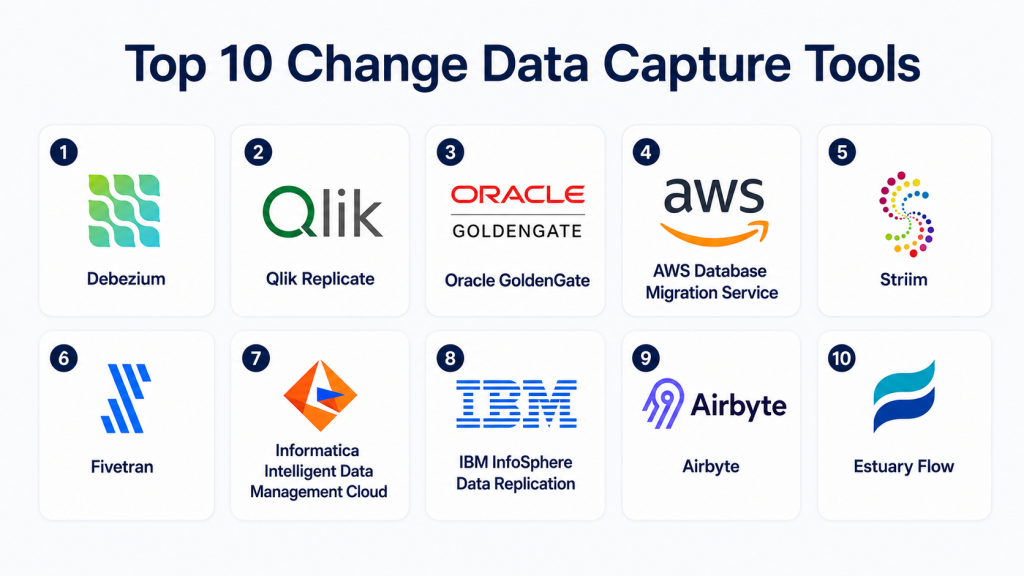
Top 10 Change Data Capture Tools
1- Debezium
Short description: Debezium is an open-source change data capture platform that captures database changes and streams them as events, most commonly through Apache Kafka. It is widely used by developer, platform engineering, and data engineering teams building event-driven systems. Debezium tracks inserts, updates, and deletes from supported databases and publishes change events that can be consumed by downstream applications, pipelines, or analytics platforms. It is especially useful for microservices architectures, data synchronization, audit logs, cache invalidation, and real-time analytics. Because it is open source, teams get flexibility and control, but they also need the skills to operate and monitor the infrastructure. Its strongest value is developer-friendly CDC flexibility for real-time systems.
Key Features
- Open-source CDC platform
- Database change event streaming
- Kafka and Kafka Connect ecosystem support
- Supports inserts, updates, and deletes
- Useful for event-driven microservices
- Connector-based architecture
- Strong developer extensibility
Pros
- Flexible and widely adopted in technical teams
- Excellent fit for Kafka-based architectures
- Strong open-source community and ecosystem
Cons
- Requires engineering and operational expertise
- Not a simple no-code CDC tool
- Monitoring and reliability depend on deployment design
Platforms / Deployment
- Self-hosted
- Hybrid
- Cloud deployment possible depending on infrastructure
Security & Compliance
Security depends on the underlying infrastructure, Kafka setup, database permissions, access controls, encryption, and deployment configuration. Specific platform-level compliance certifications are not publicly stated.
Integrations & Ecosystem
Debezium works best in streaming and developer-led data environments.
- Apache Kafka
- Kafka Connect
- PostgreSQL
- MySQL
- SQL Server
- MongoDB
Support & Community
Debezium has an active open-source community, technical documentation, developer examples, and commercial ecosystem support through related enterprise platforms.
2- Qlik Replicate
Short description: Qlik Replicate is an enterprise-grade CDC and data replication platform designed for real-time movement of data from operational databases into cloud warehouses, data lakes, analytics platforms, and other target systems. It is widely used by organizations that need low-impact replication from production systems. Qlik Replicate supports complex heterogeneous environments, making it valuable for enterprises with multiple database technologies. It is commonly used for real-time analytics, warehouse modernization, cloud migration, and business continuity. The platform reduces manual engineering effort with automation, monitoring, and broad connectivity. Its strongest value is mature enterprise CDC for hybrid and multi-platform environments.
Key Features
- Enterprise change data capture
- Real-time and near real-time replication
- Broad source and target coverage
- Low-impact database replication
- Cloud warehouse and data lake support
- Monitoring and pipeline management
- Schema and metadata handling
Pros
- Strong CDC performance for enterprise workloads
- Good fit for heterogeneous environments
- Useful for cloud migration and analytics modernization
Cons
- May require experienced data engineering or DBA support
- Enterprise licensing may not suit small teams
- Complex replication scenarios require careful planning
Platforms / Deployment
- Cloud
- Hybrid
- On-premises environments depending on architecture
Security & Compliance
Qlik Replicate supports enterprise security configurations such as encryption, access controls, and administrative governance. Specific compliance certifications should be verified during procurement.
Integrations & Ecosystem
Qlik Replicate integrates with many enterprise data systems and analytics platforms.
- Oracle
- SQL Server
- PostgreSQL
- Snowflake
- Databricks
- Amazon Redshift
Support & Community
Qlik provides enterprise documentation, partner support, technical training, and implementation resources for large data replication programs.
3- Oracle GoldenGate
Short description: Oracle GoldenGate is a mature enterprise CDC and real-time replication platform used for mission-critical database synchronization, high availability, migration, and analytics workloads. It is especially recognized in Oracle-heavy environments but can also support heterogeneous data movement depending on deployment. Large enterprises use GoldenGate for low-latency replication, active-active architectures, disaster recovery, database upgrades, and multi-region data distribution. It is powerful and flexible, but it typically requires skilled database professionals to configure and operate. GoldenGate is often selected by organizations where uptime, transaction consistency, and replication reliability are critical. Its strongest value is enterprise-grade CDC for complex database landscapes.
Key Features
- Real-time CDC and database replication
- Transaction log-based capture
- Active-active and high availability support
- Disaster recovery use cases
- Heterogeneous replication options
- Data synchronization and distribution
- Enterprise monitoring and administration
Pros
- Mature enterprise replication platform
- Strong fit for Oracle database environments
- Suitable for mission-critical, low-latency use cases
Cons
- Can be complex to deploy and manage
- Licensing and implementation may be expensive
- Requires strong DBA and architecture expertise
Platforms / Deployment
- Cloud
- Self-hosted
- Hybrid
Security & Compliance
Oracle GoldenGate supports enterprise security features such as encryption, authentication controls, secure replication settings, and access management. Compliance alignment depends on the deployment and Oracle environment configuration.
Integrations & Ecosystem
Oracle GoldenGate fits strongly into enterprise database and Oracle-centered environments.
- Oracle Database
- Oracle Cloud Infrastructure
- SQL Server
- Db2
- Big data platforms
- Enterprise warehouses
Support & Community
Oracle provides enterprise documentation, professional services, support programs, training, and a large database expert ecosystem.
4- AWS Database Migration Service
Short description: AWS Database Migration Service supports database migration and ongoing replication into AWS environments. It is commonly used for moving data from on-premises or cloud databases into Amazon RDS, Aurora, Redshift, S3, and other AWS services. AWS DMS supports CDC for selected sources, enabling teams to keep target systems synchronized during migration or analytics pipeline development. It is especially useful for organizations that are already committed to AWS and want native cloud integration. AWS DMS can help reduce downtime by continuously replicating changes until cutover. Its strongest value is AWS-native migration and replication for cloud modernization programs.
Key Features
- Database migration and ongoing replication
- CDC support for selected sources
- Homogeneous and heterogeneous migration scenarios
- Integration with AWS databases and storage
- Monitoring through AWS-native services
- Schema conversion support through related AWS tools
- Useful for reduced-downtime cloud migration
Pros
- Strong fit for AWS-based migration projects
- Native AWS security and monitoring integration
- Good option for database modernization into AWS
Cons
- Best suited for AWS-focused environments
- Complex migrations require careful testing
- Advanced tuning may require database and cloud expertise
Platforms / Deployment
- Cloud
- AWS ecosystem
Security & Compliance
AWS DMS supports encryption, IAM-based access control, monitoring, and logging through AWS services. Compliance depends on the broader AWS configuration and customer environment.
Integrations & Ecosystem
AWS DMS works closely with AWS data and migration services.
- Amazon RDS
- Amazon Aurora
- Amazon Redshift
- Amazon S3
- AWS IAM
- Amazon CloudWatch
Support & Community
AWS provides documentation, training, enterprise support plans, migration guidance, and a large partner ecosystem.
5- Striim
Short description: Striim is a real-time data integration and streaming platform that supports CDC, database replication, cloud migration, and operational analytics. It helps organizations capture live database changes, process them in motion, and deliver them to cloud platforms, warehouses, lakes, and streaming systems. Striim is often selected when low latency and real-time processing are more important than simple scheduled replication. It can support event-driven workflows, fraud analytics, operational dashboards, and cloud data synchronization. The platform is suitable for enterprises with real-time data requirements and streaming architecture goals. Its strongest value is combining CDC with streaming data processing.
Key Features
- Real-time CDC and data streaming
- In-flight data processing
- Database-to-cloud replication
- Streaming analytics support
- Monitoring and alerting
- Cloud migration use cases
- Integration with streaming and warehouse platforms
Pros
- Strong real-time streaming capabilities
- Useful for operational analytics and cloud migration
- Combines CDC with data processing
Cons
- More complex than simple replication tools
- May require streaming architecture expertise
- Not always necessary for basic batch migration needs
Platforms / Deployment
- Cloud
- Hybrid
Security & Compliance
Striim supports enterprise security configurations such as encryption, access controls, and administrative management. Specific compliance details should be verified during vendor evaluation.
Integrations & Ecosystem
Striim integrates with enterprise databases, cloud platforms, warehouses, and streaming technologies.
- Oracle
- SQL Server
- PostgreSQL
- Snowflake
- Google BigQuery
- Kafka
Support & Community
Striim provides documentation, enterprise support, onboarding assistance, and technical guidance for real-time data integration projects.
6- Fivetran
Short description: Fivetran is a managed data movement platform that supports database replication, SaaS data ingestion, and ELT pipelines into cloud warehouses and lakehouses. It is widely used by analytics teams that want managed connectors and reduced pipeline maintenance. Fivetran supports incremental data movement and CDC-style replication for selected databases depending on connector and configuration. It is especially useful for organizations building modern analytics stacks around Snowflake, BigQuery, Redshift, Databricks, and other cloud data platforms. While it is not always used as a traditional DBA-focused replication engine, it is highly practical for analytics-driven CDC use cases. Its strongest value is managed automation and broad connector coverage.
Key Features
- Managed database and SaaS connectors
- Incremental data replication
- CDC-style replication for supported sources
- Automated schema handling
- Cloud warehouse and lakehouse support
- Pipeline monitoring and alerts
- ELT-friendly workflow design
Pros
- Low maintenance compared with custom pipelines
- Strong connector ecosystem
- Good fit for cloud analytics teams
Cons
- Pricing can grow with data volume and usage
- Less customizable than self-managed CDC platforms
- Advanced operational replication may require other tools
Platforms / Deployment
- Cloud
Security & Compliance
Fivetran supports encryption, access controls, SSO options, and administrative security features depending on plan and configuration. Specific certification requirements should be verified during procurement.
Integrations & Ecosystem
Fivetran integrates with many databases, SaaS tools, transformation platforms, and cloud data destinations.
- Snowflake
- Google BigQuery
- Amazon Redshift
- Databricks
- PostgreSQL
- dbt
Support & Community
Fivetran provides documentation, onboarding resources, support plans, and strong adoption across modern data stack communities.
7- Informatica Intelligent Data Management Cloud
Short description: Informatica Intelligent Data Management Cloud is an enterprise data platform that supports integration, replication, quality, governance, cataloging, and automation. It is commonly used by large organizations that need CDC as part of broader data management and modernization programs. Informatica is valuable when replication needs to be combined with metadata management, lineage, policy controls, data quality, and compliance workflows. It can support cloud, on-premises, hybrid, SaaS, and enterprise data environments. While it may be more complex than lightweight CDC tools, it provides deep enterprise functionality. Its strongest value is CDC and replication within a full data governance and integration ecosystem.
Key Features
- Enterprise data integration and replication
- Cloud and hybrid data movement
- Data quality and validation
- Metadata, catalog, and governance support
- Automation and intelligence-assisted workflows
- Broad database and application connectivity
- Monitoring and operational management
Pros
- Strong enterprise data management depth
- Good fit for regulated and complex environments
- Combines CDC with governance and quality controls
Cons
- Can be complex for smaller teams
- Implementation may require specialized expertise
- Pricing and packaging can vary by enterprise needs
Platforms / Deployment
- Cloud
- Hybrid
Security & Compliance
Informatica supports enterprise security features such as encryption, access controls, SSO options, audit logging, and governance workflows. Specific compliance certifications should be verified during procurement.
Integrations & Ecosystem
Informatica supports a broad enterprise data ecosystem.
- AWS
- Azure
- Google Cloud
- Snowflake
- Salesforce
- SAP
Support & Community
Informatica provides enterprise support, documentation, training, implementation partners, and professional services for large-scale data programs.
8- IBM InfoSphere Data Replication
Short description: IBM InfoSphere Data Replication is an enterprise CDC and synchronization platform commonly used in IBM, Db2, mainframe, and regulated enterprise environments. It helps organizations replicate data in real time for analytics, availability, modernization, and data integration. The platform is useful for mission-critical enterprise systems where reliability, consistency, and operational control are important. It is often considered by large organizations with complex data estates and long-standing IBM infrastructure. IBM InfoSphere Data Replication may require specialized skills, but it offers strong capabilities for enterprise-grade CDC. Its strongest value is reliable replication for complex and governance-heavy environments.
Key Features
- Change data capture
- Real-time data replication
- Enterprise database synchronization
- Db2 and mainframe support
- High availability use cases
- Operational monitoring
- Hybrid data integration support
Pros
- Strong fit for IBM and Db2 environments
- Suitable for large enterprise data estates
- Mature replication capabilities
Cons
- Can be complex for smaller teams
- Best suited for IBM-heavy environments
- Implementation may require specialist expertise
Platforms / Deployment
- Self-hosted
- Hybrid
Security & Compliance
IBM InfoSphere Data Replication supports enterprise security and administrative controls. Specific encryption, audit, and compliance capabilities depend on deployment and should be verified during evaluation.
Integrations & Ecosystem
IBM InfoSphere Data Replication integrates with IBM data systems and enterprise databases.
- IBM Db2
- IBM mainframe environments
- Enterprise databases
- Data warehouses
- Analytics platforms
- Hybrid infrastructure
Support & Community
IBM provides enterprise support, documentation, consulting services, partner expertise, and technical resources for large data replication programs.
9- Airbyte
Short description: Airbyte is an open-source and commercial data integration platform used for moving data from databases, SaaS applications, APIs, and files into warehouses, lakes, and analytics platforms. It is popular with developer-first teams that want connector flexibility and deployment control. Airbyte can support incremental syncing and CDC-style workflows for selected databases depending on connector capabilities and configuration. It is often used for analytics data movement, warehouse modernization, and custom pipeline development. Its open-source foundation allows teams to customize connectors and extend workflows. Its strongest value is flexibility and accessibility for technical teams.
Key Features
- Open-source connector ecosystem
- Cloud and self-hosted deployment options
- Database and SaaS data movement
- Incremental sync capabilities
- Connector customization
- Data warehouse and lake support
- Developer-friendly architecture
Pros
- Flexible and extensible
- Strong fit for technical data teams
- Self-hosted option supports control needs
Cons
- Self-hosted deployments require operational effort
- Connector quality and CDC depth may vary
- Enterprise governance needs careful planning
Platforms / Deployment
- Cloud
- Self-hosted
- Hybrid
Security & Compliance
Airbyte supports access controls and security configurations depending on deployment model. Specific compliance requirements should be reviewed based on cloud or self-hosted setup.
Integrations & Ecosystem
Airbyte integrates with many databases, SaaS applications, warehouses, and cloud platforms.
- PostgreSQL
- MySQL
- Snowflake
- BigQuery
- Redshift
- Databricks
Support & Community
Airbyte has an active open-source community, product documentation, and commercial support options for managed and enterprise deployments.
10- Estuary Flow
Short description: Estuary Flow is a real-time data integration platform designed for streaming, CDC, and operational data movement. It helps teams capture data changes from databases and applications, then deliver them to warehouses, lakes, and other operational systems. Estuary is often considered by teams that want low-latency pipelines without building everything from scratch. It supports streaming-first data workflows and can be useful for analytics, operational sync, event-driven applications, and cloud data movement. The platform is relevant for modern data teams that need flexibility, performance, and real-time pipeline control. Its strongest value is combining CDC, streaming, and managed data movement in a modern architecture.
Key Features
- Real-time data movement
- CDC support for selected sources
- Streaming pipeline architecture
- Cloud warehouse and data lake destinations
- Operational data synchronization
- Connector-based ecosystem
- Pipeline monitoring and management
Pros
- Strong fit for real-time data teams
- Useful for streaming and analytics pipelines
- Modern architecture for low-latency use cases
Cons
- Smaller ecosystem compared with older enterprise tools
- Buyers should validate exact connector coverage
- Advanced use cases may require data engineering knowledge
Platforms / Deployment
- Cloud
- Hybrid options may vary
Security & Compliance
Estuary Flow supports security controls such as access management and encrypted data movement depending on deployment and configuration. Specific compliance certifications should be verified during procurement.
Integrations & Ecosystem
Estuary Flow connects with databases, cloud data platforms, and analytics systems.
- PostgreSQL
- MySQL
- Snowflake
- BigQuery
- Databricks
- Cloud storage platforms
Support & Community
Estuary provides documentation, product guidance, support resources, and technical assistance for real-time pipeline implementation.
Comparison Table
| Tool Name | Best For | Platform(s) Supported | Deployment | Standout Feature | Public Rating |
|---|---|---|---|---|---|
| Debezium | Open-source CDC and event-driven systems | Databases and Kafka ecosystem | Self-hosted / Hybrid | Open-source CDC flexibility | N/A |
| Qlik Replicate | Enterprise CDC and replication | Databases, warehouses, lakes | Cloud / Hybrid | Heterogeneous CDC replication | N/A |
| Oracle GoldenGate | Mission-critical enterprise replication | Oracle and enterprise databases | Cloud / Self-hosted / Hybrid | Low-latency enterprise CDC | N/A |
| AWS Database Migration Service | AWS migration and replication | AWS and supported databases | Cloud | Native AWS CDC workflows | N/A |
| Striim | Real-time streaming CDC | Databases, streaming systems, warehouses | Cloud / Hybrid | CDC plus streaming processing | N/A |
| Fivetran | Managed analytics CDC pipelines | Databases, SaaS apps, warehouses | Cloud | Managed connector automation | N/A |
| Informatica IDMC | Enterprise data governance and CDC | Cloud, hybrid, SaaS, enterprise systems | Cloud / Hybrid | CDC plus governance and quality | N/A |
| IBM InfoSphere Data Replication | IBM and regulated enterprise environments | Db2, mainframe, enterprise databases | Self-hosted / Hybrid | Enterprise CDC for complex systems | N/A |
| Airbyte | Developer-friendly data movement | Databases, SaaS apps, warehouses | Cloud / Self-hosted / Hybrid | Open-source connector ecosystem | N/A |
| Estuary Flow | Real-time data pipelines | Databases, warehouses, lakes | Cloud / Hybrid options vary | Streaming-first CDC | N/A |
Evaluation & Scoring of Change Data Capture Tools
| Tool Name | Core 25% | Ease 15% | Integrations 15% | Security 10% | Performance 10% | Support 10% | Value 15% | Weighted Total |
| Debezium | 9 | 6 | 8 | 7 | 9 | 7 | 10 | 8.1 |
| Qlik Replicate | 10 | 7 | 9 | 8 | 9 | 8 | 7 | 8.4 |
| Oracle GoldenGate | 10 | 6 | 9 | 9 | 10 | 9 | 6 | 8.4 |
| AWS Database Migration Service | 9 | 8 | 9 | 9 | 9 | 9 | 8 | 8.7 |
| Striim | 9 | 7 | 9 | 8 | 9 | 8 | 7 | 8.2 |
| Fivetran | 8 | 9 | 10 | 8 | 8 | 8 | 8 | 8.5 |
| Informatica IDMC | 9 | 7 | 10 | 9 | 9 | 9 | 7 | 8.6 |
| IBM InfoSphere Data Replication | 9 | 6 | 8 | 9 | 9 | 9 | 6 | 7.9 |
| Airbyte | 8 | 8 | 9 | 7 | 8 | 7 | 9 | 8.1 |
| Estuary Flow | 8 | 8 | 8 | 7 | 8 | 7 | 8 | 7.8 |
These scores are comparative, not universal rankings. A higher score means the tool performs strongly across the selected criteria, but the right choice depends on your database sources, target platforms, latency requirements, compliance needs, team skills, and budget. Enterprise teams may value reliability, support, and governance more heavily, while developer-first teams may prioritize flexibility and cost control. Always run a pilot with real workloads before making a final production decision.
Which Change Data Capture Tool Is Right for You?
Solo / Freelancer
Solo developers and freelancers usually need affordable, flexible, and technically accessible CDC tools. Debezium and Airbyte are strong options if the user is comfortable managing infrastructure or working with open-source tools. Estuary Flow may also fit teams that want modern real-time pipelines without building every component themselves. The key is to avoid enterprise complexity unless the project truly needs it.
SMB
SMBs often need practical data movement without a large data engineering team. Fivetran, Airbyte Cloud, AWS Database Migration Service, and Estuary Flow can be good candidates depending on the target architecture. If the goal is cloud analytics, Fivetran and Airbyte are easy to evaluate. If the goal is AWS database migration, AWS DMS is usually a direct option.
Mid-Market
Mid-market organizations usually need stronger monitoring, more source and target coverage, and reliable support for production workloads. Qlik Replicate, Striim, Fivetran, Informatica, and AWS DMS can be strong options depending on whether the need is streaming, analytics, migration, or governance. These buyers should evaluate replication lag, schema handling, cost, and operational ownership.
Enterprise
Enterprises should prioritize scalability, reliability, security, governance, and long-term support. Oracle GoldenGate, Qlik Replicate, Informatica IDMC, IBM InfoSphere Data Replication, Striim, and AWS DMS are strong candidates depending on the infrastructure. Large organizations should also validate disaster recovery, audit logging, data consistency, high availability, and vendor support before rollout.
Budget vs Premium
Budget-conscious teams may prefer Debezium, Airbyte, or cloud-native services when they have the skills to manage setup and monitoring. Premium enterprise buyers may prefer Oracle GoldenGate, Qlik Replicate, Informatica, IBM InfoSphere, or Striim for mature CDC functionality, stronger support, and enterprise governance. Cost should include licenses, infrastructure, engineering time, downtime risk, and maintenance.
Feature Depth vs Ease of Use
Fivetran and managed cloud tools are often easier to operate. Oracle GoldenGate, Qlik Replicate, Informatica, and IBM InfoSphere provide deeper enterprise features but require more planning and specialized skills. Debezium offers excellent flexibility but needs engineering ownership for reliability, monitoring, and scaling.
Integrations & Scalability
For Kafka and event-driven systems, Debezium is a strong option. For AWS-centered migrations, AWS DMS is often the most direct fit. For broad enterprise replication, Qlik Replicate, Oracle GoldenGate, Informatica, Striim, and IBM InfoSphere are strong candidates. For cloud analytics pipelines, Fivetran, Airbyte, and Estuary Flow may be practical.
Security & Compliance Needs
Regulated organizations should evaluate encryption, access control, audit logs, credential handling, data masking, network security, retention, and operational monitoring. Enterprise platforms may offer stronger governance workflows, but every buyer should verify documentation, deployment model, and compliance alignment before purchase. Security should be tested during the pilot, not after production deployment.
Frequently Asked Questions
1- What is a Change Data Capture tool?
A Change Data Capture tool identifies and captures inserts, updates, and deletes from a database. It then delivers those changes to another system for analytics, migration, synchronization, or event-driven processing.
2- How is CDC different from batch ETL?
Batch ETL moves data on a schedule, often by processing larger datasets at intervals. CDC captures only changed data, which makes it better for real-time or near real-time use cases.
3- Why do companies use CDC tools?
Companies use CDC tools for real-time analytics, cloud migration, data synchronization, event-driven applications, auditing, and disaster recovery. CDC reduces data latency and lowers the need for full data reloads.
4- Do CDC tools affect source database performance?
CDC tools can affect performance if poorly configured, but log-based CDC is designed to reduce load compared with repeated full-table extraction. Teams should test performance with real workloads before production rollout.
5- Can CDC tools support cloud migration?
Yes, CDC is commonly used for low-downtime cloud migration. It keeps the target system synchronized while the source system continues running until final cutover.
6- What databases do CDC tools support?
Support varies by vendor. Commonly supported databases may include Oracle, SQL Server, PostgreSQL, MySQL, MongoDB, Db2, and cloud-native databases, but buyers should verify exact source and target compatibility.
7- Are CDC tools secure?
Most enterprise CDC tools support secure connectivity, encryption, access controls, and administrative permissions. Security depends on vendor features, deployment architecture, credential handling, and configuration.
8- What are common CDC implementation mistakes?
Common mistakes include ignoring schema changes, underestimating replication lag, weak monitoring, poor error handling, missing retry logic, and not testing data consistency. A pilot project helps reduce these risks.
9- Can CDC tools feed AI and machine learning systems?
Yes, CDC can keep data warehouses, lakes, and feature stores updated with fresh operational data. However, AI readiness also requires data quality, governance, metadata, and responsible access controls.
10- How should organizations choose a CDC platform?
Start by mapping source databases, target platforms, latency needs, data volume, compliance requirements, and team skills. Then shortlist tools, run a pilot, test schema changes and failures, and validate monitoring before full rollout.
Conclusion
Change Data Capture Tools are now essential for organizations that need real-time data movement, low-downtime migration, event-driven applications, and fresh analytics pipelines. Debezium is a strong open-source choice for technical teams building Kafka-based systems, while Airbyte and Estuary Flow provide flexible options for modern data teams. Qlik Replicate, Oracle GoldenGate, Informatica IDMC, IBM InfoSphere Data Replication, and Striim are stronger fits for complex enterprise environments where reliability, governance, and support matter. AWS Database Migration Service is a practical choice for AWS-focused database migration and replication, while Fivetran is well suited for managed analytics pipelines. The best CDC tool depends on your source systems, target architecture, latency expectations, security requirements, budget, and team expertise. Start by shortlisting two or three tools, run a controlled pilot with real database changes, validate schema handling and performance, review security controls, and then scale the platform that best supports your long-term data strategy.
