Introduction
Device Testing Clouds are centralized platforms that provide access to real mobile devices, operating systems, and browsers in the cloud for automated and manual testing. Instead of managing an in‑house device lab — which is costly, difficult to scale, and quickly obsolete — device testing clouds provide scalable access to hundreds or thousands of configurations across phones, tablets, laptops, smart TVs, wearables, and IoT devices. These solutions help teams ensure that their mobile apps, web apps, hybrid interfaces, and cross‑platform products work consistently across diverse hardware, OS versions, form factors, and network conditions.
By and beyond, digital products must deliver flawless experiences across a staggering range of consumer and enterprise devices. Fragmented operating systems, ever‑evolving browsers, app ecosystems, 5G/edge networks, high refresh‑rate screens, and accessibility requirements make device testing essential. Cloud‑based device farms accelerate quality, reduce time‑to‑release, uncover regressions earlier, and give developers confidence that experiences remain consistent as new devices and OS updates are introduced.
Real‑world use cases include:
- Cross‑platform mobile testing: Validate iOS and Android apps across devices, OS versions, screen sizes, and carriers.
- Web responsiveness: Ensure web app layouts and interactions work reliably across browsers and viewport sizes.
- Automated regression testing: Run UI automation suites on real devices during CI/CD pipelines.
- Localization & compliance: Validate UI text, right‑to‑left languages, fonts, and regulatory UI requirements.
- Performance and resource testing: Evaluate app performance, memory consumption, and battery behavior under test loads.
- Network condition simulation: Test across slow, variable, and intermittent network environments.
- Accessibility validation: Ensure compliance with accessibility guidelines across devices.
- Integration testing: Verify app interactions with backend services, APIs, and third‑party SDKs.
Evaluation Criteria for Buyers:
- Device inventory breadth: Range of devices, OS versions, form factors, and upgrade cadence.
- Automation support: Integration with test frameworks, CI/CD, and scripting languages.
- Manual testing workflows: Remote access, touch control, screen capture, logs, video recording.
- Network simulation: Ability to test under varied network conditions.
- Performance metrics: Resource, battery, load, memory, and responsiveness insights.
- Security & compliance: Data handling, access controls, audit logs, encryption.
- Integrations: CI/CD tools, testing frameworks, issue trackers, SDK support.
- Scalability: Parallel device execution, queue times, and concurrent sessions.
- Usability: Dashboards, filters, search, session management, and reporting.
- Support & documentation: Enterprise support tiers, onboarding, and troubleshooting.
Best for: Engineering teams, QA teams, DevOps groups, product organizations, mobile/web app developers, testing specialists, and enterprises needing quality at scale.
Not ideal for: Small projects without cross‑device requirements, teams that don’t test beyond few devices, or projects that rely entirely on a local QA lab without cloud needs.
Key Trends in Device Testing Clouds
- Real devices over emulators: Cloud access to real hardware is becoming a baseline requirement for accurate quality assurance.
- AI‑assisted test generation: Intelligent generation of test scripts, anomaly detection, and coverage suggestions.
- Parallel testing at scale: Running hundreds of tests concurrently to reduce feedback time.
- Network and environmental simulation: Emulating variable connectivity, carriers, locales, and sensor conditions.
- Integration with CI/CD: Device cloud tests triggering directly from build pipelines to shift left quality earlier.
- Cross‑platform fluency: Unified workflows for mobile, web, hybrid, and progressive web apps (PWAs).
- Performance & resource signals: Visualizing memory, CPU, battery, and thermal impacts during test sessions.
- Accessibility testing support: Validating UI labels, navigation, and assistive tech interactions.
- Security & data isolation: Enterprise governance for test data, access logs, and sandboxed devices.
- Device catalogue expansion: Rapid addition of new hardware, OS versions, carriers, and regional variants.
How We Selected These Tools (Methodology)
- Market adoption and credibility: Platforms widely used by enterprises, engineering organizations, and QA teams.
- Range of devices: Breadth of device types, OS versions, and hardware coverage.
- Automation capabilities: Support for mainstream test frameworks, CI/CD integration, and scripting.
- Manual testing workflows: Remote control, screen capture, and session analysis.
- Performance insight depth: Resource, network, UI, and UX insights during tests.
- Security & compliance posture: Access controls, encryption, audit logs, and enterprise governance.
- Integrations & ecosystem: Compatibility with test frameworks, issue trackers, and DevOps tools.
- Scalability & reliability: Parallel execution, device concurrency, performance under load.
- Support & documentation: Enterprise support options, onboarding, and learning resources.
- User feedback & maturity: Practical recognition among quality teams and engineering departments.
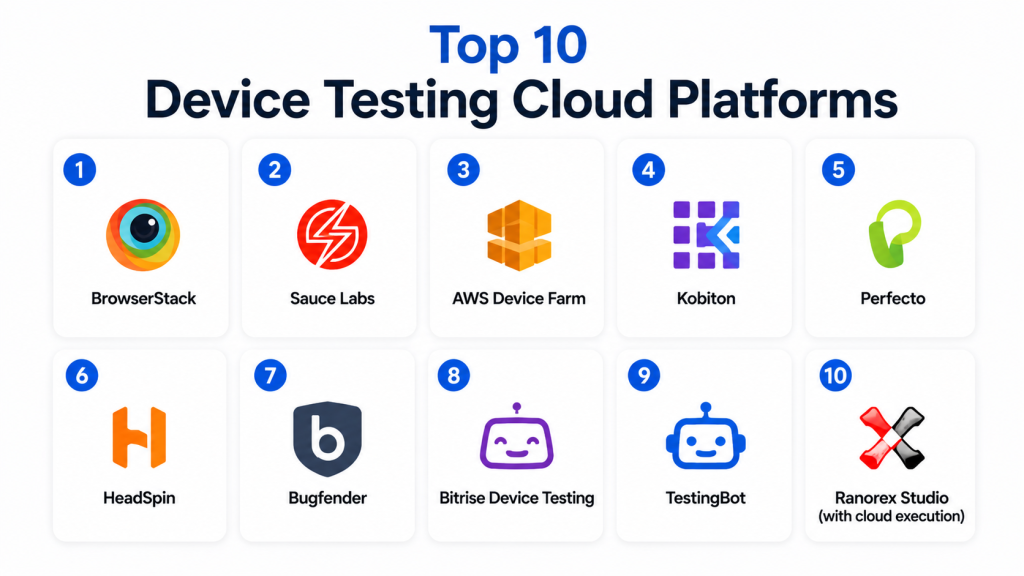
Top 10 Device Testing Cloud Platforms
1 — BrowserStack
Short description:
BrowserStack provides a comprehensive cloud platform for testing web and mobile applications across a vast array of real devices and browsers. It supports both manual and automated testing workflows, integrates with CI/CD pipelines, and works with popular automation frameworks. BrowserStack is widely used by global engineering teams seeking broad coverage and strong support for cross‑platform testing.
Key Features
- Real devices across iOS, Android, and web browsers
- Automated testing with Selenium, Appium, and Playwright
- Live device access for manual testing
- Visual regression and screenshot testing
- CI/CD integrations
- Parallel test execution
- Network and locale simulation
Pros
- Extensive device/browser inventory
- Mature automation and manual testing workflows
- Seamless CI/CD integration
Cons
- Cost scales with concurrency and device usage
- High‑volume needs require management of usage plans
- Enterprise onboarding can be involved
Platforms / Deployment
Cloud / Web / iOS / Android
Security & Compliance
Access controls, session logs, data isolation; enterprise governance configurable
Integrations & Ecosystem
CI/CD tooling, issue trackers, automation frameworks, SDK integrations
Support & Community
Enterprise support tiers, documentation, onboarding material
2 — Sauce Labs
Short description:
Sauce Labs provides a cloud platform for automated and manual testing across real devices, browsers, and emulators. It emphasizes scalable automation with CI/CD integration, detailed test analytics, and support for mobile and web app testing. Sauce Labs is well regarded for its cross‑stack coverage and enterprise reliability.
Key Features
- Real devices and emulators across OS variants
- Automated testing support (Selenium, Appium, Cypress)
- Manual testing access
- Parallel execution
- CI/CD orchestration
- Test reporting and analytics
Pros
- Strong support for automation frameworks
- Reliable test execution across stacks
- Scalable parallel testing
Cons
- Pricing tailored to enterprise contracts
- Learning curve for complex workflows
- License cost considerations
Platforms / Deployment
Cloud / Web / iOS / Android
Security & Compliance
Enterprise access control, data encryption, audit logs
Integrations & Ecosystem
CI/CD, test frameworks, project management tools
Support & Community
Enterprise support, docs, education resources
3 — AWS Device Farm
Short description:
AWS Device Farm is Amazon’s device testing cloud offering that lets teams run tests on a wide range of real devices. It supports automated and remote manual testing, integrates with popular test frameworks, and fits into cloud‑native AWS build and release pipelines. It’s particularly appealing for teams already invested in AWS infrastructure.
Key Features
- Real devices across OS versions
- Automated test execution (Appium, Espresso, XCTest)
- Remote access for manual testing
- Built‑in test suites
- CI/CD integration with AWS services
- Resource usage and device logs
Pros
- Pay‑as‑you‑go pricing
- Deep AWS ecosystem integration
- Broad device coverage
Cons
- AWS learning curve for setup
- Feature depth varies with mobile environments
- Limited web browser testing compared to pure cross‑platform vendors
Platforms / Deployment
Cloud / iOS / Android
Security & Compliance
AWS identity controls, encryption, audit logs
Integrations & Ecosystem
AWS CI/CD services, automation frameworks, monitoring tools
Support & Community
AWS docs, enterprise support tiers, community forums
4 — Kobiton
Short description:
Kobiton offers a cloud platform providing real devices for manual and automated testing. It supports interactive sessions, automation frameworks, performance data, scriptless automation, and CI/CD triggers. Kobiton focuses on usability and performance insights, making it suitable for both technical and non‑technical testers.
Key Features
- Manual device sessions
- Automated testing support (Appium, Selenium)
- Scriptless automation
- CI/CD integration
- Device logs and performance metrics
- Network and locale testing
Pros
- Flexible manual and automated testing
- Scriptless automation option
- Balanced usability
Cons
- Device inventory smaller than largest competitors
- Enterprise integration requires configuration
- Scaling multiple teams may require plan evaluation
Platforms / Deployment
Cloud / iOS / Android / Web
Security & Compliance
Access policies, data control, logs
Integrations & Ecosystem
Automation frameworks, CI/CD tools, issue trackers
Support & Community
Documentation and support resources
5 — Perfecto
Short description:
Perfecto provides a cloud testing platform focused on continuous and end‑to‑end quality for mobile and web apps. It supports automated testing, manual sessions, performance insights, network simulation, CI/CD pipelines, and analytics. Perfecto is designed for large QA and engineering teams with advanced test requirements.
Key Features
- Real device access
- Automated test support
- Manual test consoles
- Network emulation
- CI/CD integration
- Analytics and logs
Pros
- Powerful automation support
- Designed for large QA teams
- Broad test orchestration
Cons
- Enterprise pricing and onboarding
- Complexity for smaller teams
- Feature visibility requires onboarding
Platforms / Deployment
Cloud / iOS / Android / Web
Security & Compliance
Enterprise governance; access control, encryption, logs
Integrations & Ecosystem
CI/CD, automation stacks, analytics, issue tools
Support & Community
Enterprise support, documentation
6 — HeadSpin
Short description:
HeadSpin provides a global device testing cloud with real devices, performance metrics, network simulation, and AI‑assisted insights. It focuses on user experience testing, performance diagnostics, and automated workflows tied to release pipelines. HeadSpin is chosen by teams that need global device coverage, real network conditions, and deep performance signals.
Key Features
- Real devices worldwide
- Automated and manual testing
- Network simulation
- AI‑assisted diagnostics
- Detailed performance metrics
- Integration with pipelines
Pros
- Global device access
- Performance and UX insights
- AI diagnostic tools
Cons
- Enterprise price tier
- Complexity for non‑technical teams
- Planning needed for global usage
Platforms / Deployment
Cloud / iOS / Android / Web
Security & Compliance
Secure access, logs, data governance controls
Integrations & Ecosystem
CI/CD, automation, analytics stacks
Support & Community
Documentation and enterprise tiers
7 — Testdroid / Bitbar
Short description:
Bitbar (Testdroid) provides cloud device access for manual and automated testing. It supports real device labs across OS versions, test automation frameworks, CI/CD pipelines, and performance reporting. Bitbar is appealing to development teams that want flexible test execution and scalability.
Key Features
- Real devices and emulators
- Automated test execution
- Manual sessions
- CI/CD triggers
- Performance logs
- Cross‑platform test support
Pros
- Flexible execution workflows
- Broad automation framework support
- Scalability for large tests
Cons
- Device inventory smaller than largest clouds
- Pricing plans vary by usage
- Enterprise support planning required
Platforms / Deployment
Cloud / iOS / Android / Web
Security & Compliance
Access policies and logging available
Integrations & Ecosystem
CI/CD systems, automation frameworks
Support & Community
Support tiers and resources
8 — Bitrise Device Testing
Short description:
Bitrise provides device cloud access connected to mobile CI/CD workflows. It enables automated test runs on real devices as part of build pipelines, supporting mainstream testing frameworks and automated deployment triggers. Bitrise is ideal for teams that want integrated CI/CD + device cloud testing workflows.
Key Features
- CI/CD coupled device testing
- Automated test execution
- Test logs and reporting
- Parallel execution
- Integration with build pipelines
- Real device access
Pros
- Tight integration with CI/CD workflows
- Developer‑friendly tooling
- Good for mobile DevOps teams
Cons
- Device inventory smaller than largest clouds
- Best suited for automated workflows (less manual UI)
- Dependent on pipeline configuration
Platforms / Deployment
Cloud / iOS / Android
Security & Compliance
Pipeline access control, logs
Integrations & Ecosystem
CI/CD tools, automation frameworks, deployment triggers
Support & Community
Documentation and support guidance
9 — TestingBot
Short description:
TestingBot provides cross‑browser and device testing in the cloud for web and mobile applications. It offers automated test execution, manual sessions, Selenium testing, and parallel runs. TestingBot is practical for teams needing both browser and device workflows in a unified environment.
Key Features
- Real devices and browsers
- Manual testing access
- Automated test runs
- Parallel execution
- Responsive testing workflows
Pros
- Unified web and mobile testing
- Parallel execution options
- Simple onboarding
Cons
- Smaller device inventory
- Device cloud less extensive than top tier
- Enterprise governance features may be lighter
Platforms / Deployment
Cloud / Web / iOS / Android
Security & Compliance
Data and session logs, access controls
Integrations & Ecosystem
Test frameworks, CI/CD workflows
Support & Community
Documentation and support options
10 — Ranorex Studio (with cloud execution)
Short description:
Ranorex Studio provides a desktop testing tool with device cloud execution capabilities via integrations. It supports automated test suites and UI automation across mobile and web scenarios when connected to cloud device labs. It’s useful for teams that use Ranorex for desktop automation but also want cloud device access.
Key Features
- UI automation integration
- Cloud device execution support
- Automated test suites
- Desktop to mobile test continuity
Pros
- Extends desktop automation to device clouds
- Unified automation language
- Reuse of existing tests
Cons
- Not a pure device cloud platform
- Requires Ranorex licensing
- Setup complexity higher
Platforms / Deployment
Cloud / Web / iOS / Android / Desktop
Security & Compliance
Integrations with access control and data governance systems
Integrations & Ecosystem
Test frameworks, device clouds, CI/CD
Support & Community
Documentation and support resources
Comparison Table (Top 10)
| Tool Name | Best For | Platforms Supported | Deployment | Standout Feature | Public Rating |
|---|---|---|---|---|---|
| BrowserStack | Cross‑platform web + mobile testing | Web / iOS / Android | Cloud | Broad device/browser inventory | N/A |
| Sauce Labs | Scalable automated tests | Web / iOS / Android | Cloud | Enterprise automation focus | N/A |
| AWS Device Farm | AWS‑centric mobile tests | iOS / Android | Cloud | Pay‑as‑you‑go and AWS integration | N/A |
| Kobiton | Balanced manual + automation | Web / iOS / Android | Cloud | Scriptless automation | N/A |
| Perfecto | Enterprise QA orchestration | Web / iOS / Android | Cloud | Network & performance sim | N/A |
| HeadSpin | Global device & performance | Web / iOS / Android | Cloud | AI diagnostics + UX metrics | N/A |
| Bitbar | Cross‑platform device tests | Web / iOS / Android | Cloud | Flexible test execution | N/A |
| Bitrise Device Testing | CI/CD‑aligned tests | iOS / Android | Cloud | Pipeline integration | N/A |
| TestingBot | Web + device testing | Web / iOS / Android | Cloud | Unified test suite | N/A |
| Ranorex Studio | Desktop + cloud execution | Web / iOS / Android / Desktop | Cloud | Desktop to mobile continuity | N/A |
Evaluation & Scoring of Device Testing Clouds
| Tool Name | Core 25% | Ease 15% | Integrations 15% | Security 10% | Performance & Reliability 10% | Support & Community 10% | Value 15% | Weighted Total |
|---|---|---|---|---|---|---|---|---|
| BrowserStack | 9.5 | 8.5 | 9.0 | 8.5 | 9.0 | 8.5 | 8.0 | 8.80 |
| Sauce Labs | 9.5 | 8.0 | 9.0 | 8.5 | 9.0 | 8.5 | 7.5 | 8.70 |
| AWS Device Farm | 8.5 | 7.5 | 8.0 | 8.5 | 8.5 | 8.0 | 9.0 | 8.40 |
| Kobiton | 8.0 | 8.5 | 8.0 | 8.0 | 8.0 | 7.5 | 8.5 | 8.15 |
| Perfecto | 9.0 | 7.5 | 8.5 | 8.5 | 8.5 | 8.0 | 7.5 | 8.30 |
| HeadSpin | 9.5 | 7.5 | 8.5 | 8.5 | 9.0 | 8.0 | 7.0 | 8.35 |
| Bitbar | 8.5 | 8.0 | 8.5 | 8.0 | 8.0 | 7.5 | 8.0 | 8.15 |
| Bitrise Device Testing | 8.0 | 8.5 | 8.0 | 8.0 | 8.0 | 7.5 | 8.5 | 8.10 |
| TestingBot | 8.0 | 8.0 | 8.0 | 8.0 | 7.5 | 7.5 | 8.5 | 8.00 |
| Ranorex Studio | 7.5 | 7.5 | 7.0 | 8.0 | 7.5 | 7.5 | 8.0 | 7.75 |
Interpreting the scores:
- 8.5+ indicates strong all‑around platforms with broad application use.
- 8.0–8.4 are solid options for balanced enterprise testing.
- 7.5–7.9 fit specific workflows or test niches.
- Always validate with real pipeline tests and device coverage needs.
Which Device Testing Cloud Is Right for You?
Solo / Freelancer
For small teams or freelancers needing broad coverage without high overhead, BrowserStack, AWS Device Farm, or TestingBot provide practical access to devices and browsers.
SMB
Small to mid‑sized teams should consider Kobiton or Bitbar for flexible workflows that support both manual and automated testing.
Mid‑Market
Teams that need scalable automation and integration with robust test frameworks should evaluate BrowserStack, Sauce Labs, and Perfecto.
Enterprise
Enterprises with global device needs, deep automation, performance metrics, and UX insights should prioritize BrowserStack, Sauce Labs, HeadSpin, or Perfecto.
Budget vs Premium
Budget‑conscious teams can start with AWS Device Farm or TestingBot. Premium enterprise buyers benefit from the broad coverage and deep workflow support of BrowserStack, Sauce Labs, and HeadSpin.
Feature Depth vs Ease of Use
If feature depth and automation scalability matter most, BrowserStack, Sauce Labs, and HeadSpin lead. For ease of use with scriptless options, Kobiton and Bitbar are strong.
Integrations & Scalability
Teams needing tight CI/CD integration and parallel execution should prioritize BrowserStack, Sauce Labs, and AWS Device Farm.
Security & Compliance Needs
Enterprises in regulated industries should evaluate role‑based access, audit logging, session isolation, and data handling — platforms like BrowserStack and Sauce Labs offer robust governance controls.
Frequently Asked Questions (FAQs)
1. What is a device testing cloud?
A device testing cloud provides remote access to real devices and browsers for mobile and web application testing, enabling both manual and automated tests without managing physical labs.
2. Do device clouds replace in‑house labs?
They often do for scalability, but teams may still maintain in‑house labs for specialized hardware or private environments.
3. How does automation work in device clouds?
Automation is driven by test frameworks (such as Selenium, Appium, and Playwright) and integrated with CI/CD pipelines to trigger test runs on device inventories.
4. What’s the difference between manual and automated device testing?
Manual testing involves remote control and exploratory tests; automated testing executes scripts against devices without human intervention.
5. Can network conditions be simulated?
Yes, many device clouds provide network throttling and carrier simulation to mimic slow or variable connections.
6. How do I choose the right device cloud?
Evaluate device inventory, automation support, CI/CD integration, pricing, performance insights, and support as core criteria.
7. Are device clouds secure?
Most enterprise device clouds provide access controls, session logs, encryption, and audit capabilities; evaluate compliance requirements as needed.
8. How important are parallel tests?
Parallel execution allows faster feedback by running multiple tests simultaneously, critical for CI/CD and rapid releases.
9. Can performance metrics be captured?
Yes — many platforms provide logs, resource metrics, screenshots, and performance counters during test sessions.
10. Do these platforms support hybrid apps?
Yes, leading tools support mobile hybrid frameworks and web apps alongside native app testing.
Conclusion
Device Testing Clouds are foundational for quality, user experience, and release confidence as mobile and web applications proliferate across devices. BrowserStack and Sauce Labs stand out for cross‑platform coverage and automation maturity. AWS Device Farm is strong for cloud‑native teams with flexible pricing. HeadSpin excels with performance diagnostics and global devices. Kobiton and Bitbar balance manual and automated workflows well, while Perfecto caters to large QA organizations. TestingBot, Bitrise Device Testing, and Ranorex Studio fill niches for integrated pipelines, web‑plus‑mobile workflows, and combined automation. To pick the right solution, shortlist tools based on device coverage, automation requirements, CI/CD fit, performance insight needs, and security considerations, and then pilot them with real test suites to validate fit before rolling out at scale.
