Introduction
Cross‑Browser Testing Platforms are cloud‑based or hybrid solutions that let development, QA, and product teams validate how web applications behave across different browsers, devices, and operating system combinations. Because users access web experiences on a growing variety of environments — desktop browsers, mobile browsers, tablets, and embedded browsers — it’s essential to ensure consistent user interface behavior, performance, feature support, accessibility, and responsiveness.
In and beyond, digital products must work flawlessly across dozens of browser versions, devices, and viewport sizes. Core use cases include compatibility checks, responsive validation, regression testing, automated test execution, localization checks, accessibility validation, performance traces, and visual comparisons. Long gone are the days when a single desktop browser view was enough; today’s teams need automated and manual test coverage to ensure quality across fragmented browser and OS ecosystems.
Real‑world use cases include:
- Compatibility testing: Validate HTML, CSS, JavaScript, and feature support across multiple browsers and versions.
- Responsive design validation: Ensure layouts adapt properly to various screen sizes and resolutions.
- Automated regression testing: Incorporate cross‑browser tests into CI/CD pipelines to catch UI bugs early.
- Visual baseline testing: Detect unintended visual changes across versions and configurations.
- Localization & regional QA: Check localized interfaces across languages and regional device settings.
- Accessibility validation: Verify UI compliance with accessibility guidelines across browsers.
- Performance validation: Measure UI render times, load behavior, and responsiveness across environments.
- Collaborative debugging: Share sessions, screenshots, logs, and test artifacts with teams.
Evaluation Criteria for Buyers:
- Browser and OS coverage
- Automation testing support
- Manual interactive testing
- Visual regression and screenshot tools
- Responsive design tools
- CI/CD and DevOps integration
- Accessibility testing capabilities
- Performance and resource insights
- Security and enterprise governance
- Support, documentation, and community
Best for: Engineering teams, QA teams, DevOps organizations, product managers, accessibility testers, and enterprises building web applications and single‑page apps.
Not ideal for: Projects with no UI surface (API‑only services), extremely simple web experiences with limited device diversity, or teams solely focused on native mobile without a web presence.
Key Trends in Cross‑Browser Testing
- Real devices over emulators: Cloud access to real browser environments is preferred over local emulation for accurate results.
- AI‑assisted test generation: Algorithms suggest test cases, predict fragile UI areas, or identify missing paths.
- Visual regression automation: Screenshots and pixel comparisons detect unintended visual drift.
- CI/CD integration: Browser testing as a standard DevOps workflow step in continuous integration and delivery.
- Multi‑view responsive inspection: Side‑by‑side views of desktop, tablet, and mobile views.
- Cross‑team collaboration: Shared reports, session recordings, linked issues, and team annotations.
- Accessibility and compliance tooling: Built‑in checks for ARIA, color contrast, focus order, and semantic markup.
- Global testing endpoints: Testing from regional points to catch locale‑specific behavior or CDN‑impact differences.
- Security & governance: Access controls, audit logs, network segregation, and data protection features.
- Test reuse and orchestration: Shared test libraries, tagging, parameterized testing, and orchestration flows.
How We Selected These Tools (Methodology)
- Market presence and adoption across enterprise and SMB teams
- Breadth and freshness of browser and OS inventory
- Support for both manual and automated testing
- Integration with CI/CD and DevOps ecosystems
- Visual testing capabilities
- Responsive and accessibility support
- Enterprise governance and security posture
- Performance under concurrency and scalability
- Support quality and documentation
- Practical value for teams of different sizes
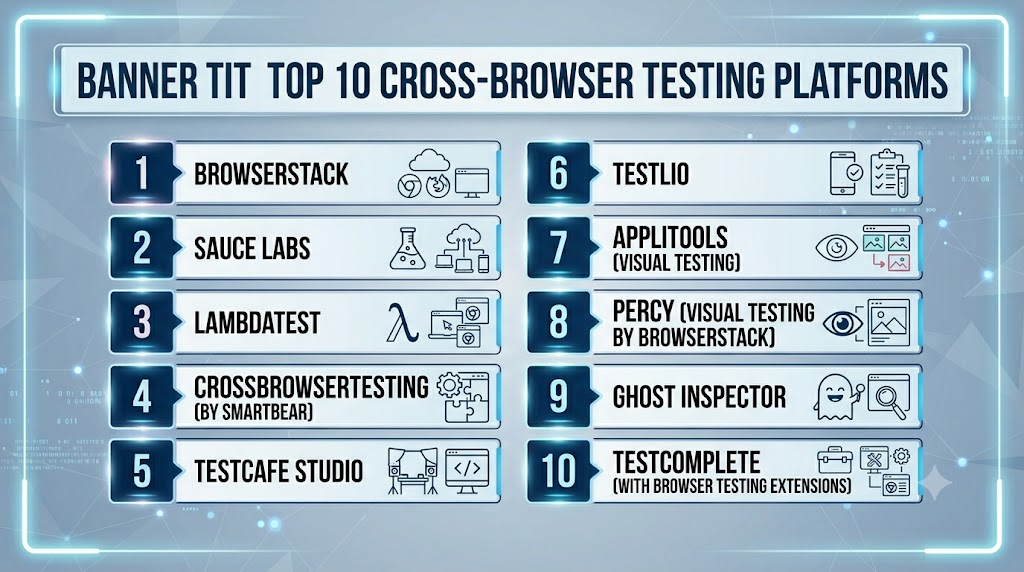
Top 10 Cross‑Browser Testing Platforms
#1 — BrowserStack
Short description:
BrowserStack is one of the most widely used cross‑browser and cross‑device testing platforms. It provides real browsers, devices, automation frameworks, and seamless integration with development pipelines. Teams use BrowserStack for manual exploratory testing, automated test suites, visual comparisons, and responsive layout validation.
H4: Key Features
- Real browsers and mobile browsers across OS versions
- Selenium, Cypress, Playwright automation support
- Live interactive testing
- Visual regression and screenshot testing
- Responsive viewports and breakpoints
- CI/CD integration and parallel test execution
- Local testing behind firewalls
Pros
- Very broad inventory and frequent updates
- Excellent manual and automated workflows
- Strong CI/CD integrations
Cons
- Licensing costs scale with concurrency
- Advanced enterprise governance may require plan upgrades
Platforms / Deployment
Web / Cloud / iOS / Android browser support
Security & Compliance
Access control, session logs, isolated environments; enterprise governance features available
Integrations & Ecosystem
Supports major CI/CD tools, test frameworks, issue trackers, and collaboration tools
Support & Community
Enterprise support, documentation, onboarding resources
#2 — Sauce Labs
Short description:
Sauce Labs offers cross‑browser and cross‑platform testing across real browsers and devices with strong support for automation frameworks, analytics, and performance insights. It’s used by large engineering teams that require broad automation and integration into mature SDLC workflows.
Key Features
- High inventory of browsers and mobile environments
- Automation support (Selenium, Cypress, Appium)
- Manual interactive sessions
- Parallel execution
- CI/CD pipeline triggers
- Analytics and test reporting
Pros
- Deep automation support
- Enterprise grading and governance
- Scalable parallel testing
Cons
- Higher learning curve for complex workflows
- Licensing is enterprise‑oriented
Platforms / Deployment
Cloud / Web / iOS / Android
Security & Compliance
Enterprise access controls, encryption, audit logs
Integrations & Ecosystem
CI/CD tools, automation frameworks, project management systems
Support & Community
Documentation, enterprise support tiers
#3 — LambdaTest
Short description:
LambdaTest is a cloud testing platform focusing on scalable automated and manual cross‑browser testing. It supports Selenium, Cypress, and Playwright automation, real‑time interactive sessions, visual regression tools, and CI/CD integration. It’s often selected by teams seeking a balance of features at practical cost points.
Key Features
- Real browsers and OS combinations
- Selenium, Cypress, Playwright support
- Interactive manual testing
- Screenshot and visual test tools
- Responsive viewports
- CI/CD integrations
Pros
- Good value and scalability
- Competent visual testing tools
- Flexible test coverage
Cons
- Smaller device inventory than some top competitors
- Enterprise governance features vary by plan
Platforms / Deployment
Cloud / Web / Cross‑device browser support
Security & Compliance
Access control, session logs, enterprise policies
Integrations & Ecosystem
CI/CD pipelines, automation tools, reporting systems
Support & Community
Support options, documentation
#4 — CrossBrowserTesting (by SmartBear)
Short description:
CrossBrowserTesting focuses on real browser testing, automation frameworks, live sessions, and screenshot/visual comparisons. It’s used by QA teams that want straightforward manual and automated coverage with responsive testing.
Key Features
- Real browsers and mobile browsers
- Live interactive tests
- Selenium automation support
- Visual comparisons
- Responsive design testing
- Parallel test execution
Pros
- Strong manual testing workflows
- Visual regression comparison tools
- Responsive breakpoint coverage
Cons
- Automation tools may lag market leaders
- Governance features depend on plan
Platforms / Deployment
Cloud / Web / iOS / Android
Security & Compliance
Access control, session logs
Integrations & Ecosystem
Automation frameworks, CI/CD tools
Support & Community
Documentation, support tiers
#5 — TestCafe Studio
Short description:
TestCafe Studio is a test automation IDE that integrates cross‑browser testing into local and cloud environments. It’s popular with test engineers who want a graphical IDE to build tests without deep scripting expertise, with support for multiple browsers.
Key Features
- Visual IDE for test creation
- Cross‑browser execution
- Automated test scheduling
- Debugging tools
- Live view and reports
Pros
- Easy test creation without heavy code
- Friendly for non‑developers
- Multi‑browser support
Cons
- Cloud device inventory depends on external integrations
- More limited automation depth versus others
Platforms / Deployment
Web / Cloud via partner integrations
Security & Compliance
IDE and execution logs; cloud compliance varies
Integrations & Ecosystem
CI/CD pipelines, automation frameworks
Support & Community
Documentation and guides
#6 — Testlio
Short description:
Testlio blends managed quality services with a platform for cross‑browser and device testing. It combines an expert tester network with tooling that supports manual and exploratory testing across browsers, devices, and locales. It’s often chosen by teams that need both tooling and expert QA execution.
Key Features
- Managed QA expertise
- Cross‑browser testing on real devices
- Test planning and execution support
- Reporting and defect tracking
- Locale and regional testing workflows
Pros
- Combines tooling with expert QA
- Useful for comprehensive test programs
- Reports and defect management
Cons
- More expensive than pure platforms
- Less self‑serve control for testers
Platforms / Deployment
Cloud / Web / Cross‑device
Security & Compliance
Enterprise governance, tester access controls
Integrations & Ecosystem
Test management, defect trackers
Support & Community
Dedicated QA support
#7 — Applitools (Visual Testing)
Short description:
Applitools is best known for visual validation and visual regression testing across browsers and viewports. Rather than just executing functional tests, it compares UI renderings, detects layout quirks, and flags visual drift. It integrates with mainstream test suites for automated flows.
Key Features
- Visual AI for cross‑browser UI validation
- Responsive breakpoint coverage
- Automated test hooks
- Baseline screenshot comparisons
- Integration with test frameworks (Selenium, Cypress, Playwright)
Pros
- State‑of‑the‑art visual validation
- Detects subtle UI regressions
- Scales with automated test runs
Cons
- Best when paired with other test execution platforms
- Pure visual testing may not catch functional bugs
Platforms / Deployment
Cloud or hybrid visual testing
Security & Compliance
Session logs, access control
Integrations & Ecosystem
Test frameworks and CI/CD pipelines
Support & Community
Documentation, support tiers
#8 — Percy (Visual Testing by BrowserStack)
Short description:
Percy provides visual regression testing integrated into development workflows. It captures UI diffs across browser versions and viewports and highlights differences. It’s especially useful for teams practicing continuous integration.
Key Features
- Automated visual review workflows
- UI diffs and baselines
- Responsive viewport testing
- Integration with test suites
- PR‑based visual checks
Pros
- Strong UI diff highlighting
- Works well with existing automation
- Developer workflow integration
Cons
- Focused on visual testing only
- Requires paired automation for broad coverage
Platforms / Deployment
Cloud visual testing
Security & Compliance
Logs and access controls
Integrations & Ecosystem
CI/CD tools and test frameworks
Support & Community
Documentation and guidance
#9 — Ghost Inspector
Short description:
Ghost Inspector provides browser automation and testing with a simple scriptless UI and automated runs. It’s practical for smaller teams that need cross‑browser checks without deep scripting expertise.
Key Features
- Browser automation
- Scriptless UI test creation
- Scheduled test runs
- Cross‑browser execution
- Visual test captures
Pros
- Scriptless creation lowers entry barrier
- Useful for small and mid‑teams
- Built‑in automation scheduler
Cons
- Smaller pool of browser versions
- Not enterprise‑grade at highest scale
Platforms / Deployment
Cloud / Web
Security & Compliance
User roles, session logs
Integrations & Ecosystem
CI triggers, notifications
Support & Community
Documentation and support
#10 — TestComplete (with Browser Testing Extensions)
Short description:
TestComplete is a mature test automation tool that, when paired with cloud browser execution extensions, enables cross‑browser testing with deep automation scripts and object recognition. It’s often part of on‑premise and cloud test strategies for larger QA teams.
Key Features
- Desktop automation plus browser testing
- Object‑based automation
- Script and scriptless test creation
- Integration with browser cloud executors
Pros
- Strong test orchestration
- Script flexibility
- Works with desktop and web
Cons
- Cloud browser inventory reliant on extension partners
- Requires licensing and setup
Platforms / Deployment
Hybrid / Cloud browser execution
Security & Compliance
IDE and session logs
Integrations & Ecosystem
CI/CD pipelines, browser clouds
Support & Community
Documentation, enterprise support
Comparison Table (Top 10)
| Tool Name | Best For | Platforms Supported | Deployment | Standout Feature | Public Rating |
|---|---|---|---|---|---|
| BrowserStack | Broad cross‑browser coverage | Web / Mobile | Cloud | Real devices + browser inventory | N/A |
| Sauce Labs | Scalable automation | Web / Mobile | Cloud | Enterprise automation support | N/A |
| LambdaTest | Balanced automation & value | Web / Mobile | Cloud | Parallel automation | N/A |
| CrossBrowserTesting | Manual + responsive testing | Web / Mobile | Cloud | Visual testing and breakpoints | N/A |
| TestCafe Studio | Scriptless automation | Web | Hybrid | Visual test IDE | N/A |
| Testlio | Managed QA + tooling | Web / Mobile | Cloud | Expert QA integration | N/A |
| Applitools | Visual validation | Cloud | Cloud | AI‑powered visual testing | N/A |
| Percy | CI‑integrated visual tests | Cloud | Cloud | PR visual diff workflows | N/A |
| Ghost Inspector | Scriptless cloud tests | Web | Cloud | Scriptless automation | N/A |
| TestComplete | Deep automation | Hybrid | Hybrid | Desktop + cloud | N/A |
Evaluation & Scoring of Cross‑Browser Testing Platforms
| Tool Name | Core Features (25%) | Ease (15%) | Integrations (15%) | Security (10%) | Performance & Reliability (10%) | Support (10%) | Value (15%) | Weighted Total |
|---|---|---|---|---|---|---|---|---|
| BrowserStack | 9.5 | 8.5 | 9.0 | 8.5 | 9.0 | 8.0 | 8.0 | 8.70 |
| Sauce Labs | 9.5 | 8.0 | 9.0 | 8.5 | 9.0 | 8.0 | 7.5 | 8.50 |
| LambdaTest | 9.0 | 8.5 | 8.5 | 8.0 | 8.5 | 8.0 | 8.5 | 8.40 |
| CrossBrowserTesting | 8.5 | 8.0 | 8.0 | 8.0 | 8.5 | 7.5 | 8.0 | 8.05 |
| TestCafe Studio | 7.5 | 8.5 | 7.5 | 7.5 | 7.5 | 7.5 | 8.0 | 7.75 |
| Testlio | 8.0 | 7.5 | 7.5 | 8.5 | 8.0 | 8.0 | 7.0 | 7.75 |
| Applitools | 9.0 | 8.0 | 8.5 | 8.0 | 8.5 | 7.5 | 7.0 | 8.05 |
| Percy | 8.5 | 8.0 | 8.5 | 8.0 | 8.0 | 7.5 | 7.5 | 7.85 |
| Ghost Inspector | 7.5 | 8.5 | 7.0 | 7.5 | 7.5 | 7.5 | 8.5 | 7.80 |
| TestComplete | 8.0 | 7.5 | 7.5 | 8.0 | 8.0 | 7.5 | 7.0 | 7.70 |
How to interpret the scores:
- 8.5 and above: Excellent platforms with broad coverage and deep capabilities.
- 8.0 to 8.4: Solid options with balanced features.
- 7.5 to 7.9: Practical choices for specific workflows or smaller teams.
- Scores are comparative; run pilots before deciding.
Which Cross‑Browser Testing Platform Is Right for You?
Solo / Freelancer
If you need easy setup and broad browser coverage with low cost — Ghost Inspector, TestCafe Studio, or entry plans of BrowserStack and LambdaTest provide practical starting points.
SMB
Small and mid‑sized teams should balance automation and manual testing. LambdaTest, CrossBrowserTesting, and Ghost Inspector are practical. Visual validation via Percy or Applitools adds quality without huge overhead.
Mid‑Market
Teams building mature regression suites should evaluate BrowserStack, Sauce Labs, and Applitools for automation at scale, responsive validation, and CI/CD integration.
Enterprise
Enterprises needing governance, compliance, parallel execution, and deep automation should prioritize BrowserStack, Sauce Labs, and Applitools integrated into enterprise DevOps. Testlio is useful if expert QA execution is needed.
Budget vs Premium
For budget‑conscious buyers, LambdaTest, Ghost Inspector, and CrossBrowserTesting offer strong value. Premium buyers needing wide inventory and enterprise governance lean toward BrowserStack or Sauce Labs.
Feature Depth vs Ease of Use
If deep automation and visual regression matter, BrowserStack, Applitools, and Sauce Labs are strong. If ease and scriptless tools matter, Ghost Inspector and TestCafe Studio are practical.
Integrations & Scalability
For heavy CI/CD needs and parallel pipelines, BrowserStack and Sauce Labs shine. Visual testing add‑ons (Applitools, Percy) enhance regression workflows.
Security & Compliance Needs
Enterprises in regulated industries should validate identity integration, access governance, encryption, audit logs, and data isolation before selecting (strong candidates include BrowserStack and Sauce Labs).
Frequently Asked Questions (FAQs)
1. What is cross‑browser testing?
Cross‑browser testing ensures web apps work consistently across different browsers, versions, and operating system combinations, reducing UI and functional defects.
2. How is manual testing different from automated testing?
Manual testing uses remote browser sessions controlled by engineers; automated testing runs scripts across browsers without human interaction.
3. Do these platforms replace local device labs?
They often do for scalability and coverage, but teams may still use local labs for custom device configurations or proprietary browsers.
4. What automation frameworks are supported?
Popular frameworks include Selenium, Cypress, Playwright, WebDriverIO, and custom script runners.
5. What is visual regression testing?
Visual regression detects unintended visual changes by comparing screenshots taken over time or against baseline images.
6. How do cross‑browser tests integrate into CI/CD?
Integration allows tests to run automatically on every code commit or pull request, providing immediate feedback on compatibility issues.
7. What is responsive viewport testing?
Testing how UI elements adapt to different screen sizes and resolutions to ensure consistent user experience across devices.
8. Do these platforms support accessibility testing?
Some include accessibility checks like ARIA compliance, color contrast analysis, and keyboard navigation tests.
9. Can I simulate network conditions?
Many platforms simulate slow connections, offline behavior, and variable latencies to validate real‑world scenarios.
10. Why is browser version coverage important?
Different versions may render CSS or interpret JavaScript differently; broad coverage prevents skip‑release bugs.
Conclusion
Cross‑Browser Testing Platforms are essential in 2026 and beyond for delivering consistent, reliable web experiences. BrowserStack and Sauce Labs stand out for broad coverage, automation, and enterprise readiness. LambdaTest provides balanced capability and value, while CrossBrowserTesting offers manual and responsive validation workflows. Visual testing specialists like Applitools and Percy dramatically reduce UI regressions. Scriptless options like Ghost Inspector and tools like TestCafe Studio lower barriers for teams without deep automation expertise. For teams needing both tooling and execution, Testlio blends managed QA with platform support. To choose wisely, shortlist 2–3 platforms, integrate tests with your CI/CD workflows, validate coverage, assess governance requirements, pilot visual regression checks, and then scale the tool that fits your team’s quality goals and engineering culture
