Introduction
Media Server Software enables businesses, content creators, and IT teams to store, manage, and distribute audio, video, and multimedia content efficiently. With the growing demand for streaming services, corporate video communication, and on-demand content, selecting the right media server solution is critical. These platforms streamline content delivery, support multiple formats, and often integrate with content management and streaming tools to ensure smooth playback and high-quality user experiences.
With the rise of remote work, online education, and global content consumption, media servers ensure consistent, scalable, and secure delivery of multimedia content. They reduce buffering, support multiple devices, and allow organizations to control content access. For businesses, this translates into enhanced audience engagement, reduced downtime, and simplified content management workflows.
Real World Use Cases
- Corporate Training: Hosting internal video training libraries accessible across offices.
- Live Streaming Events: Streaming conferences, concerts, or webinars to global audiences.
- Home Media Management: Centralizing personal movies, music, and photos for easy access.
- Educational Platforms: Delivering lectures, tutorials, and on-demand videos securely.
- Entertainment Services: Providing VOD (video-on-demand) services to subscribers.
Evaluation Criteria for Buyers
- Format Support: Ability to handle multiple media formats including MP4, MKV, FLAC, and AAC.
- Scalability: Capability to serve small home setups or enterprise-level deployments.
- Streaming Protocols: Support for RTMP, HLS, DASH, and WebRTC.
- Security & Access Control: User authentication, DRM support, encryption.
- Integration Capabilities: Compatibility with CMS, OTT platforms, and automation tools.
- User Interface: Ease of setup, configuration, and content management.
- Performance: Low latency, smooth playback, and reliable content deliver
Key Trends
- Growing adoption of cloud-based media server solutions.
- Increasing use of AI-powered transcoding and optimization.
- Expansion of multi-device streaming support, including smart TVs and mobile devices.
- Integration with OTT and subscription-based content platforms.
- Emphasis on security, DRM, and compliance for enterprise content.
- Hybrid on-premises and cloud deployment options for scalability.
Methodology
- Evaluated format support, streaming protocols, and device compatibility.
- Compared performance metrics including latency, playback stability, and transcoding speed.
- Reviewed integration capabilities with CMS, automation, and OTT platforms.
- Assessed security & compliance features, including DRM and user access controls.
- Gathered feedback from enterprise, SMB, and home users to determine real-world usability.
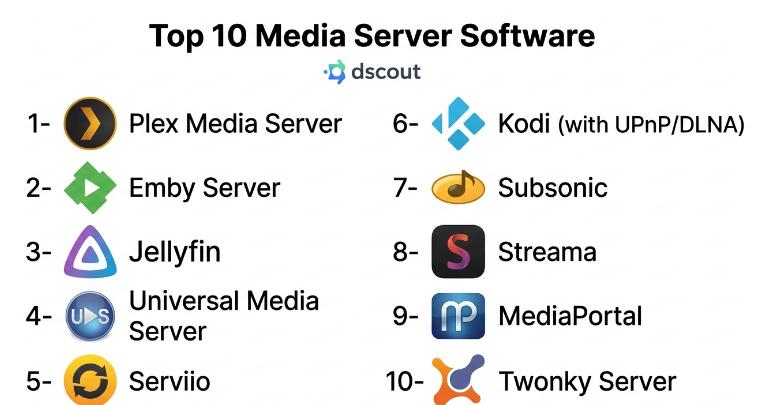
Top 10 Media Server Software
1- Plex Media Server
Short description: Plex offers a powerful media management and streaming platform for both personal and professional use, supporting a wide array of media types and devices.
Key Features:
- Automatic media organization and metadata fetching
- Multi-device streaming (TVs, phones, tablets)
- Cloud sync and remote access
- Live TV and DVR support
- Parental controls and user profiles
Pros:
- Easy to set up and use
- Strong device compatibility
- Regular updates and community support
Cons:
- Some premium features require subscription
- Limited advanced enterprise controls
Platforms / Deployment: Windows, macOS, Linux, NAS devices
Security & Compliance: User authentication, optional HTTPS, parental controls
Integrations & Ecosystem: Smart TVs, Roku, Chromecast, gaming consoles
Support & Community: Active forums, knowledge base, customer support
2- Emby Server
Short description: Emby focuses on media management and streaming with real-time transcoding and multi-user support, suitable for both homes and small enterprises.
Key Features:
- Live TV and DVR integration
- Real-time transcoding for diverse devices
- Multi-user management
- Metadata fetching and organization
- Mobile streaming
Pros:
- Strong transcoding capabilities
- Flexible user management
- Supports plugins and customizations
Cons:
- Requires subscription for some advanced features
- Less intuitive interface compared to Plex
Platforms / Deployment: Windows, macOS, Linux, Docker, NAS
Security & Compliance: SSL encryption, user authentication, parental controls
Integrations & Ecosystem: Kodi, Roku, Chromecast, mobile apps
Support & Community: Community forums, documentation, premium support
3- Jellyfin
Short description: Jellyfin is an open-source, free media server that provides features similar to Plex and Emby without licensing fees.
Key Features:
- Media management and streaming
- Multi-user support with profiles
- Live TV and DVR support
- Web-based and mobile access
- Plugin ecosystem for customization
Pros:
- Completely free and open-source
- Cross-platform support
- Active developer community
Cons:
- Requires manual configuration for advanced features
- Fewer polished integrations than commercial alternatives
Platforms / Deployment: Windows, macOS, Linux, Docker, NAS
Security & Compliance: User authentication, optional HTTPS
Integrations & Ecosystem: Mobile apps, plugins, third-party clients
Support & Community: Forums, GitHub, community-driven support
4- Universal Media Server
Short description: UMS is a DLNA-compliant media server offering streaming to smart TVs, consoles, and mobile devices without heavy setup.
Key Features:
- DLNA/UPnP streaming
- Automatic transcoding for supported devices
- Subtitle support
- Web-based interface
- Cross-platform compatibility
Pros:
- Lightweight and easy to use
- Supports multiple media formats
- No subscription required
Cons:
- Interface less modern
- Limited advanced features
Platforms / Deployment: Windows, macOS, Linux
Security & Compliance: Basic user controls, no enterprise-grade security
Integrations & Ecosystem: Smart TVs, consoles, DLNA devices
Support & Community: Forums, documentation, open-source contributions
5- Serviio
Short description: Serviio is a feature-rich media server with strong transcoding capabilities and broad device support.
Key Features:
- Real-time transcoding
- Multi-device streaming
- Metadata and library management
- Online content streaming
- Support for external plugins
Pros:
- Stable and reliable streaming
- Supports many devices
- Active development
Cons:
- Paid Pro version for advanced features
- Less user-friendly for beginners
Platforms / Deployment: Windows, macOS, Linux
Security & Compliance: User authentication, access control
Integrations & Ecosystem: DLNA devices, mobile apps, smart TVs
Support & Community: Documentation, forums, premium support
6- Kodi (with UPnP/DLNA)
Short description: Kodi is an open-source media center with server capabilities via UPnP/DLNA, ideal for advanced home users.
Key Features:
- Media playback and library management
- UPnP/DLNA streaming
- Plugin support for streaming services
- Customizable interface
- Live TV with PVR add-ons
Pros:
- Free and open-source
- Highly customizable
- Wide media format support
Cons:
- Setup complexity for server features
- No official remote streaming support
Platforms / Deployment: Windows, macOS, Linux, Android
Security & Compliance: Basic authentication through UPnP
Integrations & Ecosystem: Add-ons, mobile remote apps, smart TVs
Support & Community: Active forums, extensive online tutorials
7- Subsonic
Short description: Subsonic is a media streaming server focused on music, with optional video streaming capabilities.
Key Features:
- Music streaming and management
- Playlist and podcast support
- Transcoding for mobile devices
- Multi-user access
- Remote access via apps
Pros:
- Excellent for music libraries
- Web and mobile streaming
- Supports large libraries
Cons:
- Paid version required for some features
- Limited video support
Platforms / Deployment: Windows, macOS, Linux
Security & Compliance: HTTPS support, authentication
Integrations & Ecosystem: Mobile apps, third-party clients, podcasts
Support & Community: Forums, documentation, active user base
8- Streama
Short description: Streama is an open-source media server designed for streaming video content with a user-friendly web interface.
Key Features:
- Web-based video streaming
- Multi-user support
- Watchlists and playlists
- Subtitle support
- Mobile-friendly web interface
Pros:
- Free and open-source
- Easy web access
- Supports multiple users
Cons:
- Limited transcoding
- Smaller community than Plex/Emby
Platforms / Deployment: Docker, Linux, Windows, macOS
Security & Compliance: User authentication
Integrations & Ecosystem: Web clients, mobile browsers
Support & Community: GitHub community, documentation
9- MediaPortal
Short description: MediaPortal transforms a PC into a media center and server for home streaming, recording, and playback.
Key Features:
- TV tuner support
- Recording and live TV
- Audio and video playback
- Plugins for additional features
- Multi-user access
Pros:
- Comprehensive media management
- Strong live TV and recording features
- Open-source
Cons:
- Interface less modern
- Setup can be complex
Platforms / Deployment: Windows
Security & Compliance: Basic user access control
Integrations & Ecosystem: Plugins, smart TVs via DLNA
Support & Community: Forums, wiki, plugin community
10- Twonky Server
Short description: Twonky Server is a lightweight media server with strong DLNA support for home and small business streaming.
Key Features:
- DLNA/UPnP streaming
- Automatic media indexing
- Multi-device support
- Mobile access
- Metadata management
Pros:
- Simple setup
- Reliable streaming
- Broad device compatibility
Cons:
- Limited advanced features
- Paid license required
Platforms / Deployment: Windows, macOS, Linux, NAS
Security & Compliance: User authentication, basic access control
Integrations & Ecosystem: DLNA devices, mobile streaming
Support & Community: Documentation, support forum
Comparison Table
| Software | Platforms | Live Streaming | Multi-User | Transcoding | Cloud Access | Cost |
|---|---|---|---|---|---|---|
| Plex | Win/Mac/Linux/NAS | Yes | Yes | Yes | Yes | Free/Premium |
| Emby | Win/Mac/Linux/Docker | Yes | Yes | Yes | Yes | Free/Premium |
| Jellyfin | Win/Mac/Linux/Docker | Yes | Yes | Yes | Yes | Free |
| Universal Media Server | Win/Mac/Linux | Yes | Yes | Yes | No | Free |
| Serviio | Win/Mac/Linux | Yes | Yes | Yes | No | Free/Paid |
| Kodi | Win/Mac/Linux/Android | Yes | Yes | Limited | No | Free |
| Subsonic | Win/Mac/Linux | Yes | Yes | Yes | Yes | Free/Paid |
| Streama | Docker/Win/Mac/Linux | Yes | Yes | Limited | Yes | Free |
| MediaPortal | Windows | Yes | Yes | Limited | No | Free |
| Twonky | Win/Mac/Linux/NAS | Yes | Yes | Limited | No | Paid |
Evaluation & Scoring Table
| Software | Core 25% | Ease 15% | Integrations 15% | Security 10% | Performance 10% | Support 10% | Value 15% | Total |
|---|---|---|---|---|---|---|---|---|
| Plex | 23 | 14 | 13 | 9 | 9 | 9 | 14 | 91 |
| Emby | 22 | 13 | 12 | 9 | 8 | 8 | 13 | 85 |
| Jellyfin | 20 | 12 | 10 | 8 | 8 | 8 | 15 | 81 |
| Universal Media Server | 19 | 13 | 9 | 7 | 8 | 7 | 14 | 77 |
| Serviio | 21 | 12 | 10 | 8 | 8 | 8 | 13 | 80 |
| Kodi | 18 | 12 | 9 | 7 | 7 | 7 | 15 | 75 |
| Subsonic | 19 | 11 | 8 | 7 | 7 | 8 | 14 | 74 |
| Streama | 17 | 11 | 8 | 7 | 7 | 7 | 14 | 71 |
| MediaPortal | 18 | 10 | 7 | 7 | 7 | 7 | 13 | 69 |
| Twonky | 17 | 11 | 7 | 7 | 7 | 7 | 12 | 68 |
Which Media Server Tool Is Right for You?
- Solo/Home Users: Plex or Jellyfin for simplicity and device coverage.
- SMB / Small Enterprises: Emby or Serviio for controlled multi-user environments.
- Mid-Market / Enterprise: Plex with premium subscription for remote access, streaming, and advanced controls.
- Budget-conscious: Jellyfin or Universal Media Server for free open-source solutions.
- Feature-focused: Emby or Plex for robust transcoding, live TV, and cloud access.
Implementation Playbook
30 Days:
- Install the chosen media server on your device or server.
- Upload and organize media libraries.
- Configure user accounts and access controls.
60 Days:
- Test streaming on multiple devices.
- Configure transcoding settings and network optimizations.
- Set up cloud access or remote streaming as needed.
90 Days:
- Implement monitoring and maintenance routines.
- Explore integrations with mobile apps, smart TVs, or automation tools.
- Collect feedback from users and adjust settings for optimal performance.
Common Mistakes
- Using unsupported media formats leading to playback issues.
- Ignoring device compatibility and streaming protocols.
- Failing to configure user access and security.
- Overlooking network and transcoding optimization.
- Not maintaining regular updates or backups.
Frequently Asked Questions
- Can media servers stream to multiple devices simultaneously?
Yes, most modern media servers like Plex and Emby support multi-device streaming with proper transcoding. - Do I need a powerful server to run media server software?
Depends on library size, transcoding needs, and user count; small setups can run on standard PCs or NAS devices. - Is cloud access secure on these platforms?
Platforms with HTTPS, user authentication, and optional DRM provide secure cloud access. - Are these tools free to use?
Many are free/open-source, but premium features in Plex, Emby, and Subsonic require subscriptions. - Can I stream media outside my home network?
Yes, remote streaming is supported by Plex, Emby, and others via cloud or port forwarding setups. - Do media servers support live TV?
Yes, Plex, Emby, Jellyfin, and MediaPortal offer live TV integration with compatible tuners. - What formats are supported?
Common video formats like MP4, MKV, AVI, and audio formats like MP3, FLAC, AAC are widely supported. - Can I integrate with smart TVs and streaming devices?
Yes, most servers support smart TVs, Roku, Chromecast, and game consoles. - Is technical expertise required?
Basic setups are user-friendly, but advanced features like transcoding and multi-user management may require technical skills. - How do I choose the right media server?
Consider library size, device compatibility, remote access needs, and whether you need enterprise-grade security or open-source flexibility.
Conclusion
Media Server Software empowers users and organizations to manage, stream, and distribute multimedia content efficiently. From home media enthusiasts to enterprises running large-scale streaming services, these platforms provide scalable solutions with multi-device support, live TV, and cloud access. Evaluating factors like format support, security, integrations, and pricing ensures the best fit for your needs. Start by assessing your library, choose the right platform based on usage scenario, implement gradually over, and avoid common pitfalls for smooth, reliable streaming experiences. With the right media server, content delivery becomes effortless, engaging, and future-ready.
