Introduction
Subtitle & captioning tools help creators, educators, media teams, and enterprises convert spoken content into accurate textual captions and subtitles that improve accessibility, engagement, and comprehension. Whether it’s for video platforms, training portals, social media, or global audiences, these solutions automate transcription, align text to timestamps, and support multiple languages and formats. Today’s subtitle tools save enormous time, support compliance (e.g., accessibility standards), and ensure inclusive experiences for viewers with hearing impairments or non‑native speakers.
With video dominating online content, subtitles and captions have become essential. They improve SEO, boost watch time, enable silent autoplay viewing, and ensure compliance with accessibility laws like ADA and WCAG. From creators producing short social clips to broadcasters preparing longform content, choosing the right subtitle tool can dramatically speed workflows, improve accuracy, and reduce costs.
Real World Use Cases
- Accessibility Compliance: Creating captions to meet legal and standards requirements.
- Multilingual Content: Translating speech to multiple caption languages.
- Social Media Publishing: Adding accurate subtitles for silent autoplay feeds.
- Corporate Training: Transcribing internal videos for searchable knowledge.
- Broadcast & OTT Delivery: Embedding time‑coded subtitles for global audiences.
Evaluation Criteria for Buyers
- Transcription Accuracy: How well the tool recognizes speech and punctuation.
- Language & Translation: Support for multiple languages and auto translation.
- Editing Capabilities: Easy re‑timing, text correction, and styling options.
- Formats Supported: SRT, VTT, ASS, SCC, DFXP, and burn‑in options.
- Automation & AI: Auto‑captions, speaker recognition, noise resilience.
- Integration & Export: API, video platform plugins, easy download/export.
- Ease of Use: Intuitive UI and workflow efficiency.
Best for
Content creators, video editors, enterprises, and media teams that need accessible, accurate subtitles and captions at scale.
Not ideal for
Users who only need basic, one‑off manual subtitles without automated features or integrations.
Key Trends
- Rapid improvements in AI‑powered speech recognition accuracy.
- Real‑time destination captioning for live broadcasts and events.
- Deep multilingual support with auto‑translation workflows.
- Cloud‑based collaboration and team editing.
- Integration with video editors and streaming platforms.
Methodology
We evaluated tools based on transcription accuracy, language & translation features, editing workflows, export format support, integration capabilities, ease of use, pricing, and enterprise features.
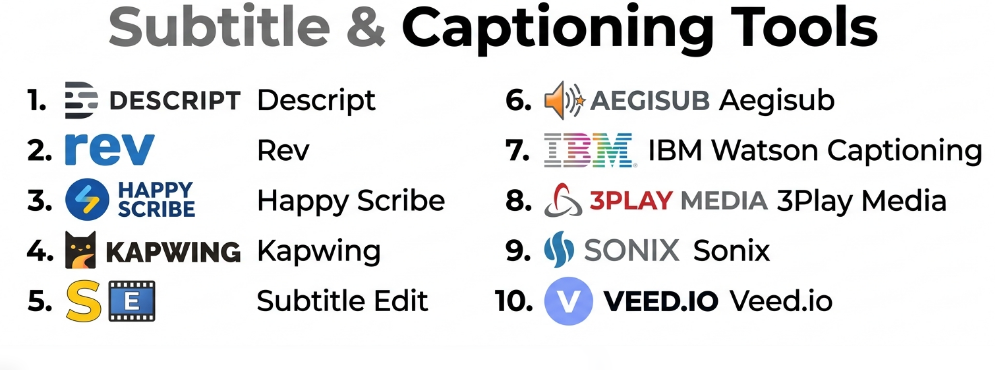
Top 10 Subtitle & Captioning Tools
1‑ Descript
Short description: Descript is an all‑in‑one audio/video editor with powerful AI transcription and subtitle generation, enabling easy editing of text and media in sync.
Key Features:
- Ultra‑accurate AI transcription
- Auto‑subtitles with easy‑to‑edit text timeline
- Overdub voice cloning (optional)
- Export captions in SRT/VTT
- Collaborative editing
Pros:
- Excellent for content creators
- Easy text‑driven video editing
- Great subtitle workflows
Cons:
- Subscription‑based
- Some advanced features can be overwhelming
Platforms / Deployment: Web, Windows, macOS
Security & Compliance: Enterprise controls on higher plans
Integrations & Ecosystem: YouTube, Adobe Premiere Pro export
Support & Community: Knowledge base, tutorials, community
2‑ Rev
Short description: Rev offers professional‑grade captions and subtitles with a choice of manual (human) or automated transcripts for high accuracy.
Key Features:
- Human and AI caption options
- Export in multiple subtitle formats
- Add captions to video files automatically
- High accuracy transcription
Pros:
- Very accurate human captions option
- Fast turnaround
Cons:
- Human service costs more
- Automated results vary with audio quality
Platforms / Deployment: Web
Security & Compliance: Secure uploads; enterprise plans
Integrations & Ecosystem: API access for large workflows
Support & Community: Customer support team
3‑ Happy Scribe
Short description: Happy Scribe provides AI‑powered transcription and subtitling with tools to edit and translate captions into many languages.
Key Features:
- AI transcripts & auto subtitles
- Translate captions into 100+ languages
- Subtitles editor with timeline preview
- Export in many formats
Pros:
- Strong translation workflows
- Intuitive UI
Cons:
- Accuracy varies by language
- Pay‑as‑you‑go pricing
Platforms / Deployment: Web
Security & Compliance: GDPR compliant
Integrations & Ecosystem: API for teams
Support & Community: Help center and guides
4‑ Kapwing
Short description: Kapwing is a web‑based creative suite with easy auto‑subtitle generation and editing for short form video content.
Key Features:
- Auto subtitle generator
- Subtitle styling and placement
- Collaborative workspace
- Export SRT/VTT
Pros:
- Great for social media creators
- Simple drag‑and‑drop UI
Cons:
- Limited for long form or broadcast use
- Free tier has export limits
Platforms / Deployment: Web
Security & Compliance: Secure cloud hosting
Integrations & Ecosystem: Social media exports
Support & Community: Online tutorials
5‑ Subtitle Edit
Short description: Subtitle Edit is a free, robust desktop editor for creating, syncing, and correcting subtitle files manually or with auto‑speech features via plugins.
Key Features:
- Fine‑grained sync & edit tools
- Waveform and spectrogram views
- Automatic speech recognition add‑ons
- Supports many formats
Pros:
- Very detailed control
- Free and powerful
Cons:
- More manual than automated tools
- Requires learning time
Platforms / Deployment: Windows
Security & Compliance: Local processing
Integrations & Ecosystem: Plugin ecosystem
Support & Community: Active forums and docs
6‑ Aegisub
Short description: Aegisub is an advanced subtitle editor favored by fansubbers and pros with detailed timing, styling, and typesetting features.
Key Features:
- High‑precision timing
- Styling and typesetting
- Audio waveform display
Pros:
- Great for complex subtitle jobs
- Free and powerful
Cons:
- Not AI transcription focused
- Steeper learning curve
Platforms / Deployment: Windows, macOS, Linux
Security & Compliance: Local processing
Integrations & Ecosystem: Community plugins
Support & Community: Community forums
7‑ IBM Watson Captioning
Short description: IBM Watson Captioning delivers enterprise‑grade AI captioning with deep learning speech recognition and secure, scalable processing.
Key Features:
- High‑accuracy AI transcription
- Custom vocabulary optimization
- Enterprise security & workflows
- Multi‑language support
Pros:
- Strong AI engine
- Suits enterprise workflows
Cons:
- Requires setup knowledge
- Higher pricing tier
Platforms / Deployment: Cloud
Security & Compliance: Enterprise security standards
Integrations & Ecosystem: APIs and automated pipelines
Support & Community: IBM support tiers
8‑ 3Play Media
Short description: 3Play Media provides captioning, transcription, and subtitling for educational and broadcast use with robust compliance tools.
Key Features:
- Human + AI captioning
- Compliance reporting tools
- Multi‑format exports
- Translation services
Pros:
- Excellent accessibility compliance
- Trusted by education and media sectors
Cons:
- Costly for small users
- Turnaround time varies for human work
Platforms / Deployment: Web
Security & Compliance: Accessibility compliance focus
Integrations & Ecosystem: LMS & video hosting integrations
Support & Community: Dedicated support
9‑ Sonix
Short description: Sonix offers fast automated transcription and subtitle generation with collaborative editing and multilingual support.
Key Features:
- AI transcript and subtitle creation
- Speaker labels
- Translation features
- Export SRT, VTT, and more
Pros:
- Quick results
- Easy editing interface
Cons:
- Accuracy depends on audio quality
- Subscription required
Platforms / Deployment: Web
Security & Compliance: Data encryption
Integrations & Ecosystem: APIs, workflow integrations
Support & Community: Help center
10‑ Veed.io
Short description: Veed.io is a browser‑based video editor with built‑in auto captioning and subtitle tools optimized for social video creators.
Key Features:
- Auto caption generator
- Subtitle styling
- Export multiple formats
- Social platform presets
Pros:
- Great for creators
- Easy UI
Cons:
- Not tailored for broadcast or large teams
- Paid tier needed for full features
Platforms / Deployment: Web
Security & Compliance: Secure cloud platform
Integrations & Ecosystem: Social video exports
Support & Community: Tutorials and docs
Comparison Table
| Tool | Auto Transcription | Languages | Human Option | Edit UX | Enterprise Ready | Cloud |
|---|---|---|---|---|---|---|
| Descript | Excellent | Many | No | Excellent | Medium | Yes |
| Rev | Good | Many | Yes | Good | Yes | Yes |
| Happy Scribe | Very Good | ↑100 | No | Good | Medium | Yes |
| Kapwing | Good | Many | No | Good | Low | Yes |
| Subtitle Edit | Manual/Plugin | Many | No | Excellent | Low | No |
| Aegisub | Manual | Many | No | Very Good | Low | No |
| IBM Watson | Excellent | Many | No | Good | High | Yes |
| 3Play Media | Good/Very Good | Many | Yes | Good | High | Yes |
| Sonix | Very Good | Many | No | Good | Medium | Yes |
| Veed.io | Good | Many | No | Good | Low | Yes |
Evaluation & Scoring Table
| Tool | Accuracy 25% | Ease of Use 20% | Language Support 15% | Editing Tools 15% | Enterprise 10% | Cost 10% | Total |
|---|---|---|---|---|---|---|---|
| Descript | 23 | 19 | 18 | 18 | 15 | 14 | 107 |
| Sonix | 22 | 18 | 18 | 17 | 14 | 14 | 103 |
| Happy Scribe | 21 | 18 | 19 | 16 | 13 | 14 | 101 |
| Rev | 22 | 17 | 17 | 15 | 15 | 12 | 98 |
| IBM Watson | 23 | 16 | 18 | 15 | 16 | 12 | 100 |
| 3Play Media | 20 | 16 | 18 | 16 | 17 | 10 | 97 |
| Veed.io | 19 | 17 | 17 | 15 | 12 | 13 | 93 |
| Kapwing | 18 | 17 | 16 | 15 | 10 | 14 | 90 |
| Subtitle Edit | 16 | 15 | 16 | 17 | 8 | 15 | 87 |
| Aegisub | 15 | 14 | 16 | 18 | 8 | 15 | 86 |
Which Subtitle & Captioning Tool Is Right for You?
- Best for Creators: Descript and Veed.io for social videos and easy workflows.
- Best for Accuracy: Rev or Sonix for dependable transcripts and subtitles.
- Best for Multilingual Needs: Happy Scribe or IBM Watson for broad language support.
- Enterprise & Compliance: 3Play Media and IBM Watson for accessibility compliance and robust workflows.
- Best Free/Manual Control: Subtitle Edit and Aegisub for detailed manual subtitle work.
Implementation Playbook
30 Days:
- Choose your tool based on needs (creator, enterprise, broadcast).
- Upload sample videos and generate captions.
- Review and edit auto outputs for accuracy.
60 Days:
- Establish workflow presets for languages and formats.
- Integrate caption export with publishing systems.
- Train contributors on editing tools and best practices.
90 Days:
- Monitor accuracy metrics and refine vocabulary lists.
- Establish style guides for subtitle formatting.
- Automate API or platform workflows for faster turnaround.
Common Mistakes
- Relying solely on auto‑generated captions without review.
- Ignoring time‑code sync for readability.
- Not supporting multiple languages for global audiences.
- Choosing tools without needed export formats.
- Failing to style captions for legibility (size, contrast).
Frequently Asked Questions
- Are automatic captions accurate?
AI‑generated captions are increasingly good, but reviewing and editing is still recommended for quality. - Can these tools handle multiple languages?
Many support dozens to 100+ languages and auto translation workflows. - What subtitle formats should I use?
SRT and VTT are standard for web and broadcast; others like ASS/DFXP may be needed for specific use cases. - Do caption tools integrate with video editors?
Yes — many offer plugins or export workflows compatible with tools like Premiere Pro. - Can captions improve SEO?
Yes — text captions make spoken content indexable by search engines. - Is real‑time captioning available?
Some enterprise and broadcast tools offer live captioning support. - What affects transcription accuracy?
Audio quality, speaker clarity, accents, and background noise influence results. - Can I export subtitles to social platforms?
Yes — many tools let you export captions directly or in compatible formats for social uploads. - Are human captioning services worth it?
For high accuracy, especially in professional media, human‑verified captions are valuable. - How do I choose the right tool?
Consider accuracy needs, languages, workflow integration, team size, and budget.
Conclusion
Subtitle & captioning tools play a vital role in making media accessible, engaging, and globally viable. From creators adding social video subtitles to enterprises ensuring compliance, the right tool depends on your accuracy needs, languages, workflows, and volume. Evaluate options like Descript for intuitive editing, Sonix for fast AI transcripts, or 3Play Media for compliance‑driven workflows. Begin by piloting top contenders, establish standard workflows, integrate caption exports into your publishing process, and refine for accuracy and quality over time. Investing in the right subtitle tool not only improves viewer experience but also broadens reach, enhances SEO, and ensures content inclusivity on every platform.
