Introduction
Translation Management Systems (TMS) are specialized platforms designed to streamline the translation and localization process for organizations managing multilingual content. They centralize translation workflows, enable collaboration among translators and reviewers, and integrate with content management systems to ensure consistent and high-quality translations. In TMS solutions are increasingly leveraging AI, automation, and real-time collaboration to meet the needs of global businesses and digital-first organizations.
Real-world use cases include:
- Global marketing teams localizing website content, ads, and social media campaigns.
- E-learning platforms offering courses in multiple languages to reach international audiences.
- SaaS companies translating user interfaces, help centers, and product documentation.
- E-commerce platforms localizing product descriptions, policies, and promotions.
- Enterprise organizations managing compliance documentation and multilingual legal content.
Evaluation Criteria for Buyers:
- AI-assisted translation and machine translation quality
- Workflow automation and collaboration features
- Integration with CMS, code repositories, and marketing platforms
- Security, encryption, and compliance with data privacy standards
- Reporting, analytics, and progress tracking
- Vendor and community support quality
- Scalability across multiple languages and regions
- Offline or API-driven capabilities for continuous localization
- Pricing flexibility and licensing models
- Translation memory management and glossary support
Best for: Global marketing teams, SaaS and e-commerce companies, e-learning providers, and enterprises managing high-volume multilingual content. Ideal for organizations of all sizes seeking scalable, collaborative translation workflows.
Not ideal for: Small businesses with minimal localization needs, one-off translation projects, or companies preferring manual translation without software automation.
Key Trends in Translation Management Systems
- AI and neural machine translation integration to reduce turnaround time and improve quality.
- Automated workflow orchestration for complex translation pipelines.
- Real-time collaboration with translators, reviewers, and project managers.
- Integration with modern CMS, CRM, and marketing tools for seamless content updates.
- Cloud-first deployment models with hybrid and offline options for global teams.
- Advanced reporting and analytics for localization efficiency and ROI tracking.
- Security and compliance focus with GDPR, SOC 2, ISO 27001 adherence.
- Personalization of translation memory and glossaries using AI suggestions.
- Microservices and API-first architecture for extensibility and interoperability.
- Flexible pricing and subscription models for enterprise and SMB adoption.
How We Selected These Tools (Methodology)
- Evaluated market adoption and industry mindshare for translation and localization platforms.
- Assessed feature completeness including machine translation, human review workflows, and automation.
- Reviewed reliability, uptime, and performance benchmarks.
- Verified security posture and compliance with global data privacy standards.
- Considered integrations with CMS, marketing platforms, and developer tools.
- Analyzed suitability across enterprise, SMB, and freelance translator segments.
- Checked scalability for multi-language and multi-region support.
- Assessed vendor support, documentation, and community resources.
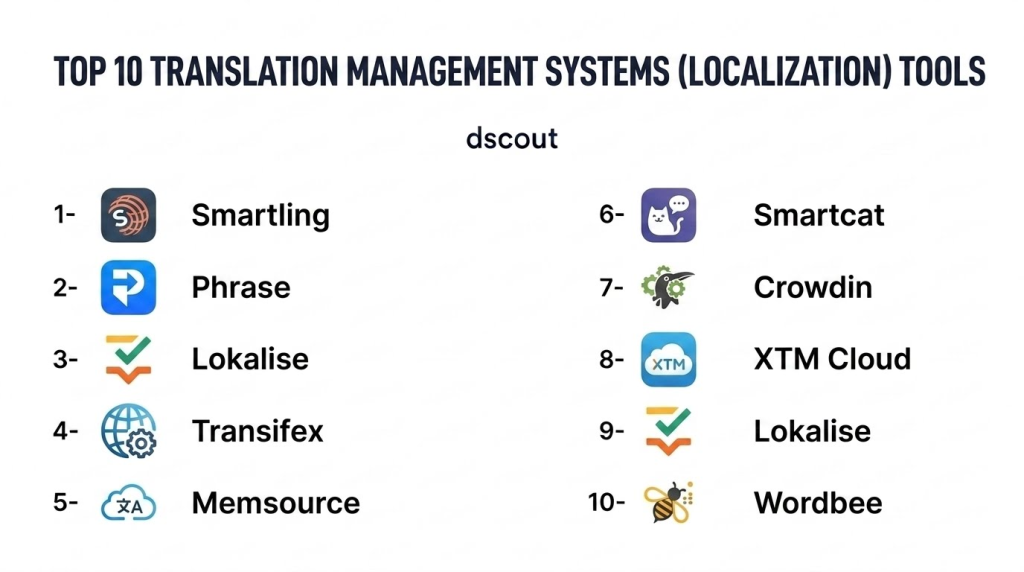
Top 10 Translation Management Systems (Localization) Tools
1- Smartling
Short description: Smartling is an enterprise-focused TMS offering cloud-based automation for translating websites, apps, and marketing content with AI-powered workflows for global teams.
Key Features
- AI-assisted translation and machine learning integration
- Translation memory and glossary management
- Workflow automation with review stages
- Real-time collaboration with translators and reviewers
- Analytics and reporting dashboards
- API for integration with CMS, marketing, and development platforms
- Cloud-based multi-language content management
Pros
- Strong enterprise feature set for large-scale localization
- Automation reduces manual effort and turnaround time
- Scalable for global organizations
Cons
- Pricing may be high for small teams
- Learning curve for first-time users
- Heavy reliance on cloud connectivity
Platforms / Deployment
- Web
- Cloud
Security & Compliance
- SOC 2, GDPR
- Encryption and RBAC
Integrations & Ecosystem
Supports extensive CMS, marketing, and e-commerce platforms.
- API integration for content automation
- Salesforce, HubSpot, Shopify
- Developer SDKs for CI/CD pipelines
Support & Community
- Dedicated enterprise support
- Documentation and knowledge base
- Varies / Not publicly stated community
2- Phrase
Short description: Phrase is a flexible TMS platform catering to developers and localization teams, offering in-context editing and robust API integrations for continuous translation pipelines.
Key Features
- In-context editing for web and mobile apps
- API-first architecture for CI/CD integration
- Translation memory and glossary management
- Collaboration tools with commenting and approvals
- Multi-format file support
- Analytics for translation progress
- Machine translation with post-editing capabilities
Pros
- Developer-friendly with strong API and automation support
- Efficient for software and SaaS localization
- Supports real-time collaboration
Cons
- May require technical knowledge for setup
- Some advanced features behind premium plans
- Limited out-of-the-box content marketing integrations
Platforms / Deployment
- Web
- Cloud / Hybrid
Security & Compliance
- Not publicly stated
Integrations & Ecosystem
- GitHub, GitLab, Bitbucket for version control
- Slack and project management tools
- API for integration with CI/CD pipelines
Support & Community
- Email and chat support
- Documentation and tutorials
- Active developer community
3- Lokalise
Short description: Lokalise provides collaborative cloud-based translation management with automation features tailored for product teams and global digital content.
Key Features
- Automated workflow orchestration
- Translation memory and AI suggestions
- In-context editing for apps and websites
- Multi-channel content support
- API and SDK for integration
- Real-time collaboration and commenting
- Reporting and analytics
Pros
- Streamlined workflows for product localization
- Strong integration options for developers
- Supports continuous localization pipelines
Cons
- Premium pricing for smaller teams
- Can be complex for non-technical users
- Requires internet connectivity
Platforms / Deployment
- Web
- Cloud
Security & Compliance
- SOC 2, GDPR
- SSO, MFA
Integrations & Ecosystem
- CMS and repository integrations
- Slack, Jira, GitHub
- APIs and SDKs for automation
Support & Community
- Live support and email
- Knowledge base
- Community forums
4- Transifex
Short description: Transifex is a cloud-based TMS focused on software localization, providing a platform for agile development teams to manage multilingual content efficiently.
Key Features
- Translation memory and glossary management
- API integration for CI/CD pipelines
- Real-time collaboration with translators
- Supports software file formats and mobile apps
- Automated workflow and notifications
- Machine translation integration
- Analytics dashboards
Pros
- Developer-centric with strong software support
- Efficient for agile and continuous localization
- Scalable for large product teams
Cons
- Less suitable for marketing content
- Subscription cost can be high
- Requires technical setup
Platforms / Deployment
- Web
- Cloud
Security & Compliance
- Not publicly stated
Integrations & Ecosystem
- GitHub, GitLab, Bitbucket
- API for automation and webhook notifications
- Supports integration with Jira and Slack
Support & Community
- Email and live chat
- Tutorials and documentation
- Community forums
5- Memsource
Short description: Memsource offers AI-powered translation workflows for enterprise localization projects, integrating machine translation and CAT tools for efficiency.
Key Features
- AI and neural MT integration
- Translation memory management
- Automated QA and workflow tools
- Real-time collaboration
- Multi-format content support
- API and platform integrations
- Analytics and reporting
Pros
- AI-driven efficiency and consistency
- Broad format support
- Enterprise-grade security options
Cons
- Complex setup for small teams
- Pricing may be high
- Less intuitive for non-technical users
Platforms / Deployment
- Web
- Cloud / Hybrid
Security & Compliance
- SOC 2, GDPR
- Encryption and RBAC
Integrations & Ecosystem
- CMS, marketing platforms, e-commerce
- API for automation and CI/CD
- Machine translation engines
Support & Community
- Dedicated enterprise support
- Documentation and tutorials
- Community forums
6- Smartcat
Short description: Smartcat combines TMS, marketplace, and CAT tools in a single platform, connecting translators and businesses globally.
Key Features
- Integrated freelance marketplace
- CAT tools for translators
- Automated workflows
- Translation memory and glossary
- Real-time collaboration
- API for CMS and product integrations
- Analytics and reporting
Pros
- Access to a large translator pool
- All-in-one platform
- Collaborative workflows
Cons
- Marketplace may incur additional fees
- Less customization for enterprise workflows
- Requires learning curve
Platforms / Deployment
- Web
- Cloud
Security & Compliance
- Not publicly stated
Integrations & Ecosystem
- CMS and API support
- Project management tools
- Developer integrations
Support & Community
- Email support
- Tutorials and guides
- Translator community
7- Crowdin
Short description: Crowdin offers enterprise localization solutions with a focus on software, marketing, and documentation translation, emphasizing automation and collaborative workflows.
Key Features
- API and CLI integration for CI/CD
- Translation memory and glossary
- Machine translation integration
- In-context editor for apps and websites
- Automated workflow management
- Multi-format content support
- Reporting and analytics
Pros
- Strong developer and software integration
- Supports continuous localization
- Flexible automation options
Cons
- Less suited for pure marketing content
- Requires technical setup
- Premium pricing for advanced features
Platforms / Deployment
- Web
- Cloud
Security & Compliance
- SOC 2, GDPR
- SSO and RBAC
Integrations & Ecosystem
- GitHub, GitLab, Bitbucket
- Slack and project management tools
- API for CI/CD
Support & Community
- Live and email support
- Tutorials and documentation
- Community forums
8- XTM Cloud
Short description: XTM Cloud provides enterprise localization with CAT, workflow automation, and AI-driven translation for global content teams.
Key Features
- Translation memory and glossary
- AI-assisted translation
- Workflow automation and approvals
- Multi-format content support
- Analytics and reporting
- API integrations
- Collaboration tools
Pros
- Enterprise-ready with scalable workflows
- Supports multi-format content
- Automation improves efficiency
Cons
- High learning curve
- Premium pricing
- Setup may require technical assistance
Platforms / Deployment
- Web
- Cloud
Security & Compliance
- GDPR, SOC 2
- SSO, MFA
Integrations & Ecosystem
- CMS and developer tool integrations
- APIs for automation
- Collaboration tools like Slack
Support & Community
- Enterprise support tiers
- Tutorials and documentation
- Limited community
9- Lokalise
Short description: Lokalise streamlines localization for software and marketing content with collaborative workflows and developer-friendly tools.
Key Features
- Workflow automation
- API-first platform
- Translation memory and glossary
- In-context editing
- Multi-format support
- Analytics and reporting
- Real-time collaboration
Pros
- Excellent for software localization
- Developer and product team friendly
- Strong integration capabilities
Cons
- Premium pricing
- Complexity for beginners
- Focused on software, less marketing content support
Platforms / Deployment
- Web
- Cloud
Security & Compliance
- SOC 2, GDPR
- Not publicly stated
Integrations & Ecosystem
- GitHub, GitLab, Bitbucket
- CMS and marketing platforms
- API for CI/CD and automation
Support & Community
- Email and live support
- Documentation
- Community forums
10- Wordbee
Short description: Wordbee offers cloud-based TMS with workflow management, CAT tools, and integrated project management for enterprises and agencies.
Key Features
- Translation memory and glossary
- CAT tools for translators
- Workflow automation and review cycles
- Multi-format content support
- Analytics and reporting
- API for integrations
- Collaborative project management
Pros
- Comprehensive enterprise solution
- Supports large-scale localization projects
- Integrated project and workflow management
Cons
- Interface may feel complex
- Premium pricing
- Less suited for freelancers or small teams
Platforms / Deployment
- Web
- Cloud / Hybrid
Security & Compliance
- Not publicly stated
Integrations & Ecosystem
- CMS and marketing tool integrations
- APIs for automation
- Collaboration platforms
Support & Community
- Enterprise support
- Tutorials and documentation
- Limited public community
Comparison Table (Top 10)
| Tool Name | Best For | Platform(s) Supported | Deployment | Standout Feature | Public Rating |
|---|---|---|---|---|---|
| Smartling | Enterprise localization | Web | Cloud | AI-powered automation | N/A |
| Phrase | Developer-centric TMS | Web | Cloud/Hybrid | API-first architecture | N/A |
| Lokalise | Software & marketing teams | Web | Cloud | In-context editing | N/A |
| Transifex | Software localization | Web | Cloud | CI/CD integration | N/A |
| Memsource | Enterprise translation | Web | Cloud/Hybrid | AI-assisted workflows | N/A |
| Smartcat | All-in-one TMS & marketplace | Web | Cloud | Integrated translator marketplace | N/A |
| Crowdin | Software & marketing | Web | Cloud | Continuous localization automation | N/A |
| XTM Cloud | Enterprise multi-format | Web | Cloud | Workflow automation & AI | N/A |
| Lokalise | Software & marketing teams | Web | Cloud | Developer-friendly automation | N/A |
| Wordbee | Agencies & enterprise | Web | Cloud/Hybrid | Integrated project & workflow mgmt | N/A |
Evaluation & Scoring of Translation Management Systems
| Tool Name | Core (25%) | Ease (15%) | Integrations (15%) | Security (10%) | Performance (10%) | Support (10%) | Value (15%) | Weighted Total |
|---|---|---|---|---|---|---|---|---|
| Smartling | 9 | 8 | 9 | 8 | 9 | 8 | 7 | 8.5 |
| Phrase | 8 | 7 | 8 | 7 | 8 | 7 | 8 | 7.7 |
| Lokalise | 8 | 8 | 9 | 8 | 8 | 7 | 8 | 8.2 |
| Transifex | 8 | 7 | 8 | 7 | 8 | 7 | 7 | 7.6 |
| Memsource | 9 | 7 | 8 | 8 | 8 | 7 | 7 | 7.9 |
| Smartcat | 7 | 7 | 7 | 7 | 7 | 6 | 7 | 7.0 |
| Crowdin | 8 | 7 | 8 | 8 | 8 | 7 | 7 | 7.7 |
| XTM Cloud | 8 | 7 | 8 | 8 | 8 | 7 | 7 | 7.7 |
| Lokalise | 8 | 8 | 9 | 8 | 8 | 7 | 8 | 8.2 |
| Wordbee | 8 | 7 | 7 | 7 | 8 | 7 | 7 | 7.3 |
Interpretation: Scores are comparative and consider features, ease of use, integrations, security, performance, support, and value. Weighted totals highlight stronger options for enterprise, mid-market, and SMB localization needs.
Which Translation Management System Tool Is Right for You?
Solo / Freelancer
- Smartcat and Smartling provide flexible cloud-based tools with CAT features for individual translators.
SMB
- Phrase and Crowdin offer integration-friendly solutions for small teams managing multiple channels.
Mid-Market
- Memsource and Lokalise deliver scalable workflows for product and marketing localization.
Enterprise
- Smartling, XTM Cloud, and Wordbee provide full enterprise TMS capabilities with analytics, automation, and compliance.
Budget vs Premium
- Budget-friendly: Smartcat, Crowdin
- Premium: Smartling, Memsource, Wordbee for advanced workflows
Feature Depth vs Ease of Use
- Feature-rich: Smartling, Memsource
- Easy to use: Phrase, Crowdin
Integrations & Scalability
- Enterprises should choose TMS supporting CMS, CI/CD, API, and marketing integrations.
Security & Compliance Needs
- Consider SOC 2, GDPR, ISO 27001 compliance if handling sensitive multilingual data for global operations.
Frequently Asked Questions (FAQs)
1- What pricing models do TMS platforms typically offer?
TMS platforms usually provide subscription-based pricing with tiers for individual, SMB, or enterprise usage. Some include per-word pricing for translation services.
2- How long does it take to onboard a TMS?
Onboarding varies by platform complexity and team size. Simple setups can take days, while enterprise deployment may require several weeks, including integrations.
3- Can TMS replace human translators entirely?
No. Machine translation aids productivity, but human review is essential for accuracy, cultural relevance, and context-sensitive content.
4- How secure are TMS platforms?
Most TMS platforms use encryption, access controls, and compliance with GDPR or SOC 2 standards, but organizations should verify each vendor’s certification.
5- Can these systems integrate with CMS and marketing platforms?
Yes. Top TMS platforms offer API-based integration with CMS, e-commerce platforms, and marketing tools to automate localization workflows.
6- Are AI-assisted translations accurate?
AI improves speed and consistency but may require human post-editing for idiomatic expressions, industry-specific terminology, and nuanced content.
7- Can small teams benefit from TMS?
Yes. Many cloud-based TMS solutions offer tiered plans suitable for SMBs and freelancers managing limited multilingual content.
8- Do TMS platforms support translation memory?
Most leading TMS platforms include translation memory to store previous translations, ensuring consistency and reducing repeated effort.
9- How do platforms handle collaboration?
TMS platforms provide real-time editing, commenting, approvals, and task assignment to coordinate multiple translators and reviewers efficiently.
10- Which platform is best for enterprise vs small team?
Enterprises benefit from Smartling, Memsource, XTM Cloud, and Wordbee, while SMBs and individual translators may prefer Phrase, Crowdin, or Smartcat.
Conclusion
Translation Management Systems are essential for businesses managing multilingual content in 2026. The best choice depends on team size, content type, integration needs, and compliance requirements. Enterprises benefit from feature-rich platforms like Smartling and Memsource, while smaller teams can achieve efficiency with Phrase or Crowdin. Buyers should shortlist 2–3 platforms, run pilot projects, and validate integration, automation, and security capabilities before scaling full localization efforts.
