Introduction
Localization QA tools are software solutions designed to ensure that content translated into multiple languages maintains quality, accuracy, and context across digital platforms. These tools help identify linguistic errors, inconsistencies, formatting issues, and functional glitches in localized content before it reaches end-users. In , with businesses expanding globally, delivering high-quality, multilingual content has become essential for brand consistency, user experience, and regulatory compliance.
Real-world use cases include:
- E-commerce platforms verifying product descriptions and UI translations across regions.
- SaaS companies ensuring multilingual user interfaces are error-free.
- Marketing teams validating campaigns and promotional content in multiple languages.
- Educational content providers localizing courses while maintaining grammatical and contextual accuracy.
- Legal and regulatory teams checking translated compliance documents for accuracy and consistency.
Evaluation Criteria for Buyers:
- Automated detection of translation errors and inconsistencies
- Integration with TMS, CMS, and localization workflows
- Support for multiple file types and formats
- Reporting and analytics capabilities
- Collaborative review and approval mechanisms
- AI-assisted suggestions and automation features
- Security and compliance measures
- Scalability for multi-language projects
- Usability for both linguistic and technical teams
- Vendor support and documentation quality
Best for: Global enterprises, SaaS companies, e-commerce platforms, localization teams, and marketing departments managing high-volume multilingual content.
Not ideal for: Small businesses or teams with minimal localization requirements or one-off translations where manual review is sufficient.
Key Trends in Localization QA Tools
- AI-assisted error detection and automated suggestions to improve translation quality.
- Integration with translation management systems (TMS) and continuous localization pipelines.
- Cloud-based deployment with hybrid options for global teams.
- Real-time collaboration and review among translators, editors, and project managers.
- Multi-format and platform support including web, mobile apps, and software UI.
- Enhanced reporting, analytics, and KPI tracking for multilingual content quality.
- Security and compliance with GDPR, SOC 2, and ISO 27001.
- Automation of workflow processes to reduce manual QA effort.
- Support for adaptive content checks in dynamic, context-sensitive interfaces.
- Subscription and flexible pricing models for enterprises and SMBs.
How We Selected These Tools (Methodology)
- Evaluated market adoption and overall mindshare in the localization QA segment.
- Assessed completeness of features including error detection, automated QA, and collaboration tools.
- Verified performance, uptime, and reliability metrics.
- Reviewed security posture including encryption, access controls, and compliance standards.
- Examined integrations with TMS, CMS, developer tools, and workflow platforms.
- Assessed suitability for enterprise, mid-market, SMB, and freelance localization teams.
- Evaluated scalability across multiple languages and regions.
- Analyzed vendor support, documentation, and community engagement.
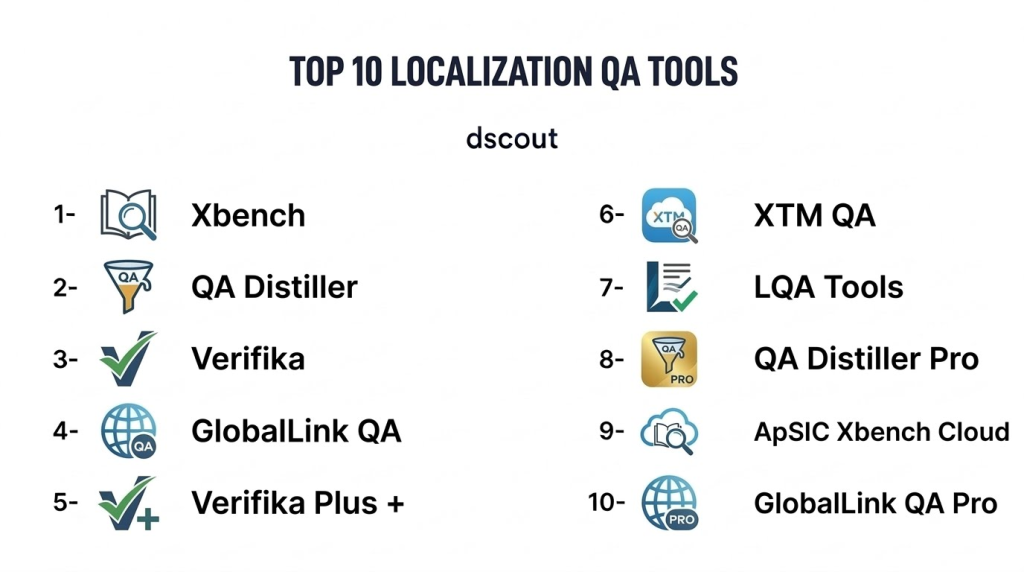
Top 10 Localization QA Tools
1- Xbench
Short description: Xbench is a comprehensive QA tool for localization projects, offering automated checks for consistency, terminology, and translation errors. Ideal for linguists and localization project managers.
Key Features
- Terminology consistency checks
- Automated spell and grammar validation
- Alignment verification for translation memory
- Multi-format file support
- Reporting dashboards for QA metrics
- Integration with CAT tools
- Project-level error tracking
Pros
- Robust consistency and error checks
- Supports diverse file formats
- Strong reporting capabilities
Cons
- Desktop-centric; limited cloud features
- Steeper learning curve for new users
- Limited collaborative editing
Platforms / Deployment
- Windows, macOS
- Self-hosted / Desktop
Security & Compliance
- Not publicly stated
Integrations & Ecosystem
- Compatible with major CAT tools
- Exportable QA reports
- Plugin support for translation software
Support & Community
- Documentation and tutorials
- Email support
- Community forums
2- QA Distiller
Short description: QA Distiller is a QA automation tool that performs error checks on translations and ensures consistency across projects, suitable for enterprise localization teams.
Key Features
- Automated QA for grammar and punctuation
- Translation memory consistency verification
- Customizable QA profiles
- Batch processing of multiple files
- Error summary reports
- Supports multiple languages and encodings
Pros
- Efficient bulk processing
- Customizable QA rules
- Detects nuanced errors
Cons
- Interface may be outdated
- Desktop-based; limited collaboration
- Premium features require license
Platforms / Deployment
- Windows
- Self-hosted / Desktop
Security & Compliance
- Not publicly stated
Integrations & Ecosystem
- CAT tool integration
- Exportable QA reports
- API Varies / N/A
Support & Community
- Email support
- Knowledge base
- User forums
3- Verifika
Short description: Verifika is a QA tool for translators and LSPs, providing automated consistency, terminology, and punctuation checks across multilingual projects.
Key Features
- Translation memory alignment verification
- Terminology validation
- Grammar and punctuation checks
- Spellcheck across multiple languages
- Project-level QA reporting
- Multi-format support
Pros
- Streamlines translation review
- Accurate error detection
- Supports multiple languages
Cons
- Desktop-only version
- Limited cloud or collaboration features
- Not ideal for small projects
Platforms / Deployment
- Windows
- Self-hosted
Security & Compliance
- Not publicly stated
Integrations & Ecosystem
- CAT tool integration
- Project export
- Basic reporting API
Support & Community
- Email support
- Tutorials and guides
- Limited community forums
4- GlobalLink QA
Short description: GlobalLink QA provides enterprise-grade localization quality assurance with automated checks and workflow integration for large-scale translation projects.
Key Features
- Automated QA checks for consistency and formatting
- Integration with TMS workflows
- Terminology and translation memory checks
- Multi-format content support
- Reporting and analytics
- Collaboration for translators and reviewers
Pros
- Scalable for enterprise localization
- Integrates with translation pipelines
- Real-time QA reporting
Cons
- Premium pricing
- Requires TMS integration
- Learning curve for non-technical users
Platforms / Deployment
- Web
- Cloud
Security & Compliance
- SOC 2, GDPR
- Encryption and RBAC
Integrations & Ecosystem
- CMS and TMS integration
- API for automation
- Project management tools
Support & Community
- Enterprise support tiers
- Documentation and training
- Community forums
5- Verifika Plus
Short description: Verifika Plus extends basic QA with AI-assisted error detection, collaboration features, and reporting for enterprise translation projects.
Key Features
- AI-powered QA validation
- Terminology management
- Collaborative review and approval
- Multi-language support
- Analytics dashboards
- Integration with CAT tools
Pros
- AI-assisted error detection improves efficiency
- Supports team collaboration
- Advanced reporting
Cons
- Subscription required for AI features
- Desktop-centric interface
- Premium pricing
Platforms / Deployment
- Windows
- Cloud / Desktop
Security & Compliance
- Not publicly stated
Integrations & Ecosystem
- Compatible with TMS and CAT tools
- Exportable reports
- API support Varies / N/A
Support & Community
- Documentation and tutorials
- Email support
- Community forums
6- XTM QA
Short description: XTM QA is part of the XTM Cloud platform, offering automated quality assurance checks within enterprise localization workflows.
Key Features
- Terminology validation
- Translation memory checks
- Consistency verification
- Multi-language QA
- Workflow automation
- Reporting and analytics
Pros
- Integrated within enterprise localization workflow
- Automated QA reduces manual errors
- Supports multiple content formats
Cons
- Limited standalone use
- Premium pricing
- Requires XTM platform subscription
Platforms / Deployment
- Web
- Cloud
Security & Compliance
- GDPR, SOC 2
- SSO and RBAC
Integrations & Ecosystem
- CAT tools and CMS integration
- API for workflow automation
- Real-time QA dashboards
Support & Community
- Enterprise support
- Tutorials and documentation
- Community forums
7- LQA Tools
Short description: LQA Tools provides a cloud-based QA platform for language service providers, focusing on automated checks and reporting for translation consistency.
Key Features
- Automated QA validation
- Multi-language support
- Terminology consistency checks
- CAT tool integration
- Reporting and analytics
- Collaborative review features
Pros
- Cloud-based for team access
- Supports multiple languages
- Efficient for enterprise QA
Cons
- Limited offline functionality
- Premium subscription required
- Smaller community
Platforms / Deployment
- Web
- Cloud
Security & Compliance
- Not publicly stated
Integrations & Ecosystem
- TMS and CAT tool integration
- API support
- Exportable reports
Support & Community
- Email support
- Tutorials
- Limited forums
8- QA Distiller Pro
Short description: QA Distiller Pro is an enhanced version of QA Distiller with automation, batch processing, and integration capabilities for professional translators.
Key Features
- Batch QA processing
- Grammar, punctuation, and consistency checks
- Automated workflows
- Multi-format support
- Reporting dashboards
- Translation memory verification
Pros
- Efficient batch processing
- Customizable QA rules
- Supports large-scale projects
Cons
- Desktop-only
- Requires licensing
- Limited cloud collaboration
Platforms / Deployment
- Windows
- Self-hosted / Desktop
Security & Compliance
- Not publicly stated
Integrations & Ecosystem
- CAT tool support
- Project export
- API Varies / N/A
Support & Community
- Email support
- Tutorials
- User forums
9- ApSIC Xbench Cloud
Short description: ApSIC Xbench Cloud delivers QA functionality in a web-accessible format for teams, with automated checks and reporting across multiple languages.
Key Features
- Multi-language QA checks
- Translation memory alignment verification
- Terminology consistency
- Cloud-based collaboration
- Analytics and dashboards
Pros
- Cloud access for distributed teams
- Robust QA checks
- Real-time reporting
Cons
- Premium subscription required
- Learning curve for new users
- Limited offline features
Platforms / Deployment
- Web
- Cloud
Security & Compliance
- Not publicly stated
Integrations & Ecosystem
- CAT tool integration
- API for reporting
- Exportable QA results
Support & Community
- Email support
- Knowledge base
- Community forums
10- GlobalLink QA Pro
Short description: GlobalLink QA Pro offers enterprise-grade QA automation with AI-assisted checks and integration within global localization workflows.
Key Features
- AI-assisted QA checks
- Workflow integration with TMS
- Multi-format and multi-language support
- Reporting and analytics
- Collaborative review features
Pros
- Scalable for large enterprises
- Automated QA reduces manual effort
- Integrates with global localization workflows
Cons
- Premium pricing
- Complexity requires training
- Requires TMS ecosystem
Platforms / Deployment
- Web
- Cloud
Security & Compliance
- SOC 2, GDPR
- Encryption and RBAC
Integrations & Ecosystem
- CAT tools and TMS integration
- API for automation
- Reporting dashboards
Support & Community
- Enterprise support tiers
- Documentation and tutorials
- Community forums
Comparison Table (Top 10)
| Tool Name | Best For | Platform(s) Supported | Deployment | Standout Feature | Public Rating |
|---|---|---|---|---|---|
| Xbench | Linguists & project managers | Windows, macOS | Desktop / Self-hosted | Terminology & consistency checks | N/A |
| QA Distiller | Enterprise localization | Windows | Desktop | Batch QA automation | N/A |
| Verifika | Translators & LSPs | Windows | Desktop | Translation memory validation | N/A |
| GlobalLink QA | Large enterprises | Web | Cloud | Workflow & automation | N/A |
| Verifika Plus | Enterprise & AI-enhanced | Windows / Cloud | Hybrid | AI-assisted QA | N/A |
| XTM QA | Enterprise localization | Web | Cloud | Integrated TMS QA | N/A |
| LQA Tools | LSPs & translation teams | Web | Cloud | Multi-language QA | N/A |
| QA Distiller Pro | Professional translators | Windows | Desktop / Self-hosted | Batch & automated QA | N/A |
| ApSIC Xbench Cloud | Teams needing cloud access | Web | Cloud | Cloud-based QA | N/A |
| GlobalLink QA Pro | Large-scale enterprises | Web | Cloud | AI-assisted QA | N/A |
Evaluation & Scoring of Localization QA Tools
| Tool Name | Core (25%) | Ease (15%) | Integrations (15%) | Security (10%) | Performance (10%) | Support (10%) | Value (15%) | Weighted Total |
|---|---|---|---|---|---|---|---|---|
| Xbench | 9 | 7 | 6 | 7 | 8 | 7 | 8 | 7.7 |
| QA Distiller | 8 | 7 | 6 | 7 | 8 | 7 | 7 | 7.3 |
| Verifika | 8 | 7 | 6 | 7 | 8 | 6 | 7 | 7.2 |
| GlobalLink QA | 9 | 8 | 8 | 8 | 9 | 8 | 7 | 8.4 |
| Verifika Plus | 9 | 7 | 7 | 7 | 8 | 7 | 7 | 7.7 |
| XTM QA | 8 | 8 | 8 | 8 | 8 | 7 | 7 | 7.9 |
| LQA Tools | 7 | 7 | 6 | 7 | 7 | 6 | 7 | 6.8 |
| QA Distiller Pro | 8 | 7 | 6 | 7 | 8 | 7 | 7 | 7.3 |
| ApSIC Xbench Cloud | 8 | 8 | 7 | 7 | 8 | 7 | 7 | 7.5 |
| GlobalLink QA Pro | 9 | 8 | 8 | 8 | 9 | 8 | 7 | 8.4 |
Interpretation: Scores compare features, usability, integration, security, performance, support, and value. Weighted totals highlight stronger options for enterprise and mid-market localization QA needs.
Which Localization QA Tool Is Right for You?
Solo / Freelancer
- Xbench, Verifika, and QA Distiller Pro are ideal for individual translators and small projects.
SMB
- ApSIC Xbench Cloud and LQA Tools provide cloud-based QA with collaborative features suitable for small teams.
Mid-Market
- XTM QA and Verifika Plus support structured workflows and multi-language projects for growing organizations.
Enterprise
- GlobalLink QA and GlobalLink QA Pro deliver AI-assisted, scalable, and automated QA for large teams and complex localization pipelines.
Budget vs Premium
- Budget-friendly: Xbench, LQA Tools
- Premium: GlobalLink QA Pro, Verifika Plus for enterprise-scale automation
Feature Depth vs Ease of Use
- Feature-rich: GlobalLink QA Pro, Verifika Plus
- Easy to adopt: Xbench, QA Distiller
Integrations & Scalability
- Enterprises benefit from platforms integrating with TMS, CMS, and translation pipelines for automation and reporting.
Security & Compliance Needs
- Ensure GDPR, SOC 2, or ISO 27001 compliance for enterprise deployments handling sensitive multilingual data.
Frequently Asked Questions (FAQs)
1- What pricing models are typical for Localization QA tools?
Most platforms offer subscription-based pricing, tiered for individual, SMB, and enterprise usage. Some include per-word or per-project charges.
2- How quickly can teams onboard a QA tool?
Small projects can begin in days, while enterprise deployments may require weeks for integrations and workflow configuration.
3- Can these tools replace human review entirely?
No, QA tools assist human reviewers by automating error detection but human judgment is essential for context, cultural accuracy, and nuance.
4- How secure is user data?
Top QA tools implement encryption, access controls, and comply with privacy standards. Enterprises should confirm certifications like GDPR or SOC 2.
5- Are cloud and desktop options available?
Yes, many tools offer both cloud-based and desktop deployments to accommodate global teams and offline work.
6- Do these tools support multiple file formats?
Yes, they typically support .docx, .xliff, .xml, .json, .po, .html, and other content files common in localization projects.
7- How effective are AI-assisted QA features?
AI features detect inconsistencies, suggest corrections, and improve workflow efficiency but should be combined with human review for accuracy.
8- Can small teams use enterprise-grade QA tools?
Yes, many platforms provide tiered plans suitable for SMBs, enabling access to enterprise-grade QA features without full-scale enterprise costs.
9- How do these tools integrate with TMS or CMS?
Most offer APIs, plugins, or connectors to integrate directly with TMS, CMS, or CI/CD pipelines, automating content validation.
10- Which tool is best for high-volume projects?
Enterprise tools like GlobalLink QA Pro, XTM QA, and Verifika Plus are optimized for large-scale localization with multi-language and multi-format support.
Conclusion
Localization QA tools are essential in 2026 for ensuring high-quality multilingual content. The choice depends on team size, project complexity, integration needs, and budget. Enterprises should consider GlobalLink QA Pro, XTM QA, or Verifika Plus for AI-assisted, scalable solutions, while SMBs and freelancers may leverage Xbench, QA Distiller, or ApSIC Xbench Cloud. Buyers should shortlist 2–3 platforms, run pilot tests, evaluate integrations, and confirm security and compliance before scaling adoption.
