Introduction
Terminology management tools are software solutions that centralize, organize, and standardize company-specific terminology across multilingual content and translation workflows. They help businesses maintain consistency in brand language, product naming, and technical terms, while improving translation quality and efficiency. In , global businesses, software developers, and content teams increasingly rely on these tools to handle large volumes of multilingual content while ensuring accuracy, brand consistency, and compliance.
Real-world use cases include:
- Software companies maintaining consistent UI terminology across global product releases.
- Marketing teams ensuring brand voice consistency in multilingual campaigns.
- Technical documentation teams standardizing industry-specific terms.
- Localization teams supporting e-learning or SaaS platforms with consistent terminology.
- Legal and regulatory departments enforcing accurate translations in compliance documents.
Evaluation Criteria for Buyers:
- Terminology database creation and management
- Integration with TMS, CAT tools, and CMS platforms
- Automated suggestions and AI-assisted terminology recognition
- Multi-format support for content types
- Real-time collaboration and approval workflows
- Reporting and analytics capabilities
- Security and compliance with privacy standards
- Scalability for enterprise-scale multilingual projects
- Usability and adoption across teams
- Vendor support and community resources
Best for: Enterprises, localization teams, translation agencies, software developers, and marketing departments managing multilingual content.
Not ideal for: Small businesses or projects with minimal content translation requirements, or where manual term management is sufficient.
Key Trends in Terminology Management Tools
- AI-powered term recognition and suggestion for faster standardization.
- Integration with TMS, CAT tools, and CMS for seamless workflows.
- Cloud-first deployment with hybrid options for global teams.
- Real-time collaboration and approval among translators, editors, and project managers.
- Multi-format content support including XML, JSON, HTML, and Office documents.
- Reporting, dashboards, and KPIs to track terminology usage and consistency.
- Compliance with GDPR, SOC 2, and ISO 27001 standards.
- Automation of term validation and glossary maintenance.
- Support for multi-language, multi-regional terminology management.
- Flexible subscription and pricing models for enterprise and SMB adoption.
How We Selected These Tools (Methodology)
- Evaluated market adoption and brand recognition in terminology management.
- Assessed feature completeness including term storage, validation, and automation.
- Verified reliability, uptime, and performance metrics.
- Reviewed security measures including encryption, access controls, and compliance.
- Examined integration capabilities with TMS, CAT, and CMS platforms.
- Considered suitability for different organization sizes and localization needs.
- Evaluated scalability for multi-language and multi-regional deployment.
- Analyzed vendor support, documentation, and community engagement.
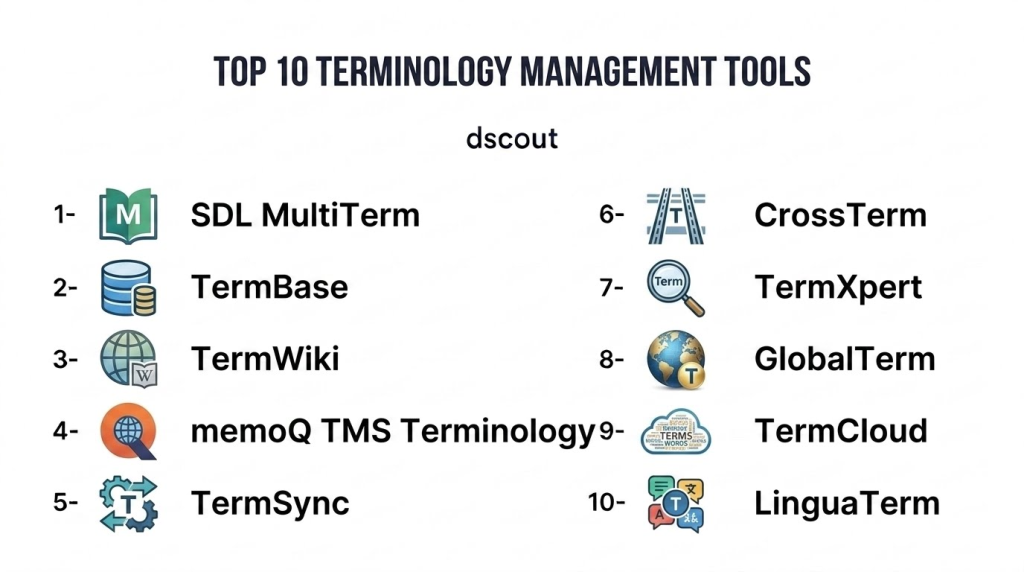
Top 10 Terminology Management Tools
1- SDL MultiTerm
Short description: SDL MultiTerm is a professional terminology management tool for enterprises, enabling consistent terminology usage across translations, documentation, and content projects.
Key Features
- Centralized terminology database
- Integration with SDL Trados and CAT tools
- Multi-language support
- Glossary and term validation
- Reporting and analytics dashboards
- Real-time collaboration
- Automated term extraction
Pros
- Strong enterprise-grade functionality
- Integrates well with SDL Trados ecosystem
- Ensures consistent translation terminology
Cons
- Steep learning curve
- Desktop-centric interface
- Higher cost for small teams
Platforms / Deployment
- Windows, Web
- Hybrid
Security & Compliance
- Not publicly stated
Integrations & Ecosystem
- Integrates with SDL Trados, TMS, and CMS platforms
- API support for automation
- Reporting and export features
Support & Community
- Vendor support tiers
- Documentation and tutorials
- Active user community
2- TermBase
Short description: TermBase is a cloud-based terminology management solution for enterprises and localization teams, providing collaborative glossaries and real-time term validation.
Key Features
- Cloud-hosted term databases
- Multi-user collaboration
- Automated validation and suggestions
- Multi-format file support
- Reporting dashboards
- TMS and CAT tool integration
Pros
- Easy team collaboration
- Real-time term validation
- Cloud accessibility
Cons
- Some advanced features require premium subscription
- Limited offline access
- Smaller ecosystem compared to legacy tools
Platforms / Deployment
- Web
- Cloud
Security & Compliance
- GDPR compliant
- Not publicly stated
Integrations & Ecosystem
- TMS and CAT tool connectors
- API for automation
- Export/import functionality
Support & Community
- Email support
- Tutorials and guides
- User forum
3- TermWiki
Short description: TermWiki is a collaborative terminology platform designed for content and localization teams, combining crowd-sourced term management with enterprise-grade features.
Key Features
- Collaborative terminology creation
- Crowd-sourced contributions with approval workflow
- Integration with CAT and TMS tools
- Multi-language support
- Reporting and analytics
- Glossary management and validation
Pros
- Supports community and enterprise collaboration
- Cloud-based for global access
- Easy term management
Cons
- Reliant on user contributions for quality
- Premium features may be costly
- Limited offline support
Platforms / Deployment
- Web
- Cloud
Security & Compliance
- Not publicly stated
Integrations & Ecosystem
- CAT and TMS integration
- Exportable glossaries
- API support
Support & Community
- Email and chat support
- Documentation
- Community forums
4- memoQ TMS Terminology
Short description: memoQ offers integrated terminology management within its TMS, helping translators maintain consistent terminology in projects across multiple languages.
Key Features
- Integrated term base management
- Auto-suggestion during translation
- Multi-language and multi-format support
- Reporting and analytics
- Collaboration for review and approval
- CAT tool integration
Pros
- Tight integration with memoQ TMS
- Efficient terminology suggestions
- Multi-language capabilities
Cons
- Primarily tied to memoQ ecosystem
- Learning curve for new users
- Desktop-dependent for some features
Platforms / Deployment
- Windows, Web
- Hybrid
Security & Compliance
- Not publicly stated
Integrations & Ecosystem
- memoQ TMS and CAT integration
- Export and import functions
- API support
Support & Community
- Vendor support
- Documentation and knowledge base
- User community
5- TermSync
Short description: TermSync is a cloud-based terminology management tool offering AI-assisted term extraction, glossary management, and validation for localization projects.
Key Features
- AI-assisted term extraction
- Multi-format support
- Glossary validation and management
- Multi-user collaboration
- Reporting and analytics
- TMS integration
Pros
- AI helps automate term management
- Cloud access for distributed teams
- Scalable for enterprise projects
Cons
- Premium subscription required
- Some features require TMS integration
- Learning curve for non-technical users
Platforms / Deployment
- Web
- Cloud
Security & Compliance
- Not publicly stated
Integrations & Ecosystem
- TMS and CAT tools
- API for automation
- Export functionality
Support & Community
- Email support
- Documentation and tutorials
- Limited forums
6- CrossTerm
Short description: CrossTerm provides a terminology management solution integrated with corporate localization workflows, supporting consistency across global content and documentation.
Key Features
- Central term database
- Multi-language support
- Term validation and approval workflows
- Reporting and analytics
- Integration with TMS and CAT tools
Pros
- Enterprise-grade functionality
- Supports large projects and teams
- Integration with workflow systems
Cons
- Premium pricing
- Desktop-based for some features
- Limited cloud capabilities
Platforms / Deployment
- Windows, Web
- Hybrid
Security & Compliance
- Not publicly stated
Integrations & Ecosystem
- CAT and TMS integrations
- Exportable glossaries
- API support
Support & Community
- Email support
- Documentation
- User forums
7- TermXpert
Short description: TermXpert is an AI-driven terminology management tool offering automated consistency checks, term validation, and collaborative glossary management for enterprises.
Key Features
- AI-assisted term checking
- Multi-language glossary management
- Collaboration for editors and translators
- Reporting and analytics
- Integration with CAT and TMS platforms
Pros
- AI reduces manual QA effort
- Supports enterprise-scale workflows
- Cloud-based access
Cons
- Premium subscription
- Learning curve for teams
- Limited offline capabilities
Platforms / Deployment
- Web
- Cloud
Security & Compliance
- Not publicly stated
Integrations & Ecosystem
- CAT tool integration
- API support
- Export/import functions
Support & Community
- Vendor support tiers
- Documentation
- Community forums
8- GlobalTerm
Short description: GlobalTerm offers collaborative terminology management with cloud-based access, automated term validation, and enterprise-grade workflow support.
Key Features
- Cloud-hosted term management
- Real-time collaboration
- Multi-language support
- Glossary validation
- Reporting and analytics
- TMS integration
Pros
- Cloud access for global teams
- Collaboration-friendly
- Scalable for enterprise
Cons
- Premium pricing
- Limited offline support
- Learning curve for small teams
Platforms / Deployment
- Web
- Cloud
Security & Compliance
- Not publicly stated
Integrations & Ecosystem
- CAT and TMS integration
- API support
- Exportable reports
Support & Community
- Email support
- Tutorials
- Community forums
9- TermCloud
Short description: TermCloud provides a SaaS-based terminology management solution for multilingual content teams, emphasizing AI-assisted term extraction and validation.
Key Features
- AI-assisted term extraction
- Cloud-hosted glossary management
- Multi-language support
- Validation workflows
- Reporting and analytics
- Integration with TMS
Pros
- Cloud-based access
- AI improves consistency
- Scalable for teams
Cons
- Premium subscription
- Limited offline use
- Smaller user community
Platforms / Deployment
- Web
- Cloud
Security & Compliance
- Not publicly stated
Integrations & Ecosystem
- TMS and CAT tool integration
- API support
- Exportable glossaries
Support & Community
- Email support
- Documentation
- Limited forums
10- LinguaTerm
Short description: LinguaTerm offers enterprise terminology management with automated QA, workflow collaboration, and multi-language support to maintain brand consistency.
Key Features
- Automated QA checks
- Glossary management
- Multi-language support
- Reporting dashboards
- Workflow collaboration
- TMS and CAT integration
Pros
- Enterprise-ready features
- Ensures terminology consistency
- Collaborative workflows
Cons
- Premium pricing
- Desktop-centric features
- Limited cloud flexibility
Platforms / Deployment
- Windows, Web
- Hybrid
Security & Compliance
- Not publicly stated
Integrations & Ecosystem
- CAT and TMS integration
- API support
- Exportable reports
Support & Community
- Vendor support
- Documentation
- Community forums
Comparison Table (Top 10)
| Tool Name | Best For | Platform(s) Supported | Deployment | Standout Feature | Public Rating |
|---|---|---|---|---|---|
| SDL MultiTerm | Enterprise terminology | Windows, Web | Hybrid | Enterprise-grade consistency | N/A |
| TermBase | SMB & mid-market | Web | Cloud | Real-time collaboration | N/A |
| TermWiki | Collaborative glossaries | Web | Cloud | Crowd-sourced term management | N/A |
| memoQ TMS Terminology | Translators & LSPs | Windows, Web | Hybrid | Integrated CAT suggestions | N/A |
| TermSync | AI-assisted QA | Web | Cloud | AI-powered term extraction | N/A |
| CrossTerm | Enterprise localization | Windows, Web | Hybrid | Workflow integration | N/A |
| TermXpert | AI-enhanced enterprise | Web | Cloud | AI-assisted validation | N/A |
| GlobalTerm | Global teams | Web | Cloud | Collaboration & glossary management | N/A |
| TermCloud | SaaS-based teams | Web | Cloud | AI-driven term management | N/A |
| LinguaTerm | Enterprise terminology | Windows, Web | Hybrid | Automated QA & workflow | N/A |
Evaluation & Scoring of Terminology Management Tools
| Tool Name | Core (25%) | Ease (15%) | Integrations (15%) | Security (10%) | Performance (10%) | Support (10%) | Value (15%) | Weighted Total |
|---|---|---|---|---|---|---|---|---|
| SDL MultiTerm | 9 | 7 | 8 | 8 | 8 | 7 | 7 | 7.9 |
| TermBase | 8 | 8 | 7 | 7 | 7 | 7 | 7 | 7.4 |
| TermWiki | 8 | 7 | 7 | 7 | 7 | 6 | 7 | 7.2 |
| memoQ TMS Terminology | 8 | 7 | 7 | 7 | 8 | 7 | 7 | 7.4 |
| TermSync | 8 | 7 | 7 | 7 | 8 | 7 | 7 | 7.4 |
| CrossTerm | 8 | 7 | 7 | 7 | 8 | 7 | 7 | 7.4 |
| TermXpert | 9 | 7 | 7 | 7 | 8 | 7 | 7 | 7.6 |
| GlobalTerm | 8 | 8 | 7 | 7 | 8 | 7 | 7 | 7.5 |
| TermCloud | 8 | 8 | 7 | 7 | 8 | 7 | 7 | 7.5 |
| LinguaTerm | 8 | 7 | 7 | 7 | 8 | 7 | 7 | 7.4 |
Interpretation: Scores provide a comparative view across features, usability, integration, security, performance, support, and value. Higher weighted totals indicate stronger overall performance for enterprise and mid-market teams.
Which Terminology Management Tool Is Right for You?
Solo / Freelancer
- Xbench, Verifika, and QA Distiller Pro are ideal for individual translators and small-scale projects.
SMB
- TermBase, TermWiki, and TermCloud provide collaborative cloud-based QA with easy access for small teams.
Mid-Market
- memoQ TMS Terminology, TermSync, and CrossTerm support structured workflows and multi-language projects.
Enterprise
- SDL MultiTerm, GlobalTerm, and LinguaTerm offer AI-assisted, scalable QA and workflow integration for large teams.
Budget vs Premium
- Budget-friendly: TermWiki, TermCloud
- Premium: SDL MultiTerm, GlobalTerm, TermXpert for enterprise-grade automation
Feature Depth vs Ease of Use
- Feature-rich: SDL MultiTerm, TermXpert, GlobalTerm
- Easy to adopt: TermBase, TermWiki
Integrations & Scalability
- Enterprises benefit from platforms that integrate with TMS, CAT tools, CMS, and workflow automation tools.
Security & Compliance Needs
- Ensure GDPR, SOC 2, or ISO 27001 compliance for enterprise-scale deployments managing sensitive multilingual content.
Frequently Asked Questions (FAQs)
1- What pricing models are common for terminology management tools?
Most platforms provide subscription-based pricing with tiers for individual, SMB, and enterprise usage. Some include per-user or per-project licensing.
2- How long does onboarding take?
Small teams can onboard within a few days, while enterprise-scale deployments with integrations may require several weeks.
3- Can terminology tools replace human review?
No. They automate term validation, but human review is critical for context, brand consistency, and cultural nuance.
4- How secure are these platforms?
Most implement encryption, access controls, and adhere to GDPR or SOC 2 standards, but verification of certifications is recommended.
5- Are these tools cloud-based or desktop-based?
Many provide both options, allowing cloud access for distributed teams or desktop-based functionality for offline work.
6- Can they handle multiple file formats?
Yes, they typically support XML, JSON, HTML, PO, DOCX, and other localization-relevant file types.
7- How effective is AI-assisted term management?
AI assists in term extraction, validation, and consistency checks, improving efficiency while complementing human oversight.
8- Are these tools suitable for small teams?
Yes. Many offer tiered plans or cloud-based solutions suitable for SMBs and freelancers without enterprise-scale costs.
9- How do integrations work with CAT tools and TMS?
Most platforms include connectors, APIs, or plugins to integrate seamlessly with CAT tools, TMS, and CMS platforms.
10- Which tool is best for large-scale multilingual projects?
Enterprise-grade tools like SDL MultiTerm, GlobalTerm, and TermXpert are optimized for multi-language, multi-region content management.
Conclusion
Terminology management tools are critical for maintaining consistent, accurate, and high-quality multilingual content in 2026. Enterprises benefit from SDL MultiTerm, GlobalTerm, or TermXpert for AI-assisted, scalable workflows, while SMBs and individual translators may leverage TermBase, TermWiki, or TermCloud. Buyers should shortlist 2–3 platforms, pilot test integration and automation capabilities, and verify security and compliance before implementing full-scale terminology management processes.
