Introduction
Design Systems Management Tools are platforms that allow teams to create, maintain, and distribute standardized UI components, design patterns, and guidelines across web, mobile, and enterprise applications. They ensure consistency in brand identity, reduce design debt, accelerate development, and improve collaboration between designers and developers. These tools centralize design tokens, component libraries, and documentation in one source of truth.
In , as organizations scale digital products across multiple platforms and teams, managing design systems effectively has become critical. Modern tools provide version control, real-time collaboration, integration with code repositories, and automated component updates. They help organizations maintain a coherent user experience, ensure accessibility compliance, and speed up product delivery while minimizing inconsistencies.
Real-world use cases include:
- Centralized repository for UI components across multiple products.
- Maintaining consistency in brand colors, typography, and components.
- Streamlining handoff between design and development teams.
- Automated updates to components in live products.
- Managing accessibility and compliance standards across all UI elements.
Evaluation Criteria for Buyers:
- Version control and component synchronization
- Collaboration features for designers and developers
- Integration with code repositories and CI/CD pipelines
- Accessibility and compliance support
- Component library scalability
- Cross-platform deployment support
- Documentation capabilities
- Security and access controls
- Analytics and usage tracking
- Ease of onboarding and adoption
Best for: Design teams, product teams, UX/UI designers, front-end developers, and large organizations with multiple digital products.
Not ideal for: Small projects without multiple teams or apps, single-product startups, or teams not needing standardized design components.
Key Trends in Design Systems Management Tools
- AI-assisted component suggestions: AI recommends new components or predicts inconsistencies in the design system.
- Real-time collaboration: Multiple designers and developers can update components simultaneously.
- Cross-platform deployment: Design tokens and components synchronized across web, mobile, and desktop applications.
- Versioning and rollback: Automatic version control for design system updates.
- Accessibility compliance: Built-in guidelines for WCAG compliance and accessibility testing.
- Integration with development tools: IDE and code repository integration to push components directly to production.
- Analytics on component usage: Tracks how often and where components are used.
- Scalable libraries: Management of thousands of components with tagging and categorization.
- Dynamic documentation: Live, interactive documentation for teams and stakeholders.
- Cloud-native platforms: Hosted platforms with multi-team access and robust security controls.
How We Selected These Tools (Methodology)
- Market adoption and industry recognition
- Completeness of features including design token management, libraries, and documentation
- Performance and reliability signals from enterprise deployments
- Security posture and compliance certifications
- Integration with developer workflows and design software
- Flexibility and scalability across teams and products
- Ease of use for designers and developers
- Support and community adoption
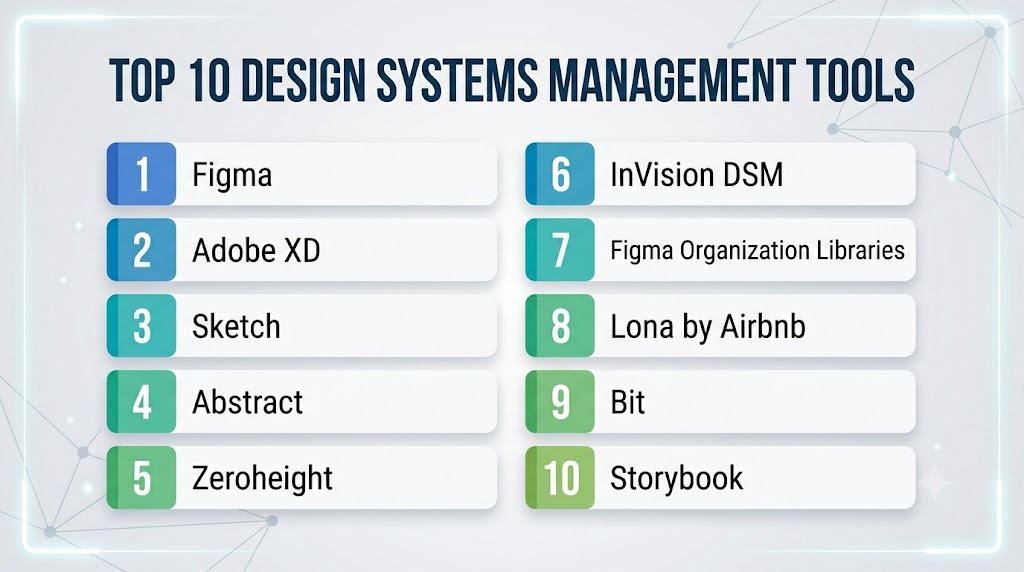
Top 10 Design Systems Management Tools
1- Figma
Short description:
Figma is a cloud-based design tool with robust design system management features. It enables designers to create components, libraries, and design tokens, ensuring consistency across web and mobile products. Teams can collaborate in real time.
Key Features
- Component libraries and shared styles
- Version control and branching
- Real-time multi-user collaboration
- Plugin ecosystem for automation
- Integration with code repositories
- Cross-platform design support
- Interactive prototyping
Pros
- Cloud-based with real-time collaboration
- Large plugin ecosystem
- Easy component updates across teams
Cons
- Requires internet connectivity for full functionality
- Advanced features may require paid plans
Platforms / Deployment
Web / macOS / Windows / Cloud
Security & Compliance
SSO, MFA, encryption, GDPR compliant
Integrations & Ecosystem
- Jira, Slack, GitHub
- Code export plugins
- Third-party prototyping tools
Support & Community
Extensive tutorials, documentation, community forums
2- Adobe XD
Short description:
Adobe XD provides tools for managing design systems with shared components, design tokens, and style guides. Teams can maintain consistency while collaborating on interactive prototypes.
Key Features
- Shared components and design tokens
- Responsive resize and grids
- Interactive prototyping
- Plugin ecosystem
- Collaboration through cloud documents
- Version history tracking
- Integration with Adobe Creative Cloud
Pros
- Strong integration with Adobe ecosystem
- Supports cross-platform design
- Cloud-based collaboration
Cons
- Some advanced features require Creative Cloud subscription
- Smaller community compared to Figma
Platforms / Deployment
macOS / Windows / Cloud
Security & Compliance
SSO, encryption, audit logs
Integrations & Ecosystem
- Adobe Creative Cloud
- Jira, Slack
- Third-party plugins
Support & Community
Official tutorials, community forums, documentation
3- Sketch
Short description:
Sketch is a vector-based design tool widely used for creating UI components and managing design libraries. It supports collaborative libraries and integrates with developer tools for handoff.
Key Features
- Shared libraries and symbols
- Design tokens management
- Plugin support
- Version control integration
- Prototyping tools
- Collaboration with Sketch Cloud
- Cross-platform export options
Pros
- Mature ecosystem of plugins
- Efficient component management
- Popular among macOS designers
Cons
- Limited native collaboration (requires third-party solutions)
- macOS-only
Platforms / Deployment
macOS / Cloud
Security & Compliance
Varies / N/A
Integrations & Ecosystem
- Zeplin, Abstract
- Jira, Slack
- Third-party plugins
Support & Community
Documentation, plugin ecosystem, active community
4- Abstract
Short description:
Abstract is a version control platform for Sketch and Adobe XD, enabling designers to manage design system changes, branches, and collaboration workflows.
Key Features
- Version control for design files
- Branching and merging
- Component library management
- Workflow approvals
- Team collaboration dashboards
- Integrations with project management tools
Pros
- Enterprise-grade version control
- Seamless design file collaboration
- Clear audit trail
Cons
- Focused on Sketch/XD files
- Requires subscription for full team features
Platforms / Deployment
macOS / Cloud
Security & Compliance
SSO, MFA, encryption
Integrations & Ecosystem
- Jira, Slack
- Figma plugin support
- CI/CD integration plugins
Support & Community
Documentation, customer support, community forums
5- Zeroheight
Short description:
Zeroheight provides a platform for publishing design system documentation with live component syncing from Figma, Sketch, and Adobe XD. It allows teams to maintain consistent usage guidelines and developer handoff.
Key Features
- Live component documentation
- Integration with Figma, Sketch, Adobe XD
- Versioned documentation
- Role-based access
- Component usage analytics
- Collaboration features
- Responsive design previews
Pros
- Centralized, interactive documentation
- Integrates with multiple design tools
- Supports design governance
Cons
- Separate subscription for full features
- Less focus on prototyping
Platforms / Deployment
Web / Cloud
Security & Compliance
SSO, MFA, encryption
Integrations & Ecosystem
- Figma, Sketch, Adobe XD
- Slack, Jira
- GitHub API support
Support & Community
Documentation, webinars, community forum
6- InVision DSM
Short description:
InVision Design System Manager (DSM) provides shared libraries, versioning, and component distribution to maintain consistent design across teams and platforms.
Key Features
- Component libraries and style guides
- Versioning and update notifications
- Integration with InVision prototypes
- Collaboration and feedback tools
- Cross-platform exports
- Developer handoff tools
- Accessibility support
Pros
- Tight integration with InVision prototyping
- Version control for design systems
- Collaboration and feedback capabilities
Cons
- Limited outside InVision ecosystem
- Paid subscription required
Platforms / Deployment
Web / macOS / Windows / Cloud
Security & Compliance
SSO, encryption, audit logs
Integrations & Ecosystem
- InVision prototyping
- Jira, Slack
- GitHub/Bitbucket
Support & Community
Documentation, community forum, onboarding guides
7- Figma Organization Libraries
Short description:
Figma Organization Libraries allow enterprise teams to maintain shared component libraries and design tokens for scalable design system management.
Key Features
- Enterprise component libraries
- Team permissions and roles
- Version control and updates
- Cross-file library linking
- Integration with CI/CD for design tokens
- Real-time collaboration
- Audit and usage analytics
Pros
- Scales for large teams
- Real-time collaboration
- Integrated with development pipelines
Cons
- Enterprise pricing
- Requires team onboarding
Platforms / Deployment
Web / macOS / Windows / Cloud
Security & Compliance
SSO, MFA, GDPR compliant
Integrations & Ecosystem
- Jira, Slack
- GitHub
- CI/CD pipelines
Support & Community
Official docs, customer support, community forums
8- Lona by Airbnb
Short description:
Lona is an open-source design system management framework that provides reusable components and design token management for cross-platform development.
Key Features
- Reusable UI components
- Centralized design tokens
- Cross-platform support (iOS, Android, Web)
- Version control integration
- Developer-friendly workflow
- Custom build pipelines
- Open-source extensibility
Pros
- Open-source and extensible
- Supports multi-platform development
- Encourages consistent design
Cons
- Requires development resources
- No official support
Platforms / Deployment
Web / iOS / Android / Self-hosted
Security & Compliance
Varies / N/A
Integrations & Ecosystem
- GitHub and GitLab
- CI/CD pipelines
- Figma plugin compatibility
Support & Community
Open-source community, documentation
9- Bit
Short description:
Bit is a platform for component-driven development, allowing teams to manage, version, and distribute reusable components across projects.
Key Features
- Component library management
- Version control and updates
- Cross-project sharing
- Dependency management
- Collaboration features
- API and CLI tools
- Integration with Git and CI/CD
Pros
- Efficient cross-project component sharing
- Version tracking and updates
- Developer-friendly
Cons
- Learning curve for non-developers
- Enterprise governance varies
Platforms / Deployment
Web / Cloud / CLI
Security & Compliance
SSO, encryption
Integrations & Ecosystem
- GitHub, GitLab
- CI/CD tools
- Design tool connectors
Support & Community
Documentation, community forum
10- Storybook
Short description:
Storybook is an open-source tool for building, testing, and documenting UI components for multiple frameworks. It provides live previews and testing workflows.
Key Features
- Component isolation and preview
- Cross-framework support (React, Vue, Angular)
- Automated documentation
- Addons for accessibility and testing
- Live component demos
- Versioning and CI/CD integration
- Collaboration features
Pros
- Framework-agnostic and flexible
- Open-source with community support
- Supports testing and documentation
Cons
- Requires developer setup
- Manual configuration for large teams
Platforms / Deployment
Web / Self-hosted / Cloud
Security & Compliance
Varies / N/A
Integrations & Ecosystem
- GitHub/GitLab
- CI/CD pipelines
- Design system libraries
Support & Community
Open-source community, tutorials, documentation
Comparison Table (Top 10)
| Tool Name | Best For | Platform(s) Supported | Deployment | Standout Feature | Public Rating |
|---|---|---|---|---|---|
| Figma | Cross-team collaboration | Web / macOS / Windows | Cloud | Real-time libraries & tokens | N/A |
| Adobe XD | Enterprise design systems | macOS / Windows | Cloud | Interactive prototypes & libraries | N/A |
| Sketch | Component management | macOS | Self-hosted / Cloud | Symbol & style management | N/A |
| Abstract | Version control for design | macOS / Cloud | Cloud | Branching & merging for components | N/A |
| Zeroheight | Design documentation | Web / Cloud | Cloud | Live component documentation | N/A |
| InVision DSM | Team libraries & governance | Web / macOS / Windows | Cloud | Versioning & collaboration | N/A |
| Figma Org Libraries | Enterprise component control | Web / macOS / Windows | Cloud | Organization-wide libraries | N/A |
| Lona | Open-source framework | Web / iOS / Android | Self-hosted | Cross-platform components | N/A |
| Bit | Component sharing & versioning | Web / CLI / Cloud | Cloud | Cross-project component distribution | N/A |
| Storybook | UI component previews | Web / Self-hosted | Self-hosted / Cloud | Live component demos | N/A |
Evaluation & Scoring of Design Systems Management Tools
| Tool Name | Core (25%) | Ease (15%) | Integrations (15%) | Security (10%) | Performance (10%) | Support (10%) | Value (15%) | Weighted Total |
|---|---|---|---|---|---|---|---|---|
| Figma | 9.5 | 8.5 | 9.0 | 8.5 | 9.0 | 8.5 | 8.0 | 8.80 |
| Adobe XD | 8.5 | 8.0 | 8.5 | 8.0 | 8.5 | 8.0 | 7.5 | 8.15 |
| Sketch | 8.0 | 8.0 | 7.5 | 7.5 | 8.0 | 7.5 | 7.5 | 7.80 |
| Abstract | 8.5 | 7.5 | 8.0 | 8.0 | 8.0 | 7.5 | 7.5 | 7.95 |
| Zeroheight | 8.0 | 8.0 | 7.5 | 7.5 | 8.0 | 7.5 | 7.5 | 7.85 |
| InVision DSM | 8.0 | 7.5 | 8.0 | 7.5 | 8.0 | 7.5 | 7.5 | 7.80 |
| Figma Org Libraries | 9.0 | 8.0 | 9.0 | 8.5 | 8.5 | 8.0 | 8.0 | 8.45 |
| Lona | 7.5 | 7.5 | 7.0 | 7.5 | 7.5 | 7.0 | 8.0 | 7.70 |
| Bit | 8.0 | 7.5 | 8.0 | 7.5 | 7.5 | 7.5 | 8.0 | 7.85 |
| Storybook | 8.0 | 7.5 | 7.5 | 7.5 | 7.5 | 7.0 | 8.0 | 7.75 |
Interpretation: Tools scoring above 8.5 are industry-leading for enterprise teams; scores between 8.0-8.4 are strong mid-market options; below 8.0 are practical for smaller teams or specific workflows.
Which Design Systems Management Tool Is Right for You?
Solo / Freelancer
Storybook, Lona, or Sketch are ideal for individual designers or small teams needing component management.
SMB
Figma, Adobe XD, and Zeroheight balance ease of use, collaboration, and library management for growing teams.
Mid-Market
Figma Org Libraries, InVision DSM, and Abstract provide enterprise-grade control and versioning without overcomplexity.
Enterprise
Figma Org Libraries, Figma, and Zeroheight offer robust governance, cross-team component distribution, and real-time collaboration.
Budget vs Premium
Open-source tools (Lona, Storybook) are cost-effective. Premium platforms (Figma Org Libraries, Zeroheight) provide enterprise features and integration.
Feature Depth vs Ease of Use
Developers and design teams requiring automation prefer Bit, Storybook, and Abstract. Designers seeking ease of use and collaboration prefer Figma or Adobe XD.
Integrations & Scalability
Teams integrating with CI/CD pipelines, development repos, and design systems should consider Figma, Figma Org Libraries, and Abstract.
Security & Compliance Needs
Enterprise users needing SSO, audit logs, and controlled access should prioritize Figma Org Libraries, Figma, and InVision DSM.
Frequently Asked Questions (FAQs)
1. What is a Design Systems Management Tool?
It’s a platform to create, manage, and distribute UI components, design tokens, and style guides consistently across digital products.
2. Do these tools support multi-platform components?
Yes, many platforms synchronize components across web, iOS, Android, and desktop apps.
3. Can developers integrate these tools into code repositories?
Most provide plugins, APIs, or integrations with GitHub, GitLab, and CI/CD pipelines.
4. Are there open-source alternatives?
Yes, Storybook and Lona provide open-source frameworks for component management and previews.
5. How do design updates propagate?
Through centralized libraries with version control, ensuring all team members receive updates.
6. Do these platforms support accessibility?
Many include accessibility guidelines and integration with WCAG compliance checks.
7. Are real-time collaboration features included?
Yes, platforms like Figma, Figma Org Libraries, and Adobe XD support real-time multi-user editing.
8. Can we manage multiple design systems?
Enterprise platforms like Zeroheight, Abstract, and Figma Org Libraries allow multiple libraries per organization.
9. Are analytics available for component usage?
Some platforms, such as Zeroheight and Figma Org Libraries, track component adoption and usage.
10. How secure are these tools?
Enterprise platforms offer SSO, MFA, encryption, role-based access, and audit logs; open-source options depend on deployment.
Conclusion
Design Systems Management Tools are critical for maintaining consistency, accelerating design, and enabling collaboration across digital products. Figma and Figma Org Libraries lead for real-time collaboration and enterprise scalability. Adobe XD integrates well into Adobe workflows. Zeroheight excels for interactive documentation. Abstract and Bit manage version control and cross-project components, while Storybook and Lona provide flexible open-source alternatives. Teams should evaluate based on scale, integration needs, governance, and budget, then pilot 2–3 tools to determine the best fit. Implementing the right toolset ensures efficiency, brand consistency, and faster time-to-market for digital products.
