Introduction
Internal Developer Platforms (IDPs) are centralized systems that streamline software development workflows within organizations. They provide developers with self-service capabilities for building, deploying, and managing applications while maintaining governance, security, and operational standards. Essentially, IDPs act as an internal layer that abstracts infrastructure complexity, enabling teams to focus on coding and innovation rather than environment configuration or deployment intricacies.
In , the demand for IDPs is rising due to the growing adoption of microservices, cloud-native architectures, and AI-enhanced DevOps practices. Companies are seeking ways to accelerate software delivery without compromising security or compliance, making IDPs crucial for scaling engineering productivity.
Real-World Use Cases:
- Multi-cloud deployments: Simplifying deployment pipelines across AWS, Azure, and GCP without manual configuration.
- Developer self-service portals: Reducing bottlenecks in provisioning environments, databases, and secrets.
- Standardized CI/CD pipelines: Ensuring consistent testing, code quality, and release processes across teams.
- Compliance automation: Embedding security and governance controls into developer workflows.
- Rapid prototyping and experimentation: Allowing teams to launch new features quickly while maintaining production safety.
Evaluation Criteria for Buyers:
- Core automation and orchestration capabilities
- Ease of use and developer experience
- Integration with CI/CD, monitoring, and security tools
- Cloud and on-premise deployment flexibility
- Compliance and security features
- Performance and reliability metrics
- Support and community ecosystem
- Pricing model and total cost of ownership
- Extensibility and API availability
- Alignment with organizational engineering practices
Best for: Mid-to-large enterprises, DevOps teams, cloud-native organizations, SaaS companies, and teams seeking to accelerate delivery while maintaining governance.
Not ideal for: Small startups or teams with minimal cloud infrastructure, where manual workflows are sufficient, or alternative SaaS platforms already handle deployment automation.
Key Trends in Internal Developer Platforms (IDP)
- AI-driven automation: Leveraging AI to optimize build pipelines, detect anomalies, and suggest deployment strategies.
- Serverless and hybrid orchestration: Support for both serverless functions and containerized workloads seamlessly.
- Integrated security compliance: Built-in enforcement of SOC 2, GDPR, and internal policies during deployment.
- Multi-cloud orchestration: Single platform control across multiple cloud providers.
- Developer experience focus: Low-code templates, self-service dashboards, and intuitive CLI/GUI.
- Microservices management: Automated service discovery, versioning, and environment isolation.
- Infrastructure as Code integration: Deep support for Terraform, Pulumi, and Kubernetes manifests.
- Extensible plugin ecosystem: APIs and SDKs for adding custom workflows or integrating proprietary tools.
- Cost and performance monitoring: Embedded analytics for resource usage and efficiency optimization.
- Flexible pricing models: Pay-as-you-go or subscription-based tiers tailored to team sizes.
How We Selected These Tools (Methodology)
- Evaluated market adoption and mindshare across enterprises and developers.
- Assessed feature completeness, including deployment automation, observability, and governance.
- Reviewed performance and reliability signals from case studies and customer feedback.
- Examined security posture, including RBAC, audit logs, and encryption capabilities.
- Analyzed integration ecosystem, ensuring compatibility with CI/CD, monitoring, and cloud providers.
- Considered customer fit across segments, from SMBs to large enterprises.
- Factored scalability and extensibility, including plugin support and API exposure.
- Prioritized ease of use and developer experience for adoption efficiency.
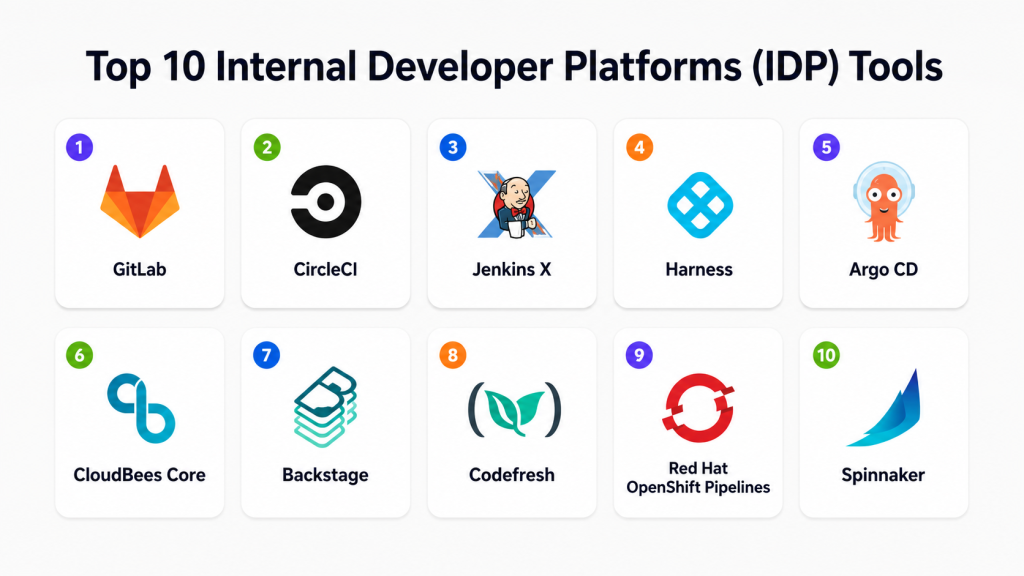
Top 10 Internal Developer Platforms (IDP) Tools
1- GitLab
Short description: GitLab provides a comprehensive DevOps platform combining source code management, CI/CD, and deployment automation. Ideal for teams looking for an all-in-one developer portal with integrated security and compliance.
Key Features
- Integrated CI/CD pipelines
- Container registry and Kubernetes integration
- Security scanning and compliance enforcement
- Merge request workflows with approvals
- Monitoring and observability dashboards
- Multi-cloud deployment support
Pros
- Unified platform reduces toolchain complexity
- Strong community and enterprise support
Cons
- Can be resource-intensive for smaller teams
- On-premise setup may require significant maintenance
Platforms / Deployment
- Web / Windows / macOS / Linux
- Cloud / Self-hosted / Hybrid
Security & Compliance
- SSO/SAML, MFA, RBAC
- SOC 2, ISO 27001, GDPR
Integrations & Ecosystem
GitLab integrates with Slack, Jira, Prometheus, and cloud providers.
- Kubernetes and Docker
- Terraform and Helm
- Monitoring tools like Grafana
- API access for custom workflows
Support & Community
- Comprehensive documentation and tutorials
- Enterprise support tiers available
- Active developer community
2- CircleCI
Short description: CircleCI is a cloud-native CI/CD and automation platform that accelerates deployment cycles. It is tailored for development teams seeking fast build pipelines and flexible integrations.
Key Features
- Parallel builds and caching for efficiency
- Workflows with conditional steps
- Docker and Kubernetes support
- VCS integrations with GitHub and Bitbucket
- Observability with logs and metrics
- Customizable pipeline templates
Pros
- High-speed cloud execution
- Scalable for small to large teams
Cons
- Some advanced features require paid tiers
- Limited on-premise deployment options
Platforms / Deployment
- Web / Linux / macOS
- Cloud
Security & Compliance
- SSO/SAML, encryption, audit logs
- Not publicly stated
Integrations & Ecosystem
Integrates with Slack, Jira, GitHub, AWS, GCP, and Terraform.
- API support for custom tasks
- Containerized build environments
- Deployment notifications
Support & Community
- Tiered support plans
- Extensive online guides
- Active Slack and forum communities
3- Jenkins X
Short description: Jenkins X extends Jenkins capabilities for Kubernetes-native CI/CD. It automates deployments, previews, and environments for cloud-native applications.
Key Features
- Automated CI/CD for Kubernetes
- GitOps-driven pipelines
- Preview environments for PRs
- Multi-cloud support
- Helm chart integration
Pros
- Strong Kubernetes-native focus
- Open-source with a large contributor base
Cons
- Learning curve for non-Kubernetes teams
- May require additional infrastructure for scaling
Platforms / Deployment
- Linux / macOS
- Cloud / Self-hosted
Security & Compliance
- RBAC, secrets management
- Not publicly stated
Integrations & Ecosystem
- GitHub, GitLab, Bitbucket
- Helm, Skaffold, Terraform
- Slack notifications
Support & Community
- Open-source support channels
- Documentation and community forums
4- Harness
Short description: Harness is a continuous delivery platform that leverages AI to optimize deployments and automatically detect anomalies. Suitable for enterprises aiming to modernize deployment reliability.
Key Features
- AI-driven deployment verification
- Canary and blue-green deployments
- Kubernetes and cloud support
- Secrets and configuration management
- Performance analytics dashboards
Pros
- AI insights improve release reliability
- Enterprise-grade scalability
Cons
- Pricing may be high for SMBs
- Some integrations require configuration
Platforms / Deployment
- Web / Linux / macOS
- Cloud / Hybrid
Security & Compliance
- SSO/SAML, MFA, audit logs
- SOC 2, ISO 27001
Integrations & Ecosystem
Supports GitHub, GitLab, Jira, Slack, AWS, Azure, GCP, and Helm.
- API extensibility
- Plugin support for monitoring tools
Support & Community
- Enterprise support tiers
- Documentation and onboarding guides
- Community forums
5- Argo CD
Short description: Argo CD is a declarative GitOps continuous delivery tool for Kubernetes. It is designed for teams implementing GitOps workflows and infrastructure automation.
Key Features
- GitOps-based deployments
- Sync and rollback mechanisms
- Multi-cluster support
- Visual dashboard for application status
- RBAC and policy enforcement
Pros
- Strong GitOps alignment
- Open-source with active updates
Cons
- Kubernetes-specific, not general-purpose
- May require custom tooling for CI
Platforms / Deployment
- Linux / macOS
- Self-hosted / Cloud
Security & Compliance
- RBAC, audit logs
- Not publicly stated
Integrations & Ecosystem
- Kubernetes clusters
- Helm charts
- Monitoring via Prometheus
Support & Community
- Open-source support channels
- Documentation, GitHub issues
6- CloudBees Core
Short description: CloudBees Core is an enterprise Jenkins solution providing enhanced security, scalability, and governance for large organizations.
Key Features
- Enterprise Jenkins distribution
- Pipeline as code
- RBAC and audit logging
- Multi-tenant support
- DevOps analytics dashboards
Pros
- Enterprise-grade reliability
- Strong security and compliance
Cons
- Complexity for small teams
- Licensing costs
Platforms / Deployment
- Web / Linux / Windows / macOS
- Cloud / On-premise / Hybrid
Security & Compliance
- SOC 2, ISO 27001, RBAC
- SSO/SAML, MFA
Integrations & Ecosystem
- CI/CD tools, Jira, GitHub, GitLab
- Kubernetes, Docker
- API extensibility
Support & Community
- Enterprise support tiers
- Documentation and best practices
- Active community forums
7- Backstage
Short description: Backstage, developed by Spotify, is an open platform for building developer portals. It centralizes services, tools, and documentation in one interface.
Key Features
- Software catalog management
- Plugin architecture for integrations
- Service templates
- Self-service portals
- Searchable documentation
Pros
- Highly extensible
- Developer-centric design
Cons
- Requires initial setup and customization
- Open-source support can be limited
Platforms / Deployment
- Web
- Self-hosted / Cloud
Security & Compliance
- Not publicly stated
Integrations & Ecosystem
- GitHub, GitLab, CI/CD tools
- Plugin ecosystem for monitoring and pipelines
- APIs for custom tooling
Support & Community
- Active open-source community
- Documentation and examples
8- Codefresh
Short description: Codefresh is a Kubernetes-native CI/CD platform that emphasizes Docker and Helm workflows for rapid application delivery.
Key Features
- Kubernetes and Helm integration
- Docker registry management
- CI/CD pipelines with caching
- Deployment previews
- Analytics dashboards
Pros
- Fast builds for containerized workloads
- GitOps support
Cons
- Focused mainly on Kubernetes
- Learning curve for non-container teams
Platforms / Deployment
- Web / Linux / macOS
- Cloud / Hybrid
Security & Compliance
- Not publicly stated
Integrations & Ecosystem
- GitHub, GitLab, Bitbucket
- Slack, Jira, monitoring tools
- APIs for custom workflows
Support & Community
- Documentation and online resources
- Support tiers vary
9- Red Hat OpenShift Pipelines
Short description: OpenShift Pipelines is Red Hat’s Kubernetes-native CI/CD tool based on Tekton, offering standardized pipelines for enterprise workloads.
Key Features
- Kubernetes-native CI/CD
- GitOps workflows
- Integration with OpenShift services
- RBAC and security controls
- Multi-cluster support
Pros
- Enterprise-grade Kubernetes support
- Tight integration with Red Hat ecosystem
Cons
- OpenShift-specific, limited outside Red Hat
- Requires Kubernetes knowledge
Platforms / Deployment
- Linux / Web
- Cloud / Self-hosted / Hybrid
Security & Compliance
- RBAC, audit logs
- Not publicly stated
Integrations & Ecosystem
- Red Hat OpenShift
- Tekton pipelines
- Monitoring and logging tools
Support & Community
- Red Hat enterprise support
- Documentation and training
10- Spinnaker
Short description: Spinnaker is an open-source continuous delivery platform focused on multi-cloud deployment pipelines with strong automation and governance.
Key Features
- Multi-cloud deployment orchestration
- Automated canary analysis
- Rollback and version management
- CI/CD pipeline templating
- Security and RBAC controls
Pros
- Robust for multi-cloud deployments
- Active open-source contributions
Cons
- Steeper learning curve
- Operational overhead for setup
Platforms / Deployment
- Linux / Web
- Cloud / Self-hosted / Hybrid
Security & Compliance
- RBAC, audit logs
- Not publicly stated
Integrations & Ecosystem
- Kubernetes, AWS, Azure, GCP
- CI tools like Jenkins, GitHub Actions
- Monitoring integrations
Support & Community
- Open-source community
- Documentation, guides, and forums
Comparison Table (Top 10)
| Tool Name | Best For | Platform(s) Supported | Deployment | Standout Feature | Public Rating |
|---|---|---|---|---|---|
| GitLab | All-in-one DevOps | Web, Windows, macOS, Linux | Cloud / Self-hosted / Hybrid | Integrated CI/CD and security | N/A |
| CircleCI | Fast CI/CD | Web, Linux, macOS | Cloud | High-speed parallel builds | N/A |
| Jenkins X | Kubernetes-native CI/CD | Linux, macOS | Cloud / Self-hosted | GitOps-driven automation | N/A |
| Harness | AI-driven deployments | Web, Linux, macOS | Cloud / Hybrid | AI deployment verification | N/A |
| Argo CD | GitOps automation | Linux, macOS | Cloud / Self-hosted | Declarative GitOps | N/A |
| CloudBees Core | Enterprise Jenkins | Web, Linux, Windows, macOS | Cloud / Self-hosted / Hybrid | Enterprise-grade CI/CD | N/A |
| Backstage | Developer portals | Web | Cloud / Self-hosted | Plugin-based extensibility | N/A |
| Codefresh | Kubernetes CI/CD | Web, Linux, macOS | Cloud / Hybrid | Containerized workflow optimization | N/A |
| OpenShift Pipelines | Red Hat DevOps | Linux, Web | Cloud / Self-hosted / Hybrid | Tekton-based pipelines | N/A |
| Spinnaker | Multi-cloud CD | Linux, Web | Cloud / Self-hosted / Hybrid | Multi-cloud deployment automation | N/A |
Evaluation & Scoring
| Tool Name | Core | Ease | Integrations | Security | Performance | Support | Value | Weighted Total |
|---|---|---|---|---|---|---|---|---|
| GitLab | 9 | 8 | 8 | 8 | 8 | 8 | 8 | 8.3 |
| CircleCI | 8 | 9 | 8 | 7 | 9 | 7 | 8 | 8.2 |
| Jenkins X | 7 | 7 | 8 | 7 | 8 | 6 | 8 | 7.4 |
| Harness | 9 | 8 | 8 | 8 | 8 | 7 | 7 | 8.0 |
| Argo CD | 8 | 7 | 7 | 7 | 8 | 6 | 8 | 7.4 |
| CloudBees Core | 9 | 7 | 8 | 9 | 8 | 8 | 7 | 8.2 |
| Backstage | 8 | 8 | 7 | 6 | 7 | 7 | 7 | 7.4 |
| Codefresh | 8 | 8 | 7 | 7 | 8 | 7 | 7 | 7.5 |
| OpenShift Pipelines | 8 | 7 | 7 | 8 | 8 | 7 | 7 | 7.6 |
| Spinnaker | 8 | 6 | 8 | 7 | 8 | 6 | 7 | 7.3 |
Interpretation: Scores are comparative, indicating relative strengths in core capabilities, usability, integrations, security, performance, support, and value. Weighted totals help prioritize platforms based on organizational priorities.
Which Internal Developer Platforms Tool Is Right for You?
Solo / Freelancer
Lightweight cloud-first platforms like CircleCI or GitLab Cloud provide simplicity, fast setup, and low operational overhead.
SMB
Platforms like GitLab, Harness, or Codefresh balance automation, multi-cloud support, and affordability.
Mid-Market
CloudBees Core, Backstage, and Harness offer enterprise features with scalability, governance, and analytics.
Enterprise
GitLab Enterprise, Spinnaker, and OpenShift Pipelines provide robust security, multi-cloud orchestration, and compliance features.
Budget vs Premium
Open-source tools (Argo CD, Jenkins X, Backstage) reduce license costs but may require more setup. Premium solutions (CloudBees Core, Harness) offer managed services, support, and enterprise-ready automation.
Feature Depth vs Ease of Use
Harness and GitLab provide rich automation with moderate learning curves, while CircleCI and Codefresh are easier for smaller teams.
Integrations & Scalability
Spinnaker and OpenShift Pipelines excel at multi-cloud and multi-service scaling, while GitLab and Backstage offer broad plugin ecosystems.
Security & Compliance Needs
CloudBees Core, GitLab Enterprise, and Harness provide built-in compliance checks, audit trails, and enterprise RBAC.
Frequently Asked Questions (FAQs)
1- What pricing models do IDPs use?
IDPs typically offer subscription-based pricing, pay-per-user, or enterprise licensing. Open-source options reduce license costs but may incur setup and maintenance overhead.
2- How long does onboarding usually take?
Onboarding ranges from a few days for cloud-hosted SaaS tools to several weeks for enterprise platforms requiring customization and integration with existing systems.
3- Can small teams benefit from IDPs?
Yes, but lightweight, cloud-native platforms are better suited for small teams. Enterprise-grade tools may be overkill for minimal infrastructure and simpler workflows.
4- Are IDPs secure for sensitive workloads?
Leading IDPs implement RBAC, MFA, audit logs, and encryption. Enterprises should verify compliance with SOC 2, ISO 27001, and GDPR when handling regulated data.
5- How scalable are these platforms?
Most IDPs scale horizontally with cloud infrastructure. Multi-cluster and multi-cloud support in tools like Spinnaker and Argo CD ensures handling high volumes of applications and microservices.
6- Do IDPs integrate with existing CI/CD tools?
Yes, they generally offer connectors or APIs for GitHub, GitLab, Jenkins, Jira, Slack, Kubernetes, Terraform, and monitoring platforms.
7- What are common mistakes when implementing an IDP?
Typical mistakes include underestimating setup complexity, ignoring developer experience, neglecting security integration, and overloading teams with unnecessary features.
8- How do I switch between IDPs?
Migration involves exporting pipeline configurations, updating deployment scripts, and training teams on the new platform. Open-source solutions may require more manual adjustments.
9- Are AI features common in IDPs?
In 2026, AI-driven insights for deployment optimization, anomaly detection, and predictive scaling are increasingly available in platforms like Harness and GitLab.
10- What alternatives exist for IDPs?
Alternative approaches include using discrete CI/CD tools, cloud-native deployment services, or low-code/no-code automation platforms for smaller teams with simpler workflows.
Conclusion
Internal Developer Platforms have become essential for modern software delivery, combining automation, governance, and self-service developer portals. Selection depends on organizational size, team expertise, multi-cloud needs, and compliance requirements. Small teams benefit from lightweight, cloud-native tools like CircleCI or Codefresh, while enterprises may require robust, AI-enhanced platforms such as Harness, GitLab Enterprise, or Spinnaker. A practical approach involves shortlisting , running a pilot to validate integration and security capabilities, and then scaling adoption. Ultimately, the “best” IDP is context-dependent, balancing feature depth, ease of use, and operational efficiency.
