Introduction
STEM Coding Education Platforms are digital tools and learning environments designed to teach students and learners coding skills within science, technology, engineering, and math contexts. These platforms combine interactive lessons, challenges, project-based exercises, and sometimes integration with hardware or simulations to build computational thinking, problem-solving, and technical skills.
In, coding has become an essential component of STEM education at all levels, from K‑12 schools to university programs and corporate STEM workshops. Platforms that teach programming alongside STEM applications help students develop critical thinking, logical reasoning, and innovation skills while preparing them for careers in technology, engineering, data science, and related fields.
Real-world use cases include:
- K‑12 STEM learning: Students practice block-based and text-based coding through gamified exercises and guided projects.
- University and higher education: Platforms provide Python, Java, C++, and web development exercises integrated with STEM applications.
- Robotics and IoT: Coding platforms that connect with physical devices for hands-on engineering experiments.
- Competitions and hackathons: Learners participate in coding challenges tied to STEM concepts, problem-solving, and project innovation.
- Corporate STEM upskilling: Professionals learn programming skills in a STEM context to improve technical literacy, automation, or data analysis capabilities.
What buyers should evaluate:
- Curriculum breadth and alignment with STEM subjects
- Coding language support (Python, Java, C++, block coding, etc.)
- Interactive learning tools and gamification features
- Hardware or simulation integration (robots, sensors, virtual labs)
- Adaptive learning and AI-driven personalized lessons
- Analytics and assessment dashboards
- Platform accessibility (web, mobile, tablet, offline)
- Ease of integration with school LMS or corporate learning systems
- Teacher/admin controls and content customization
- Cost structure and scalability for classrooms or enterprise programs
Best for: Educators, schools, universities, coding bootcamps, STEM program administrators, parents, and students seeking structured programming education.
Not ideal for: Learners who already have advanced programming experience or institutions seeking purely advanced CS curricula without STEM integration.
Key Trends in STEM Coding Education Platforms
- AI-assisted adaptive learning for personalized coding exercises and progress tracking.
- Gamification and project-based learning to increase engagement and retention.
- Cross-platform accessibility across web, tablets, and mobile devices.
- Integration with physical STEM tools such as robotics kits, sensors, and microcontrollers.
- Collaborative coding features enabling pair programming and group projects online.
- Real-time analytics and assessment dashboards for educators and program managers.
- Cloud-based content libraries with modular lessons and STEM project templates.
- Support for multiple coding languages spanning block-based to text-based programming.
- Hybrid learning support combining in-person, virtual labs, and remote assignments.
- Compliance with student privacy regulations and secure access control.
How We Selected These Tools (Methodology)
- Market adoption and recognition in K‑12, higher education, and STEM training programs.
- Curriculum and coding language coverage across STEM subjects.
- Feature completeness including interactive coding lessons, gamification, and project-based learning.
- Performance, reliability, and cross-device accessibility.
- Security and privacy compliance for student data protection.
- Integration capabilities with LMS, classroom management systems, and physical STEM hardware.
- Support, onboarding, and community engagement for teachers and administrators.
- Innovation in AI-driven adaptive learning and hands-on STEM applications.
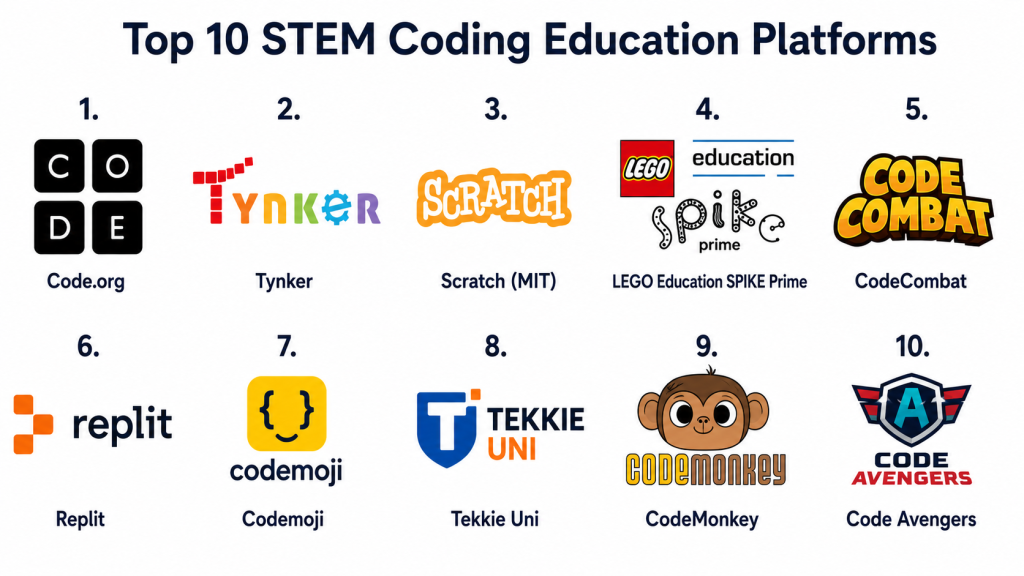
Top 10 STEM Coding Education Platforms
1- Code.org
Short description: Code.org is a global STEM education platform providing coding lessons and curricula for K‑12 students. It offers block-based and text-based programming exercises, game design, and computer science fundamentals.
Key Features
- Block-based coding with drag-and-drop interface
- Text-based coding for advanced learners
- Gamified projects and challenges
- Teacher dashboards with progress tracking
- Hour of Code campaigns and exercises
- Curriculum aligned with K‑12 standards
Pros
- Widely recognized and free for most basic content
- Strong teacher support and curriculum guides
Cons
- Limited advanced CS topics for older students
- Primarily web-based; minimal integration with robotics
Platforms / Deployment
- Web / Cloud / Mobile
Security & Compliance
Not publicly stated
Integrations & Ecosystem
- LMS sync support
- Classroom management integration
- Teacher lesson plans
Support & Community
Large educator community, documentation, and online forums
2- Tynker
Short description: Tynker is a coding platform for K‑12 students focusing on block coding, Python, and JavaScript. It integrates STEM projects, games, and interactive tutorials.
Key Features
- Block-based, Python, and JavaScript support
- STEM-themed interactive games and puzzles
- Robotics and drone coding integration
- Real-time student progress monitoring
- Lesson sequencing and curriculum guides
Pros
- Gamified and engaging learning content
- Integrates coding with real-world STEM projects
Cons
- Subscription model for premium content
- Hardware integration limited to supported devices
Platforms / Deployment
- Web / Cloud / iOS / Android
Security & Compliance
Not publicly stated
Integrations & Ecosystem
- Robotics kits support (LEGO, micro:bit)
- LMS integration
- Teacher dashboards and analytics
Support & Community
Dedicated educator support, tutorials, and community forums
3- Scratch (MIT)
Short description: Scratch is a free, block-based coding platform developed by MIT that enables students to create games, animations, and interactive projects, emphasizing creativity alongside STEM learning.
Key Features
- Drag-and-drop block coding interface
- Project sharing community
- Game design and animation tutorials
- Offline editor for offline learning
- Curriculum guides for educators
Pros
- Free and widely used globally
- Encourages creative and logical thinking
Cons
- Limited text-based coding options
- Less suitable for higher-level CS courses
Platforms / Deployment
- Web / Cloud / Windows / macOS
Security & Compliance
Not publicly stated
Integrations & Ecosystem
- Community project sharing
- Educator guides
- STEM project integration
Support & Community
Active online community and tutorials
4- LEGO Education SPIKE Prime
Short description: SPIKE Prime combines coding with hands-on STEM learning using LEGO robotics kits. Students learn programming logic while constructing and controlling physical robots.
Key Features
- Python and block-based coding environment
- Robotics and engineering-focused projects
- Interactive challenges and competitions
- Real-time feedback via sensors
- Curriculum-aligned STEM lessons
Pros
- Hands-on learning with physical hardware
- Encourages problem-solving and teamwork
Cons
- Requires physical LEGO kits
- Higher upfront cost for schools
Platforms / Deployment
- Web / Windows / iOS / Android / Cloud
Security & Compliance
Not publicly stated
Integrations & Ecosystem
- LEGO hardware
- Classroom LMS integration
- Teacher resources and STEM curricula
Support & Community
Vendor support, educator community, and online guides
5- CodeCombat
Short description: CodeCombat teaches Python and JavaScript through an RPG-style game interface. Students write real code to progress through STEM-themed levels.
Key Features
- Text-based coding in Python and JavaScript
- Game-based learning environment
- Real-time coding challenges
- Progress tracking and analytics
- Teacher dashboards
Pros
- Engaging, gamified approach for text coding
- Suitable for middle school and high school learners
Cons
- Focused on coding, limited cross-subject STEM projects
- Some advanced features require subscription
Platforms / Deployment
- Web / Cloud / Mobile
Security & Compliance
Not publicly stated
Integrations & Ecosystem
- LMS grade sync
- Teacher reports
- Cloud student accounts
Support & Community
Online documentation and community forums
6- repl.it (Replit)
Short description: Replit is a cloud-based coding platform supporting multiple programming languages and real-time collaborative coding. It is used in K‑12, higher education, and coding clubs.
Key Features
- Multi-language coding environment
- Real-time collaborative coding
- Project-based STEM challenges
- Cloud compiler and runtime
- Community code sharing
Pros
- Supports team collaboration
- No installation required
Cons
- Some advanced features behind subscription
- Less gamified for K‑12 younger learners
Platforms / Deployment
- Web / Cloud / Mobile
Security & Compliance
Not publicly stated
Integrations & Ecosystem
- GitHub integration
- LMS connections
- API for classroom management
Support & Community
Documentation, tutorials, and active coding community
7- Codemoji
Short description: Codemoji teaches coding through interactive, emoji-based exercises and is designed for elementary and middle school learners.
Key Features
- Visual coding with emojis
- HTML, CSS, and JavaScript fundamentals
- Interactive games and challenges
- Progress tracking for educators
- Browser-based lessons
Pros
- Engaging for young learners
- Intuitive learning environment
Cons
- Limited advanced coding content
- Requires teacher supervision for structured learning
Platforms / Deployment
- Web / Cloud
Security & Compliance
Not publicly stated
Integrations & Ecosystem
- LMS integration
- Teacher dashboards
- Progress reports
Support & Community
Educator guides and tutorials
8- Tekkie Uni
Short description: Tekkie Uni provides gamified coding education for K‑12, focusing on STEM problem-solving through interactive challenges and collaborative projects.
Key Features
- Coding challenges in Python and JavaScript
- STEM-focused project modules
- Gamified learning and badges
- Real-time student analytics
- Classroom management for teachers
Pros
- Strong STEM integration
- Encourages collaboration and problem-solving
Cons
- Subscription required
- Limited offline capabilities
Platforms / Deployment
- Web / Cloud / iOS / Android
Security & Compliance
Not publicly stated
Integrations & Ecosystem
- LMS sync
- Collaborative project workspace
- Teacher analytics dashboard
Support & Community
Support portal and educator resources
9- CodeMonkey
Short description: CodeMonkey offers game-based learning for coding concepts, using coffee-themed puzzles to teach programming logic, loops, and functions with a STEM context.
Key Features
- Interactive game-based coding
- Python fundamentals for K‑12
- STEM challenge projects
- Teacher dashboards and lesson plans
- Classroom and remote learning support
Pros
- Engaging for younger learners
- Comprehensive teacher resources
Cons
- Less suited for older or advanced students
- Subscription model
Platforms / Deployment
- Web / Cloud / iOS / Android
Security & Compliance
Not publicly stated
Integrations & Ecosystem
- LMS integration
- Analytics dashboards
- Classroom assignments
Support & Community
Documentation, support portal, and educator community
10- Code Avengers
Short description: Code Avengers teaches coding skills with an emphasis on STEM applications, offering interactive lessons in HTML, CSS, JavaScript, Python, and game development.
Key Features
- Interactive coding lessons
- Project-based STEM integration
- Gamified challenges and badges
- Teacher dashboards for progress tracking
- Cross-device accessibility
Pros
- Broad coding language support
- Engaging interactive projects
Cons
- Paid subscription for full content
- Minimal robotics or hardware integration
Platforms / Deployment
- Web / Cloud / Mobile
Security & Compliance
Not publicly stated
Integrations & Ecosystem
- LMS support
- Teacher analytics dashboard
- Progress tracking for students
Support & Community
Support portal, tutorials, and online educator community
Comparison Table (Top 10)
| Tool Name | Best For | Platform(s) Supported | Deployment | Standout Feature | Public Rating |
|---|---|---|---|---|---|
| Code.org | K‑12 beginners | Web, Cloud, Mobile | Cloud | Free, curriculum-aligned coding | N/A |
| Tynker | K‑12 gamified coding | Web, iOS, Android | Cloud | Robotics and block-based coding | N/A |
| Scratch | Creative coding | Web, Windows, Mac | Cloud | Community-driven projects | N/A |
| LEGO SPIKE Prime | Hands-on STEM | Windows, iOS, Android | Cloud | Robotics and hardware integration | N/A |
| CodeCombat | Python/JS game coding | Web, Cloud | Cloud | RPG-style learning | N/A |
| Replit | Collaborative coding | Web, Cloud, Mobile | Cloud | Real-time team coding | N/A |
| Codemoji | Elementary coding | Web, Cloud | Cloud | Emoji-based visual coding | N/A |
| Tekkie Uni | STEM problem-solving | Web, iOS, Android | Cloud | Gamified challenges | N/A |
| CodeMonkey | Early coding with STEM | Web, iOS, Android | Cloud | Puzzle-based learning | N/A |
| Code Avengers | Project-based STEM | Web, Cloud, Mobile | Cloud | Multi-language coding projects | N/A |
Evaluation & Scoring of STEM Coding Education Platforms
| Tool Name | Core (25%) | Ease (15%) | Integrations (15%) | Security (10%) | Performance (10%) | Support (10%) | Value (15%) | Weighted Total (0–10) |
|---|---|---|---|---|---|---|---|---|
| Code.org | 9 | 9 | 7 | 8 | 9 | 8 | 9 | 8.7 |
| Tynker | 8 | 8 | 8 | 7 | 8 | 8 | 7 | 7.9 |
| Scratch | 8 | 9 | 7 | 8 | 8 | 8 | 9 | 8.3 |
| LEGO SPIKE Prime | 9 | 8 | 8 | 8 | 9 | 8 | 7 | 8.3 |
| CodeCombat | 8 | 8 | 7 | 7 | 8 | 7 | 7 | 7.5 |
| Replit | 8 | 8 | 8 | 7 | 8 | 7 | 7 | 7.6 |
| Codemoji | 7 | 9 | 7 | 7 | 7 | 7 | 7 | 7.5 |
| Tekkie Uni | 8 | 8 | 8 | 7 | 8 | 7 | 7 | 7.8 |
| CodeMonkey | 8 | 8 | 7 | 7 | 8 | 7 | 7 | 7.6 |
| Code Avengers | 8 | 8 | 8 | 7 | 8 | 7 | 7 | 7.7 |
Interpretation: Weighted totals indicate the overall balance between core coding features, ease of use, integration with STEM tools, performance, and value for educators and institutions. Scores near 9 suggest platforms suitable for broad deployment in classrooms and STEM programs.
Which STEM Coding Education Platform Is Right for You?
Solo / Freelancer
- Scratch or Code.org are ideal for self-paced learners or tutors focusing on foundational coding and STEM skills.
SMB
- Tynker or CodeCombat for small schools or coding clubs, providing gamified experiences with analytics.
Mid-Market
- LEGO SPIKE Prime or Replit for classrooms integrating hands-on STEM projects with collaborative coding exercises.
Enterprise
- Labster + coding integration, Code Avengers, or Tekkie Uni for multi-grade programs with assessment dashboards, STEM curriculum alignment, and blended learning support.
Budget vs Premium
- Free platforms like Scratch and Code.org offer accessibility and foundational lessons.
- Premium tools like LEGO SPIKE Prime and Tekkie Uni provide immersive projects and hardware integration.
Feature Depth vs Ease of Use
- LEGO SPIKE Prime and Code Avengers offer deep STEM and coding content.
- Code.org, Scratch, and Codemoji prioritize ease of use and low learning curve.
Integrations & Scalability
- Platforms with LMS support and cloud collaboration scale best for schools, coding clubs, or enterprise programs.
Security & Compliance Needs
- Educational institutions should verify privacy features and user access control for students. Most cloud platforms offer secure accounts and role management.
Frequently Asked Questions (FAQs)
1. What age groups are STEM coding platforms suitable for?
Platforms like Scratch and Codemoji target K‑12 students, while Code Avengers, Replit, and LEGO SPIKE Prime are suitable for middle school, high school, and higher education.
2. Do these platforms require internet access?
Many cloud-based platforms require internet, though some, like Scratch or LEGO SPIKE Prime, offer offline functionality for select exercises.
3. Are physical devices necessary?
For block coding and text-based exercises, no. For platforms integrating robotics or hardware (LEGO SPIKE Prime), physical kits are required.
4. Can teachers track student progress?
Yes—most platforms provide dashboards, analytics, and reports on assignments, project completion, and coding performance.
5. Are coding platforms gamified?
Many use gamification, challenges, and badges to enhance engagement, particularly for younger learners.
6. How much do these platforms cost?
Some, like Code.org and Scratch, are free; premium platforms require subscriptions, often priced per classroom or student.
7. Can these platforms integrate with LMS?
Yes—Tynker, Labster, LEGO SPIKE Prime, and Replit support LMS integration, roster sync, and grade export.
8. Are coding languages supported?
Yes—Python, JavaScript, HTML/CSS, and block-based coding are common. Some platforms also support Java, C++, and robotics-specific languages.
9. Do these platforms support remote learning?
Yes—cloud-based tools allow hybrid and remote students to participate in coding exercises and projects.
10. How to choose the right platform?
Consider age group, STEM subject, curriculum alignment, hardware integration, cost, and ease of use before selecting a platform.
Conclusion
STEM Coding Education Platforms empower learners to build programming skills while engaging in science, technology, engineering, and math projects. Selection depends on curriculum needs, age group, budget, and integration with classrooms or online learning. Start by piloting 2–3 platforms to evaluate usability, curriculum alignment, and scalability. Ensuring cross-platform compatibility, analytics support, and teacher resources will maximize learning outcomes and engagement.
