Introduction
DJ mixing software refers to applications that enable DJs — professional, hobbyist, or aspiring — to mix, scratch, blend, and manipulate audio tracks for live performance, studio recording, or streaming. These tools allow beatmatching, tempo control, loop creation, effects layering, sampling, and seamless transitions between tracks. In , DJ software has evolved into powerful cross‑platform tools with AI‑assisted beat detection, cloud libraries, plugin support, and integrated performance features that enable DJs to craft unique sets and live experiences.
Real‑world use cases include:
- Club DJs performing live sets and real‑time mixes.
- Mobile DJs mixing music for weddings, corporate events, and parties.
- Streaming performers broadcasting live sets for online audiences.
- Producers integrating DJ tools into studio workflows for remixes and scratch tracks.
- Hobbyists practicing mixes and learning fundamentals without hardware.
Best for: Clubs, touring DJs, wedding/mobile DJs, streaming performers, producers integrating live mixing into their setup.
Not ideal for: Users only seeking basic audio editing without performance features, or those exclusively creating studio tracks without performance needs.
Key Trends in DJ Mixing Software
- AI‑assisted Beatmatch & Key Detection: Machine learning analyses tracks for seamless mixing and harmonic compatibility.
- Cloud Libraries & Sync: DJs access and sync libraries across devices in real time.
- Native Streaming Integration: Direct access to streaming libraries during performance without local storage.
- Cross‑Platform Workflows: Real‑time sync between desktop, mobile, and hardware controllers.
- Touch & Gesture UI: Tablet and touch support for intuitive performance controls.
- Plugin & Expansion Ecosystems: Third‑party effects, virtual instruments, and extension packs.
- Performance Recording & Live Streaming Tools: Built‑in broadcast features for online performance.
- Modular Routing & Audio Routing: Flexible routing between software, hardware, and DAWs.
- Multi‑Deck & Advanced Effects: Support for multiple decks and layered performance tools.
- Subscription & Tiered Plans: Flexible subscription models with pro and entry tiers.
How We Selected These Tools (Methodology)
- Reviewed industry adoption and user base in club and professional DJ environments.
- Evaluated feature completeness: mixing, effects, beatmatch, multi‑deck support.
- Assessed performance reliability, latency, and real‑time response.
- Considered integration with hardware controllers and external devices.
- Analyzed cross‑platform support across Windows, macOS, and mobile.
- Studied AI assistance for beat detection and mix suggestions.
- Reviewed community, support, tutorials, and ecosystem strength.
- Verified scalability for hobbyists, mobile DJs, and professionals.
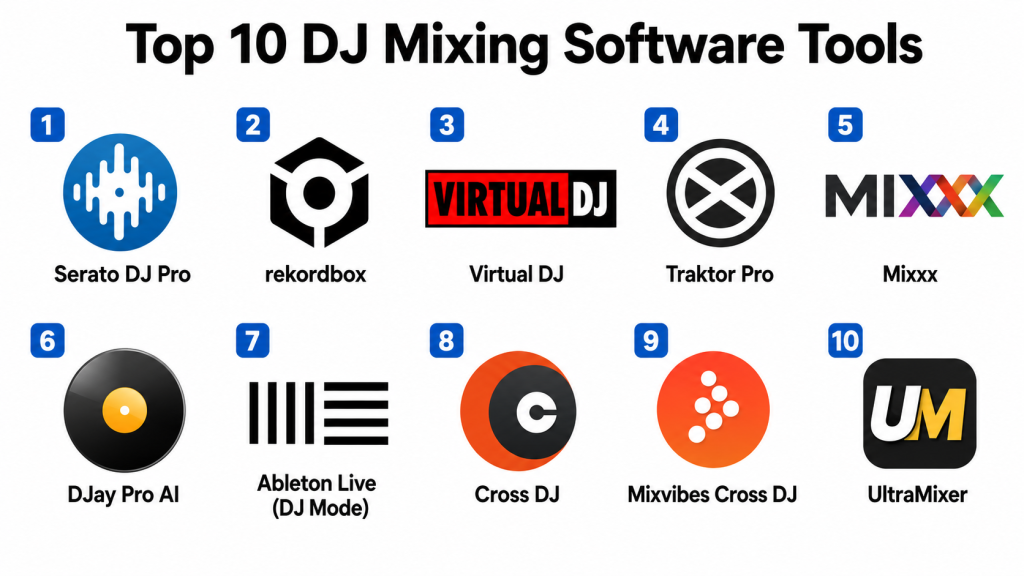
Top 10 DJ Mixing Software Tools
1 — Serato DJ Pro
Short description: Serato DJ Pro is a robust professional DJ mixing software widely used in clubs and live performances. It’s known for stability, hardware compatibility, and performance reliability.
Key Features
- Multi‑deck mixing up to 4 decks
- High‑quality audio engine
- Beatgrid and tempo sync
- Library management and crates
- Built‑in effects and sampler
- Hardware controller support
Pros
- Industry standard with broad hardware support
- Excellent performance reliability
Cons
- Premium features require expansion packs
- Learning curve for beginners
Platforms / Deployment
- Windows, macOS / Cloud
Security & Compliance
- Not publicly stated
Integrations & Ecosystem
Serato DJ Pro integrates with:
- Industry controllers (CDJs, mixers)
- Timecode vinyl and DVS
- Performance plugins
Support & Community
- Extensive tutorials and official documentation
- Strong DJ community forums
2 — rekordbox
Short description: rekordbox (by Pioneer DJ) is a full DJ software ecosystem that supports performance, library management, and export to hardware for standalone performance.
Key Features
- Advanced file management and tagging
- Performance mode with multi‑deck support
- Export mode for CDJ/XDJ hardware
- Built‑in effects and transitions
- Cloud library sync
- AI‑assisted analyze features
Pros
- Excellent integration with Pioneer gear
- Powerful library organization
Cons
- Premium subscription needed for full feature set
- Export limitations on lower tiers
Platforms / Deployment
- Windows, macOS / Cloud
Security & Compliance
- Not publicly stated
Integrations & Ecosystem
- Pioneer CDJ/XDJ gear
- Cloud library access
- Third‑party controllers
Support & Community
- Documentation and video tutorials
- User communities in forums
3 — Virtual DJ
Short description: Virtual DJ is a versatile DJ mixing software popular across professionals and hobbyists with strong real‑time mixing, sampler, and video integration.
Key Features
- Real‑time waveform and mixer controls
- Video mixing and visuals
- Multi‑deck support
- Smart sync and beatmatch
- Sampler and effects
- Performance pads
Pros
- Powerful feature set for audio + video
- Free version available for home use
Cons
- UI can feel busy for beginners
- Advanced features behind subscription
Platforms / Deployment
- Windows, macOS / Cloud
Security & Compliance
- Not publicly stated
Integrations & Ecosystem
- Controller support
- Video output systems
- Plugin ecosystem
Support & Community
- Tutorials and knowledge base
- Active user forums
4 — Traktor Pro
Short description: Traktor Pro (by Native Instruments) is a professional DJ environment with precise control, advanced effects, and creative mapping features.
Key Features
- Remix decks and stems control
- Advanced effects and modulation
- Beatmarker and sync
- High‑precision waveform views
- MIDI mapping
- Looping tools
Pros
- Excellent creative control
- Deep mapping and customization
Cons
- Less hardware ecosystem than competitors
- Learning curve for advanced features
Platforms / Deployment
- Windows, macOS / Cloud
Security & Compliance
- Not publicly stated
Integrations & Ecosystem
- Controller mapping (MIDI)
- Effects plugin support
- Creative workflows
Support & Community
- Official tutorials
- Community guides
5 — Mixxx
Short description: Mixxx is an open‑source DJ mixing tool that delivers essential performance features with strong community support and extensibility.
Key Features
- Beat detection and sync
- Multi‑deck mixing
- MIDI controller support
- Vinyl control support (DVS)
- BPM and key detection
Pros
- Free and open‑source
- Solid performance toolkit
Cons
- UI less modern
- Fewer advanced effects
Platforms / Deployment
- Windows, macOS, Linux / Cloud
Security & Compliance
- Not publicly stated
Integrations & Ecosystem
- Controller support
- Plug‑in community
- DVS support
Support & Community
- Open‑source forums
- Wiki and docs
6 — DJay Pro AI
Short description: DJay Pro AI uses advanced AI to automate beatmatching, stem separation, and real‑time remixing, appealing to all skill levels.
Key Features
- AI stem separation
- Automix AI
- Multi‑deck control
- Smart transitions
- Effects and loops
- Performance pads
Pros
- AI‑assisted mixing features
- Intuitive for beginners and pros
Cons
- Performance features require subscription
- Hardware support less extensive
Platforms / Deployment
- Windows, macOS, iOS, Android / Cloud
Security & Compliance
- Not publicly stated
Integrations & Ecosystem
- Touch and gesture controls
- Cloud library access
- Controller support
Support & Community
- Tutorials and guides
- Community forums
7 — Ableton Live (DJ Mode)
Short description: Ableton Live is a DAW with DJ‑oriented features for performance sets, live clips, and hybrid performance/production workflows.
Key Features
- Session view for live arrangement
- Clip launch and groove pool
- MIDI and effect racks
- Integration with controllers
- Multi‑deck mixing workflows
Pros
- Powerful production + performance tool
- Creative flexibility
Cons
- Steep learning curve
- Not strictly DJ software
Platforms / Deployment
- Windows, macOS / Cloud
Security & Compliance
- Not publicly stated
Integrations & Ecosystem
- DAW workflows
- Controller mapping
- Effects library
Support & Community
- Tutorials, courses
- Extensive user forums
8 — Cross DJ
Short description: Cross DJ provides strong mixing fundamentals with intuitive layout and beatgrid controls, suitable for newcomers and mobile performers.
Key Features
- Beatgrid sync
- Multi‑deck controls
- Loop and sampler tools
- Performance pads
- Accurate BPM detection
Pros
- Easy to learn
- Balanced features
Cons
- Less advanced than pro tools
- Limited plugin support
Platforms / Deployment
- Windows, macOS, iOS, Android / Cloud
Security & Compliance
- Not publicly stated
Integrations & Ecosystem
- Controller support
- Export to mixes
- Mobile workflows
Support & Community
- Tutorials
- Help guides
9 — Mixvibes Cross DJ
Short description: Mixvibes Cross DJ focuses on intuitive mixing and performance features, with strong tempo sync and effects.
Key Features
- Fusion effects suite
- Multi‑deck syncing
- Looping and cue points
- Sampler and pad tools
Pros
- User‑friendly
- Balanced performance tools
Cons
- Advanced features in premium tiers
- Less ecosystem than flagship tools
Platforms / Deployment
- Web, Windows, macOS, iOS, Android / Cloud
Security & Compliance
- Not publicly stated
Integrations & Ecosystem
- Cloud library sync
- Controller support
- Sharing features
Support & Community
- Help center
- Tutorials
10 — UltraMixer
Short description: UltraMixer is a professional DJ tool with strong media management, performance features, and mobile companion support.
Key Features
- Integrated media database
- BPM and key detection
- Multi‑deck mixing
- Video mixing support
- Sampler and effects
Pros
- Strong media handling
- Video integration
Cons
- Interface less modern
- High‑end features require subscription
Platforms / Deployment
- Windows, macOS, Linux / Cloud
Security & Compliance
- Not publicly stated
Integrations & Ecosystem
- Video performance tools
- Controller support
- Media libraries
Support & Community
- Tutorials
- Email support
Comparison Table (Top 10)
| Tool Name | Best For | Platform(s) Supported | Deployment | Standout Feature | Public Rating |
|---|---|---|---|---|---|
| Serato DJ Pro | Club & professional | Windows, macOS | Cloud | Hardware ecosystem | N/A |
| rekordbox | Hardware ecosystem | Windows, macOS | Cloud | Pioneer hardware integration | N/A |
| Virtual DJ | All‑in‑one performance | Windows, macOS | Cloud | Audio + video mixing | N/A |
| Traktor Pro | Creative performance | Windows, macOS | Cloud | Effects & mapping | N/A |
| Mixxx | Open‑source performance | Win, macOS, Linux | Cloud | Free & DVS support | N/A |
| DJay Pro AI | AI‑assisted mixing | Win, macOS, iOS, Android | Cloud | AI stems & Automix | N/A |
| Ableton Live | Hybrid DJ/production | Win, macOS | Cloud | Session view | N/A |
| Cross DJ | Beginner & mobile | Win, macOS, iOS, Android | Cloud | Easy tempo sync | N/A |
| Mixvibes Cross DJ | Balanced performance | Web, Win, macOS | Cloud | Fusion effects | N/A |
| UltraMixer | Media + video DJ | Win, macOS, Linux | Cloud | Integrated media + video | N/A |
Evaluation & Scoring
| Tool Name | Core (25%) | Ease (15%) | Integrations (15%) | Security (10%) | Performance (10%) | Support (10%) | Value (15%) | Weighted Total |
|---|---|---|---|---|---|---|---|---|
| Serato DJ Pro | 9 | 8 | 9 | 7 | 9 | 8 | 8 | 8.5 |
| rekordbox | 9 | 8 | 9 | 7 | 8 | 8 | 8 | 8.3 |
| Virtual DJ | 8 | 7 | 8 | 7 | 8 | 7 | 7 | 7.6 |
| Traktor Pro | 8 | 7 | 7 | 7 | 8 | 7 | 7 | 7.6 |
| Mixxx | 7 | 8 | 7 | 7 | 7 | 7 | 8 | 7.5 |
| DJay Pro AI | 8 | 9 | 8 | 7 | 8 | 8 | 8 | 8.1 |
| Ableton Live | 9 | 6 | 8 | 7 | 9 | 7 | 7 | 7.9 |
| Cross DJ | 7 | 9 | 7 | 7 | 7 | 7 | 7 | 7.5 |
| Mixvibes Cross DJ | 7 | 8 | 7 | 7 | 7 | 7 | 7 | 7.4 |
| UltraMixer | 8 | 7 | 7 | 7 | 7 | 7 | 7 | 7.5 |
Interpretation:
Scores reflect core mixing capabilities, ease of use for live performance, integrations with hardware and ecosystems, security, performance reliability, support resources, and overall value. Tools with higher scores are versatile across scenarios; niche tools may excel in specific workflows.
Which DJ Mixing Software Is Right for You?
Solo / Hobbyist
Best choices: Mixxx, DJay Pro AI, Cross DJ — easy entry and flexible features.
Club / Professional
Best choices: Serato DJ Pro, rekordbox — industry standards with hardware ecosystem support.
Hybrid Creator & Performer
Best choices: Ableton Live, DJay Pro AI — creative workflows with performance and production.
Video + Performance
Best choices: Virtual DJ, UltraMixer — integrated video and visuals plus mixing.
Budget vs Premium
Free and open‑source options like Mixxx offer strong fundamentals. Premium tools like Serato DJ Pro and rekordbox deliver full feature sets for demanding environments.
Feature Depth vs Ease of Use
DJay Pro AI and Cross DJ prioritize ease; Traktor Pro and Ableton Live offer deep creative control.
Integrations & Scalability
Serato DJ Pro and rekordbox connect broadly to hardware and ecosystems. Cloud sync and library sharing scales across DJ teams.
Security & Compliance Needs
Performance setups rely on stable local control; review data and library sync settings for cloud workflows.
Frequently Asked Questions (FAQs)
1— What pricing models do DJ mixing software tools use?
Most offer one‑time licenses or subscription tiers; free versions exist for open‑source or entry‑level use.
2— Do these tools support external hardware controllers?
Yes — Serato DJ Pro, rekordbox, Traktor Pro, and others integrate widely with industry controllers.
3— Can I live stream mixes from these apps?
Several allow performance recording; integrated streaming features vary by tool or require external software.
4— Are AI features helpful for mixing?
AI tools like DJay Pro AI’s stem separation and Automix can assist transitions and creative mixes, especially for beginners.
5— Do these apps work offline?
Yes — DJ software typically runs locally without internet; cloud sync and library features may require connectivity.
6— Is beatmatching automatic?
Most modern tools include smart sync and beatmatching assistance but manual control remains essential for pros.
7— Can I create loops and samples?
Yes — most tools support loop creation, samplers, and performance pads.
8— What audio formats are supported?
Common formats include MP3, AAC, WAV, FLAC, and others; format support varies by tool.
9— Which tool is best for beginners?
DJay Pro AI and Cross DJ offer intuitive UI and beginner‑friendly features.
10— Can I export recorded mixes?
Yes — most tools support mix recording export in standard audio formats.
Conclusion
DJ mixing software in offers a range of tools from beginner‑friendly AI‑assisted platforms to professional standards that integrate with hardware ecosystems. Serato DJ Pro and rekordbox remain dominant in club and professional settings. DJay Pro AI brings cutting‑edge AI features for creative and all‑level use. Mixxx opens doors for hobbyists and budget users, while Ableton Live serves hybrid creators merging performance and production. Beginner‑friendly tools like Cross DJ and Virtual DJ balance ease and features. Buyers should shortlist 2–3 tools based on performance needs, hardware integration, and creative workflows, and test live performance features, connectivity, and stability before committing. Ultimately, choosing the right DJ software depends on skill level, performance context, and creative goals.
