Introduction
RSS aggregators are digital tools that collect syndicated content (RSS feeds) from blogs, news sites, podcasts, and other sources into a single interface for reading and management. Instead of visiting dozens of websites to check updates, users can subscribe once and consume new content from all sources in one place. In , as the volume of online content grows exponentially and information overload becomes more pronounced, RSS aggregators remain vital for anyone who wants timely, organized, and distraction‑free content consumption.
Real‑world use cases include:
- Following industry news, niche blogs, and research publications in one feed.
- Journalist and researcher workflows for staying current on topics.
- Personal hobby feeds (photography, technology, writing, travel).
- Monitoring competitor blogs, press releases, and announcements.
- Integrating with productivity and knowledge‑management workflows.
Best for: Researchers, professionals, knowledge workers, students, and power readers who follow many information sources.
Not ideal for: Casual readers who prefer browsing a few favorite websites or social media feeds without structured aggregation.
Key Trends in RSS Aggregators
- AI‑assisted content prioritization and summaries for faster insight.
- Intelligent filtering and smart rules that reduce noise and highlight relevant items.
- Cross‑platform sync with offline reading for uninterrupted access.
- Integration with knowledge management and PKM systems for seamless research workflows.
- Multimedia support for video, audio, and newsletters alongside text.
- Privacy‑first design and data anonymization options.
- Collaboration features for research teams and editorial workflows.
- Advanced search with semantic query support.
- Notification controls that push only high‑priority updates.
- Subscription management dashboards with growth trends and usage insights.
How We Selected These Tools (Methodology)
- Evaluated market adoption among professionals, researchers, and long‑form readers.
- Assessed feature completeness including search, filtering, and tagging systems.
- Reviewed performance, offline sync reliability, and cross‑platform access.
- Analyzed security posture, privacy policies, and encryption standards.
- Considered integrations with PKM, note‑taking, and content workflows.
- Measured usability, onboarding experience, and customization capacity.
- Balanced tools suited for solo users, SMBs, and larger knowledge teams.
- Prioritized innovation, AI‑driven capabilities, and relevance for 2026 content consumption.
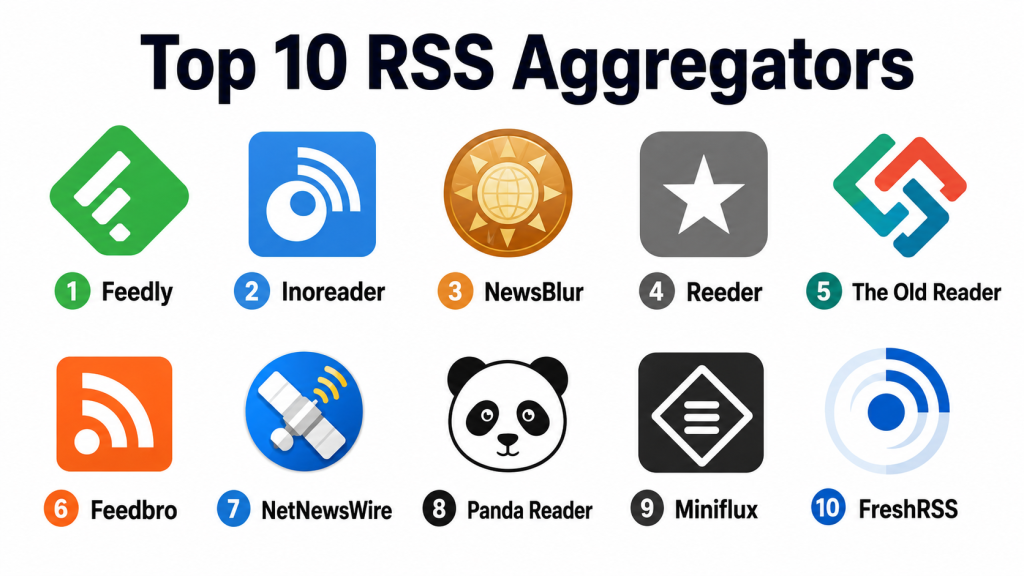
Top 10 RSS Aggregators
1- Feedly
Short description : Feedly is one of the most widely used RSS aggregators, offering powerful feed management, content discovery, and AI‑based prioritization. It’s ideal for professionals and knowledge workers who follow a broad array of sources and want insights drawn from those sources automatically.
Key Features
- AI‑powered content prioritization
- Folder and topic organization
- Cross‑device sync
- Keyword alerts and rules
- Offline reading
- Integration with productivity tools
Pros
- Strong AI recommendations reduce noise.
- Excellent for large feed lists and professional workflows.
Cons
- Some advanced features behind a subscription.
- Learning curve for AI setup.
Platforms / Deployment
- Web / iOS / Android
- Cloud‑based
Security & Compliance
- Not publicly stated
Integrations & Ecosystem
Feedly connects with many productivity and PKM tools:
- Note‑taking systems (Notion, Evernote, OneNote)
- Browser extensions for subscribe buttons
- Workflow automations
Support & Community
- Help documentation
- Email support
- Active user communities
2- Inoreader
Short description: Inoreader is a feature‑rich RSS aggregator known for advanced filtering, automation rules, and deep search functionality. It caters to power users, researchers, and teams who want granular control over feeds and automation workflows.
Key Features
- Advanced rules and filters
- Searchable archives
- Feed tagging and folders
- Automation workflows
- Offline reading
- Custom dashboards
Pros
- Highly customizable with powerful automation.
- Excellent search and archival tools.
Cons
- Interface complexity may overwhelm beginners.
- Some automation requires premium subscription.
Platforms / Deployment
- Web / iOS / Android
- Cloud‑based
Security & Compliance
- Not publicly stated
Integrations & Ecosystem
- PKM tool exports
- Zapier and automation connections
- Email digests and push alerts
Support & Community
- Tutorials and guides
- Email support
- Forum community
3- NewsBlur
Short description: NewsBlur is an RSS reader with story training filters that learn what a user prefers to surface important content and suppress noise. It appeals to long‑term RSS users who want simple filtering and curated feeds.
Key Features
- Training filters
- Saved stories
- Offline reading
- Shared feeds and stories
- Classifier rules
Pros
- Intelligent filtering improves relevance.
- Good balance of simplicity and power.
Cons
- Interface feels dated to some users.
- Advanced features behind premium access.
Platforms / Deployment
- Web / iOS / Android
- Cloud‑based
Security & Compliance
- Not publicly stated
Integrations & Ecosystem
- Shared story options
- Email alerts
- Minimal third‑party tools
Support & Community
- Help documentation
- Email support
- User forums
4- Reeder
Short description: Reeder is a minimalist RSS reader for Apple platforms that focuses on clean design and offline support. It’s tailored for readers who want distraction‑free consumption and smooth navigation.
Key Features
- Offline reading
- Clean, gesture‑based navigation
- Tagging and folders
- Multiple account support
- Read‑later integration
Pros
- Beautiful, distraction‑free design.
- Excellent offline experience.
Cons
- Limited collaboration and automation.
- iOS/macOS only limits cross‑platform workflows.
Platforms / Deployment
- iOS / macOS
- Cloud sync optional
Security & Compliance
- Not publicly stated
Integrations & Ecosystem
- Read‑later services
- iCloud sync
- Export support
Support & Community
- Documentation
- Email support
- User forums
5- The Old Reader
Short description: The Old Reader mirrors the classic RSS reading experience with simple interfaces and social sharing features, making it a comfortable choice for users transitioning from legacy feed readers.
Key Features
- Simple feed aggregation
- Social sharing
- Tagging and folders
- Multi‑device sync
- Read/unread tracking
Pros
- Familiar and straightforward interface.
- Easy social sharing with friends.
Cons
- Minimal advanced features.
- Limited automation.
Platforms / Deployment
- Web / iOS / Android
- Cloud‑based
Security & Compliance
- Not publicly stated
Integrations & Ecosystem
- Social sharing
- Import/export feed options
Support & Community
- Help documentation
- Email support
- Community forums
6- Feedbro
Short description: Feedbro is a browser‑based RSS reader that provides powerful filtering and smart folders. It’s ideal for users who want to keep feed reading within their web browser environment.
Key Features
- Browser extension aggregator
- Smart folders
- Filter rules
- Offline caching
- Multiple feed support
Pros
- Quick setup within browsers.
- Strong automation and filtering.
Cons
- Limited mobile or native app support.
- Relies on browser availability.
Platforms / Deployment
- Chrome / Firefox / Edge
- Browser‑based
Security & Compliance
- Not publicly stated
Integrations & Ecosystem
- Bookmarking services
- Export feeds
- RSS source aggregation
Support & Community
- Online documentation
- Forums
- Community help
7- NetNewsWire
Short description: NetNewsWire is a lightweight RSS reader for macOS and iOS that prioritizes simplicity, speed, and offline reading without unnecessary complexity.
Key Features
- Clean RSS feed list
- Offline reading
- Multi‑account support
- Read/unread tracking
- Tagging
Pros
- Fast, lightweight performance.
- Excellent for Apple ecosystem users.
Cons
- Lacks advanced features and automation.
- No collaboration tools.
Platforms / Deployment
- macOS / iOS
- Cloud sync optional
Security & Compliance
- Not publicly stated
Integrations & Ecosystem
- iCloud or local sync
- Export options
- Bookmarking
Support & Community
- Documentation
- GitHub community
- Email support
8- Panda Reader
Short description: Panda Reader combines feed aggregation with discovery features, delivering curated news, personalization, and topic exploration alongside RSS feeds.
Key Features
- Curated and personalized feed recommendations
- Topic categories
- Search and tag filters
- Offline reading
- Cross‑device sync
Pros
- Blends curated discovery with user‑managed feeds.
- Great for discovery and exploration.
Cons
- Discovery features may overwhelm focused readers.
- Some premium features required.
Platforms / Deployment
- Web / iOS / Android
- Cloud‑based
Security & Compliance
- Not publicly stated
Integrations & Ecosystem
- Topic suggestions
- Search filters
- Export options
Support & Community
- Help documentation
- In‑app support
- Community tips
9- Miniflux
Short description: Miniflux is a minimalist, open‑source RSS reader prioritizing simplicity, speed, and privacy. It’s ideal for users who prefer lean, no‑frills feed consumption.
Key Features
- Simple feed aggregation
- Minimalist interface
- Keyboard navigation
- Self‑hosted option
- Read/unread sync
Pros
- Fast, lightweight, and privacy‑oriented.
- Self‑hosted option for control.
Cons
- Lacks advanced filtering or automation.
- Requires technical setup for self‑hosting.
Platforms / Deployment
- Web / Self‑hosted
- Cloud optional
Security & Compliance
- Privacy‑oriented design
Integrations & Ecosystem
- Self‑hosted tools
- Browser subscriptions
- Export support
Support & Community
- Open source community
- Documentation
- Minimal support channels
10- FreshRSS
Short description: FreshRSS is an open‑source RSS aggregator that offers self‑hosted or cloud deployment, ideal for users seeking full control over data and feed management.
Key Features
- Self‑hosted or cloud deployment
- Tagging and folders
- Multi‑user support
- Import/export OPML
- Custom themes
Pros
- Complete control with self‑hosting.
- Supports multiple users and customization.
Cons
- Technical setup required.
- No native mobile apps (rely on web UI).
Platforms / Deployment
- Web / Self‑hosted / Cloud
- Cross‑device via web
Security & Compliance
- Not publicly stated
Integrations & Ecosystem
- OPML import/export
- Browser feed subscribe
- Theme and plugin support
Support & Community
- Open source documentation
- User forums
- Community contributions
Comparison Table (Top 10)
| Tool Name | Best For | Platform(s) Supported | Deployment | Standout Feature | Public Rating |
|---|---|---|---|---|---|
| Feedly | Professionals and broad feed users | Web / iOS / Android | Cloud | AI‑powered prioritization | N/A |
| Inoreader | Power users & automation | Web / iOS / Android | Cloud | Advanced rules & filters | N/A |
| NewsBlur | Intelligent filtered reading | Web / iOS / Android | Cloud | Story training filters | N/A |
| Reeder | Minimalist Apple readers | iOS / macOS | Cloud optional | Clean, offline focus | N/A |
| The Old Reader | Classic RSS with social features | Web / iOS / Android | Cloud | Familiar and simple layout | N/A |
| Feedbro | Browser‑based automation | Chrome / Firefox / Edge | Browser‑based | Smart folders & filter rules | N/A |
| NetNewsWire | Fast experience on Apple | macOS / iOS | Cloud optional | Lightweight and speedy | N/A |
| Panda Reader | Curated discovery + RSS | Web / iOS / Android | Cloud | Personalized discovery | N/A |
| Miniflux | Privacy‑oriented users | Web / Self‑hosted | Cloud / Self‑hosted | Minimalist and fast | N/A |
| FreshRSS | Self‑hosting and full control | Web / Self‑hosted / Cloud | Self‑hosted | Full ownership & customizable | N/A |
Evaluation & Scoring of RSS Aggregators
| Tool Name | Core (25%) | Ease (15%) | Integrations (15%) | Security (10%) | Performance (10%) | Support (10%) | Value (15%) | Weighted Total |
|---|---|---|---|---|---|---|---|---|
| Feedly | 9 | 8 | 8 | 7 | 9 | 8 | 7 | 8.20 |
| Inoreader | 9 | 7 | 9 | 7 | 8 | 7 | 7 | 8.10 |
| NewsBlur | 8 | 8 | 7 | 7 | 8 | 7 | 6 | 7.55 |
| Reeder | 8 | 9 | 6 | 7 | 8 | 7 | 6 | 7.45 |
| The Old Reader | 7 | 8 | 6 | 7 | 7 | 7 | 6 | 7.00 |
| Feedbro | 7 | 8 | 7 | 7 | 8 | 7 | 6 | 7.25 |
| NetNewsWire | 8 | 9 | 6 | 7 | 8 | 7 | 6 | 7.45 |
| Panda Reader | 8 | 8 | 7 | 7 | 8 | 7 | 6 | 7.40 |
| Miniflux | 7 | 7 | 6 | 8 | 8 | 6 | 6 | 7.05 |
| FreshRSS | 8 | 7 | 7 | 7 | 8 | 7 | 7 | 7.50 |
Higher weighted totals indicate stronger alignment with core feed aggregation needs, personalization, integrations, and performance.
Which RSS Aggregator Is Right for You?
Solo / Freelancer
- Feedly, Reeder, or NetNewsWire — great for personal knowledge feeds, curated updates, and offline reading.
SMB / Small Teams
- Inoreader, NewsBlur, or Feedbro — automation, tagging, and collaboration capabilities help team content monitoring.
Mid‑Market
- Feedly, Inoreader, or Panda Reader — combines discovery, AI prioritization, and personalized curation.
Enterprise
- Feedly, Inoreader, or NewsBlur — strong rule engines, tagging, integration, and large feed list organization.
Budget vs Premium
- Budget: NetNewsWire, Reeder, The Old Reader — core RSS reading without subscription overhead.
- Premium: Feedly, Inoreader, Panda Reader — advanced rules, AI, and search.
Feature Depth vs Ease of Use
- Feature Depth: Feedly, Inoreader, FreshRSS — automation, filters, self‑hosting.
- Ease of Use: Reeder, NetNewsWire, The Old Reader — intuitive and lightweight.
Integrations & Scalability
- High: Inoreader, Feedly, Panda Reader — strong cross‑tool and automation capabilities.
- Moderate: NewsBlur, Feedbro — great for filtering but fewer external workflows.
Security & Compliance Needs
- Self‑hosted options like FreshRSS and privacy‑oriented Miniflux provide more data control.
- Cloud solutions depend on provider policies; evaluate encryption and access controls if needed.
Frequently Asked Questions (FAQs)
1‑ How do RSS aggregators work?
RSS aggregators subscribe to content feeds via URLs and collect updates automatically, presenting new items in a unified interface without visiting source sites.
2‑ Can I use RSS aggregators for research?
Yes — powerful tools like Inoreader and Feedly support saved searches, tags, and rules that make them excellent research companions.
3‑ Do these apps support offline reading?
Many, including Reeder, Feedly, and NetNewsWire, offer offline access so users can read without connectivity.
4‑ Are AI recommendations reliable?
AI prioritization uses historical behavior and keywords to highlight relevant items but may require tuning based on reading habits.
5‑ Can I import my current feeds?
Yes — most support importing OPML exports from other readers for quick migration.
6‑ What’s the difference between cloud vs self‑hosted?
Cloud RSS readers store feeds on servers and sync across devices; self‑hosted solutions give full user control and privacy.
7‑ Are there collaboration features?
Some tools allow shared folders or feed lists for teams, useful for editorial or research workflows.
8‑ Do aggregators support multimedia feeds?
Many support video, audio, and podcast RSS feeds alongside text, though interfaces vary.
9‑ Can I automate filtering?
Yes — advanced tools like Inoreader and Feedbro offer rule engines to automate feed handling.
10‑ Are these apps secure?
Security varies by provider; privacy‑first tools like Miniflux or self‑hosted FreshRSS provide greater control.
Conclusion
RSS aggregators remain indispensable tools in for anyone who wants organized, efficient, and personalized content consumption. Solo users benefit from lightweight, intuitive readers like Reeder and NetNewsWire, while SMBs and mid‑market teams gain value from advanced automation and filtering offered by Inoreader and Feedly. Enterprise users will appreciate AI prioritization, search power, and workflow integrations. Start by identifying your core needs — whether it’s simplicity, automation, discovery, or privacy — shortlistthat fit those goals, test them with your feed lists, evaluate integration with your productivity stack, and adopt the one that best streamlines your information flow and learning outcomes. RSS aggregation empowers focused reading, reduces noise, and brings clarity to the modern information landscape.
