Introduction
Bookmark managers are tools that help users save, organize, retrieve, and share links and content from the web. They go beyond basic browser bookmarks by offering tagging, folders, search, annotation, collaboration, and cross‑device syncing. In, with the volume of information growing exponentially and remote work becoming even more pervasive, bookmark managers are essential for knowledge workers, researchers, marketers, students, and teams who need to organize and revisit web resources efficiently.
Real‑world use cases include:
- Researchers saving academic articles, citations, and web findings for projects.
- Content marketers organizing sources for content ideas and competitive insights.
- Students managing reading lists, assignments, and reference links.
- Product teams curating documentation, specs, and reference URLs.
- Teams sharing resource collections with tagging, folders, and annotations.
Best for: Knowledge workers, researchers, students, content teams, product teams, and anyone needing structured and searchable link organization.
Not ideal for: Users who only occasionally save a few bookmarks and don’t require advanced organization or collaboration.
Key Trends in Bookmark Managers
- AI‑assisted bookmark tagging, categorization, and recommendation
- Cross‑platform sync including desktop, mobile, and browser extensions
- Semantic search for discovering links based on meaning, not just keywords
- Real‑time collaboration with shared bookmark libraries
- Integration with note apps, knowledge management tools, and task managers
- Offline saving and reading support
- Enhanced privacy, encryption, and compliance features
- Smart folders and auto‑sorting based on usage patterns
- Browser‑agnostic bookmark capture with one‑click saving
- Subscription and freemium pricing tiers with scalable enterprise features
How We Selected These Tools (Methodology)
- Analyzed market adoption and user base among knowledge workers and teams
- Evaluated core bookmarking and organization features
- Assessed AI and automation capabilities for tagging and recommendations
- Reviewed search and retrieval sophistication
- Considered team collaboration and shared libraries
- Studied integration potential with browsers, note apps, and productivity tools
- Evaluated cross‑platform sync and offline support
- Checked security, privacy, and compliance features
- Reviewed ease of use, onboarding, and support resources
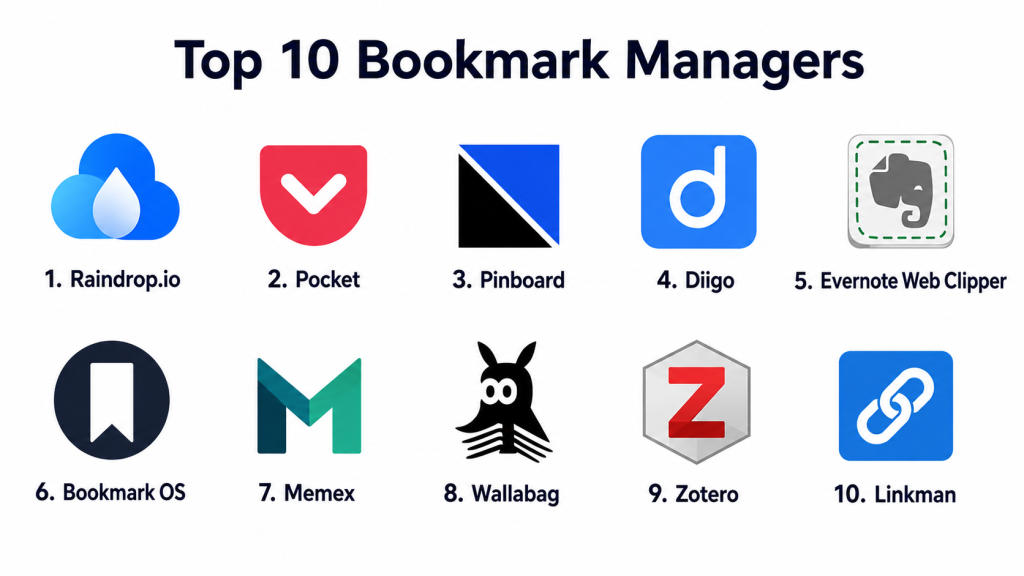
Top 10 Bookmark Managers
1- Raindrop.io
Short description: Raindrop.io is a modern bookmark manager that allows users to save, organize, and discover content from the web with tagging, collections, and powerful search. Ideal for individuals and teams.
Key Features
- Multi‑device and cross‑browser sync
- Custom collections with tags and icons
- Search with filters (tags, types, dates)
- AI‑driven suggestions
- Offline access
- Shared collections for collaboration
Pros
- Clean and intuitive interface
- Strong organizational tools (tags, folders, filters)
Cons
- Some advanced features require paid plans
- AI features not fully mature
Platforms / Deployment
- Web, iOS, Android / Cloud
Security & Compliance
- Not publicly stated
Integrations & Ecosystem
- Browser extensions
- Note tools and productivity apps (via integration bridges)
- Cross‑device sync
Support & Community
- Help center, tutorials, and community forums
2- Pocket
Short description: Pocket, part of a broader reading stack, lets users save articles, videos, and links for later reading, tag them, and organize into categories for retrieval.
Key Features
- One‑click save from browser or mobile
- Tagging for organization
- Offline reading support
- Recommended content based on saved items
- Highlight and annotate features
Pros
- Simple bookmark saving with reading mode
- Great offline support
Cons
- Limited advanced organizational tools
- Collaboration features minimal
Platforms / Deployment
- Web, iOS, Android / Cloud
Security & Compliance
- Not publicly stated
Integrations & Ecosystem
- Browser extensions
- Reading apps and mobile devices
- Cross‑device syncing
Support & Community
- FAQs, help center, and email support
3- Pinboard
Short description: Pinboard is a no‑frills, fast, and privacy‑focused bookmark manager known for its simplicity, speed, and archival capabilities, favored by power users and researchers.
Key Features
- Tag‑based bookmarking
- Archival of saved pages
- Full‑text search
- Browser bookmarklets
- API access
- Import/export features
Pros
- Extremely fast and reliable
- Strong privacy focus
Cons
- Interface is basic
- Collaboration limited
Platforms / Deployment
- Web / Cloud
Security & Compliance
- Not publicly stated
Integrations & Ecosystem
- API for custom integrations
- Bookmarklets and third‑party extensions
- Export to other tools
Support & Community
- Documentation and user forums
4- Diigo
Short description: Diigo combines bookmarking with annotation, highlighting, and note taking, making it ideal for students, researchers, and collaborative teams.
Key Features
- Bookmarking with tags
- Highlight and annotate pages
- Screenshot capture
- Outliner for organizing notes
- Shared lists for teams
- Browser extensions
Pros
- Rich annotation tools
- Great for research workflows
Cons
- Interface feels dated
- Premium required for advanced team features
Platforms / Deployment
- Web, iOS, Android / Cloud
Security & Compliance
- Not publicly stated
Integrations & Ecosystem
- Browser extensions
- Note tools and cloud storage
- Shared team libraries
Support & Community
- Help guides, email support, user forums
5- Evernote Web Clipper
Short description: Evernote Web Clipper integrates with Evernote’s note system, allowing users to save bookmarks with annotations, tags, and categorization into notebooks.
Key Features
- Bookmark capture with full page, selection, or simplified view
- Highlight and annotate saved content
- Tagging and notebook organization
- Cross‑device sync
- Integration with Evernote search and workspace
Pros
- Combines bookmarking with powerful note system
- Strong search and tagging integration
Cons
- Requires Evernote subscription for full features
- Bookmarking tied to general note workflows
Platforms / Deployment
- Web, Windows, macOS, iOS, Android / Cloud
Security & Compliance
- Not publicly stated
Integrations & Ecosystem
- Evernote notes and workspace
- Task and calendar integration inside Evernote
- Browser extensions
Support & Community
- Extensive documentation and tutorials
- Email and priority support for paid tiers
6- Bookmark OS
Short description: Bookmark OS arranges bookmarks like a desktop operating system with folders and drag‑and‑drop, making it intuitive for visual organizers and heavy web users.
Key Features
- Desktop‑style folder system
- Drag‑and‑drop organization
- Tags and search
- Cross‑device sync
- Minimalist design
Pros
- Familiar desktop metaphor for organization
- Good for large collections
Cons
- Not ideal for annotation
- Analytics minimal
Platforms / Deployment
- Web / Cloud
Security & Compliance
- Not publicly stated
Integrations & Ecosystem
- Browser bookmarklets
- Export/import tools
- Basic integrations
Support & Community
- Tutorials and knowledge base
7- Memex
Short description: Memex offers powerful web bookmarking with highlighting, tagging, and full‑text search across saved pages, optimized for research and knowledge workflows.
Key Features
- Highlight and annotation on saved pages
- Full‑text searchable bookmarks
- Tagging and collections
- Cross‑device sync
- Privacy‑focused architecture
Pros
- Deep search and annotation workflows
- Great for research and review
Cons
- Interface less polished
- Premium subscription required for advanced features
Platforms / Deployment
- Web, Browser extensions / Cloud
Security & Compliance
- Not publicly stated
Integrations & Ecosystem
- Browser extensions
- Export and backup tools
- Third‑party link capture
Support & Community
- Documentation and user guides
8- Wallabag
Short description: Wallabag is an open‑source read‑it‑later and bookmark manager focused on privacy, self‑hosting, and clean content storage.
Key Features
- One‑click saving
- Reader‑friendly view
- Tagging and search
- Self‑hosted options
- Offline access
Pros
- Privacy and self‑hosted control
- Clean reading experience
Cons
- Setup may be complex for non‑technical users
- Collaboration features minimal
Platforms / Deployment
- Web, iOS, Android / Cloud or Self‑hosted
Security & Compliance
- Not publicly stated
Integrations & Ecosystem
- Browser extensions
- Export/import tools
- Third‑party sync options
Support & Community
- Open‑source community support
- Documentation
9- Zotero
Short description: Zotero is a scholarly bookmark and reference manager that allows users to save web sources, attach PDFs, generate citations, and organize research libraries.
Key Features
- Save web pages and metadata
- Attach PDFs and notes
- Tagging and folders
- Citation generation
- Sync across devices
Pros
- Excellent for academic research
- Integrated citation and library management
Cons
- Steeper learning curve
- Less intuitive for general users
Platforms / Deployment
- Web, Windows, macOS, Linux / Cloud
Security & Compliance
- Not publicly stated
Integrations & Ecosystem
- Word processor integration
- Browser extensions
- Citation styles and export
Support & Community
- Documentation, forums, and guides
10- Linkman
Short description: Linkman is a powerful bookmark manager with advanced filtering, sorting, and search capabilities, ideal for users managing extensive bookmark collections.
Key Features
- Advanced filter and search
- Tagging and folders
- Duplicate removal
- Custom fields
- Browser integration
Pros
- Powerful search and filtering
- Great for large collections
Cons
- Windows‑centric
- Interface feels dated
Platforms / Deployment
- Windows / Cloud
Security & Compliance
- Not publicly stated
Integrations & Ecosystem
- Browser syncing
- Export/import formats
- Custom field support
Support & Community
- Knowledge base and user community
Comparison Table (Top 10)
| Tool Name | Best For | Platform(s) Supported | Deployment | Standout Feature | Public Rating |
|---|---|---|---|---|---|
| Raindrop.io | Individuals & teams | Web, iOS, Android | Cloud | Smart organization & search | N/A |
| Articles & reading | Web, iOS, Android | Cloud | Reading mode & offline | N/A | |
| Pinboard | Privacy & power users | Web | Cloud | Fast archival & tags | N/A |
| Diigo | Annotation & research | Web, iOS, Android | Cloud | Highlight & annotate | N/A |
| Evernote Web Clipper | Notes + bookmarks | Web, multi | Cloud | Bookmark + Evernote workspace | N/A |
| Bookmark OS | Visual organization | Web | Cloud | Desktop‑style interface | N/A |
| Memex | Search & annotation | Web, extensions | Cloud | Full‑text search & highlights | N/A |
| Wallabag | Privacy‑centric | Web, iOS, Android | Cloud/self‑hosted | Reader‑friendly view | N/A |
| Zotero | Academic research | Web, desktop, mobile | Cloud | Citation & library | N/A |
| Linkman | Large collections | Windows | Cloud | Advanced filtering | N/A |
Evaluation & Scoring
| Tool Name | Core (25%) | Ease (15%) | Integrations (15%) | Security (10%) | Performance (10%) | Support (10%) | Value (15%) | Weighted Total |
|---|---|---|---|---|---|---|---|---|
| Raindrop.io | 9 | 8 | 8 | 7 | 8 | 8 | 8 | 8.2 |
| 8 | 9 | 7 | 7 | 8 | 7 | 7 | 7.7 | |
| Pinboard | 8 | 7 | 7 | 7 | 9 | 7 | 8 | 7.9 |
| Diigo | 8 | 7 | 8 | 7 | 8 | 7 | 8 | 7.9 |
| Evernote Web Clipper | 8 | 8 | 9 | 7 | 8 | 8 | 8 | 8.1 |
| Bookmark OS | 7 | 8 | 7 | 7 | 7 | 7 | 7 | 7.3 |
| Memex | 8 | 7 | 7 | 7 | 8 | 7 | 8 | 7.8 |
| Wallabag | 7 | 7 | 6 | 8 | 7 | 6 | 7 | 7.0 |
| Zotero | 9 | 7 | 8 | 7 | 9 | 8 | 8 | 8.3 |
| Linkman | 8 | 7 | 7 | 7 | 8 | 7 | 7 | 7.6 |
Interpretation:
Scores reflect comparative performance across bookmarking capabilities, ease of use, integration breadth, security posture, performance, support resources, and value. Higher scores indicate better overall alignment with diverse user needs.
Which Bookmark Manager Tool Is Right for You?
Solo / Freelancer
Best choices: Raindrop.io, Pocket, Pinboard — clean interfaces, strong organization, and simple workflows.
SMB / Small Teams
Best choices: Raindrop.io, Diigo, Evernote Web Clipper — support team collections, annotation, and workspace integration.
Academic / Research
Best choices: Zotero, Diigo, Memex — advanced annotation, search, and library management.
Enterprise
Best choices: Evernote Web Clipper, Raindrop.io (team plans), Zotero (academic teams) — scalable integration and cross‑team shared collections.
Budget vs Premium
Free tools like Pocket and Wallabag handle basic bookmarking. Premium options like Evernote Web Clipper, Raindrop.io, and Zotero offer advanced search, collaboration, and cross‑platform sync.
Feature Depth vs Ease of Use
Pinboard and Linkman deliver depth for power users. Raindrop.io and Pocket focus on ease and broad user base.
Integrations & Scalability
Evernote Web Clipper and Raindrop.io integrate broadly with productivity ecosystems. Memex and Diigo add research and highlighting integrations.
Security & Compliance Needs
Privacy‑centric options like Pinboard and Wallabag are good for users who prioritize data control. Enterprise users should review app privacy policies.
Frequently Asked Questions (FAQs)
1- What pricing models do bookmark managers use?
Most offer freemium versions with basic bookmarking. Premium tiers unlock advanced search, AI suggestions, collaboration, and cross‑device sync.
2- How easy is setup and onboarding?
Many bookmark managers allow one‑click saving via browser extensions or mobile apps. Advanced features may require tutorials.
3- Can I organize bookmarks with tags?
Yes — tagging, folders, and collections are core organizational features in most tools.
4- Do bookmark managers support offline access?
Apps like Pocket, Wallabag, and Raindrop.io support offline reading and access to saved content.
5- Are there AI tools for organizing bookmarks?
Some tools offer AI suggestions for tags, relevance, and recommendations, but maturity varies.
6- Can teams share collections?
Yes — Raindrop.io, Diigo, and Evernote Web Clipper support shared libraries and collaborative collections.
7- How do I retrieve bookmarks quickly?
Advanced search, tags, full‑text search, and filters help retrieve bookmarks quickly in most tools.
8- Do bookmark managers support annotations?
Yes — Diigo and Memex provide in‑page highlights and annotations; others offer comments.
9- Are bookmark managers secure?
Security features vary; many do not publicly state formal certifications, so reviewing privacy policies is recommended.
10- What alternatives exist?
Alternatives include note apps with bookmark functions, document managers, or browser native bookmarks with extensions.
Conclusion
Bookmark managers in combine organization, search, annotation, cross‑device syncing, and integration with broader productivity ecosystems. Solo users benefit from Raindrop.io and Pocket for clean, intuitive workflows. Research professionals and academics gain depth from Zotero and Diigo’s annotation and library management. Teams and enterprises benefit from Evernote Web Clipper’s integration with workspace tools and Raindrop.io’s shared libraries. Buyers should shortlist a few tools, test workflows with tags, search, cross‑device sync, and collaboration, and validate privacy policies against their use cases. The best bookmark manager ultimately depends on personal needs, team size, and desired organizational features.
